Comparing 20 Drive Imaging Software Backup/Restore Speed and Image Size
One of the worst things that could happen to a computer user is losing the contents of the Windows drive, whether it’s through corruption, self inflicted damage or hardware issues. If it’s not bad enough to have to reinstall Windows again afterwards and then apply the hundreds of Microsoft updates, any personal files will also have been lost as well if they were not backed up beforehand. Experienced users will always recommend keeping a copy of your Windows drive or at least your documents and other files safe at another location, as it might not be possible to get those files back again.
The backup method known as drive imaging is one of the most effective ways to keep a backup copy of your whole Windows drive safe in case disaster strikes. Drive imaging simply copies the whole structure and contents of a drive or partition, then compresses the content into a file which you can save to CD/DVD/BDR, network or FTP, the cloud or onto another hard drive or USB flash drive. This can be on a clean install or after several years of use, Windows and its contents will be restored back to the point in time you created the image.
As your Windows partition will be tens or even hundreds of Gigabytes in size, it makes sense to find a program which does a good job of both compressing the image to a smaller size and not taking too long to complete this task. The backup software market is quite competitive so how do you know who’s the most efficient at creating a backup image? In this article we’ve put a number of free and paid backup software applications to the test to find out who’s fast at backing up a Windows drive, who creates the smallest files for the backup image and who’s the best at restoring the images back to the hard drive.
Below we have listed all the imaging software used in the tests, there are 20 in total. Along with price if it isn’t free, we’ve displayed which backup methods are supported and a few selected features. To find the full feature list for a specific program, please visit its website. If you want to skip straight to find out who did what in our tests and the summary, go straight to Page 2.1. Acronis True Image 2014
Acronis True is probably the most popular and well known commercial backup software around, and with recent versions they are offering support for syncing backups to their cloud storage service. The standard version suffices for most users needs, features like restore to different hardware are only in the premium version.
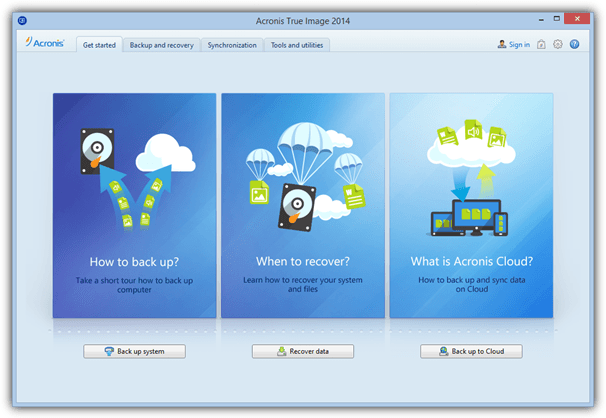
Price: Standard $49.99, Premium $79.99
Supported Backup Methods: Full, Incremental and Differential
Selected Features: Backup/restore using NAS or Acronis Cloud Storage, Try&Decide, AES encryption, dynamic volume support, restore to different hardware, file backup and drive cloning, F11 startup recovery manager, boot sequence manager, backup image converter.
Visit/Download Acronis True Image
2. Acronis True Image WD Edition / Seagate DiscWizard
Hard drive makers Seagate and Western Digital both have a cut down and slightly older version of Acronis True Image available to use for free, provided you have an internal or external hard drive from that manufacturer connected. Many features are disabled but you can still create/restore images and clone hard drives etc.
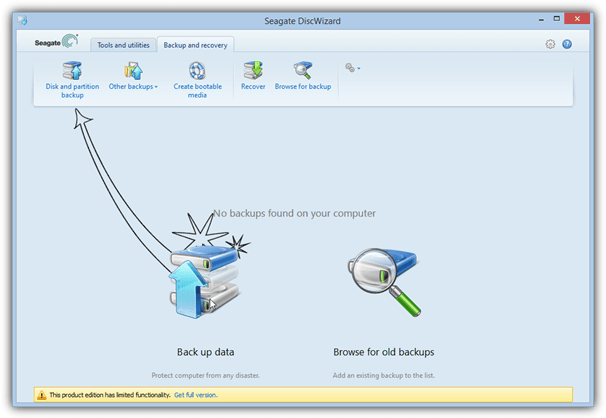
Price: Free
Supported Backup Methods: Full
Selected Features: Mount image as virtual drive, DriveCleanser, rescue media builder, clone drives, 2TB extended capacity manager, add new hard disc, TRIM your SSD, recover individual files and folders.
Download Acronis True Image WD Edition | Seagate DiscWizard
3. Active@ Disk Image 6
Disk Image also comes on LSoft’s famous utility boot disk and there’s also a free Lite version although it is severely restricted and doesn’t even have the facility to create a recovery CD/USB. You need the Pro or Standard versions to use offline recovery and incremental imaging etc.
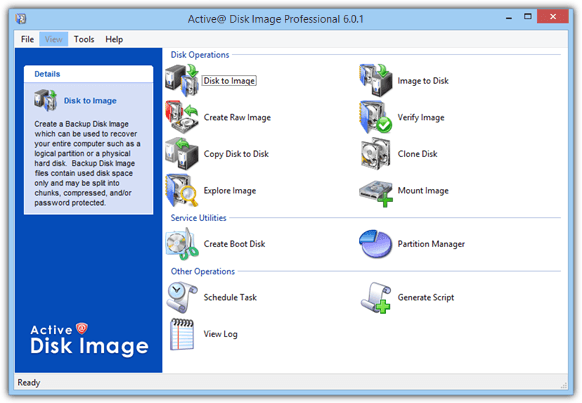
Price: Free (Lite version), Standard $39, Pro $69
Supported Backup Methods: Full (Incremental/Differential in paid versions only)
Selected Features: scripting support, schedule incremental backups, AES encryption, email notifications, drive cloning.
Visit/Download Active@ Disk Image
4. AOMEI Backupper 1.6
AOMEI is quite new to the backup business but Backupper is free for both personal and commercial use and has a feature set that puts many paid applications to shame. It’s one of the only free programs we found that is able to perform both differential and incremental backups, run schedules and offer Linux or WinPE recovery media.
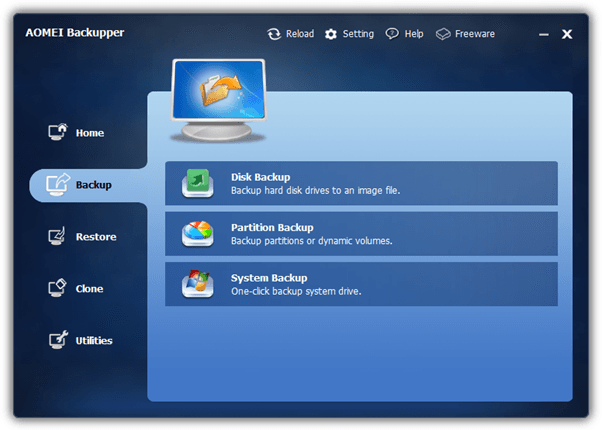
Price: Free for personal and commercial use
Supported Backup Methods: Full, Incremental and Differential
Selected Features: GPT partition and UEFI BIOS support, backup/restore using NAS or network, backup scheduling, dynamic volume and RAID support, one click system backup, drive cloning, image explorer and integrity checker.
Visit/Download AOMEI Backupper
5. AX64 Time Machine 1.4
AX64’s strong point is its ease of use because its aim is to be more of a snapshot type program that uses full and incremental imaging for the purpose. This makes it simple to setup and operate but it also means AX64 is not as fully featured or configurable as traditional imaging applications. You pay for simplicity and efficiency.
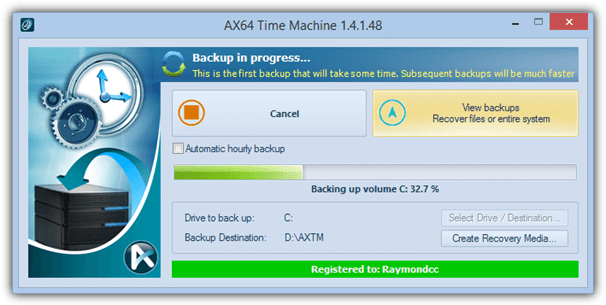
Price: $39.95
Supported Backup Methods: Full and Incremental
Selected Features: Manual/hourly scheduled incremental backups, recover from boot menu or media, mount backups as virtual drives, recover individual files/folders, advanced restore settings, ability to restore Windows partition from within Windows.
Visit/Download AX64 Time Machine
6. Clonezilla 2.2
Considering it’s a bit complicated to get to grips with because of the text only interface, Clonezilla is a capable and popular backup tool. It does only perform full backups though and there are not many other features available, being Linux based means Clonezilla doesn’t work from Windows and is usable from boot media only.
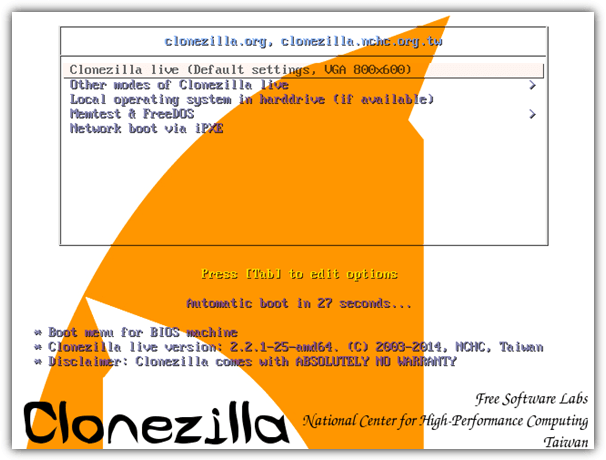
Price: Free
Supported Backup Methods: Full
Selected Features: UEFI boot and GPT partition support, unattended mode, huge number of file systems supported, restore to several devices at once, SE version can be used for mass cloning.
7. Drive Snapshot 1.43
Drive Snapshot is a tiny and optionally portable imaging utility that can be used from any Windows to backup and restore your drives or partitions. There are extensive command line options to control functions over and above those found in the GUI. The most recent version has added support for Windows 8/8.1 and GPT partitions.
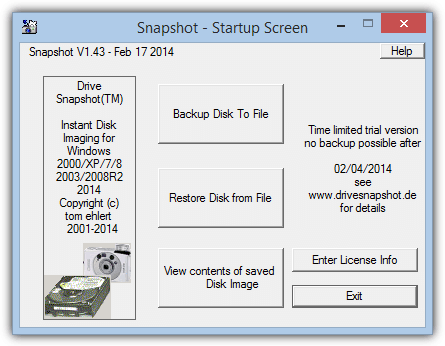
Price: From €39
Supported Backup Methods: Full, Differential
Other Selected Features: DOS restore disc, RAID compatible, Auto empty trash, disc encryption, Command Line interface, backup/restore using FTP, restore to new hardware option, mount image as virtual drive.
8. DriveImage XML 2.5
Made by Runtime Software who also develop the GetDataBack recovery software, DriveImage XML is quite basic and can perform full drive/partition backups only. Images are stored in XML files meaning you can access them directly with other tools if you wish. A separate Knoppix Live boot disc is available for offline functions.
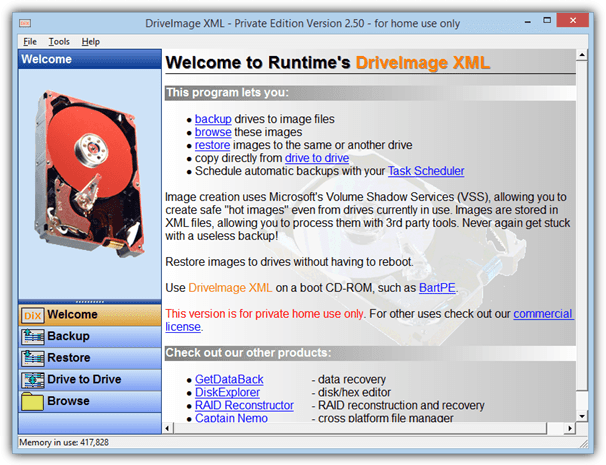
Price: Free for personal use
Supported Backup Methods: Full
Selected Features: Drive to drive cloning, scheduling (via Windows Task Scheduler), 550MB utility boot disc available with many Runtime tools included.
9. EaseUS Todo Backup 6.5
Todo has been around a little while now and the free version is able to create drive images and also incremental images, something very few free backup applications can do. The latest version of Todo can also backup your Android devices. Paid versions include advanced options like remote management and recover to different hardware.
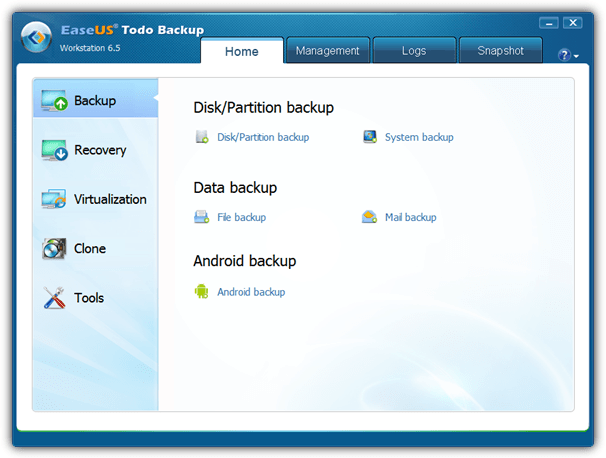
Price: Free, Home $29, Workstation $39
Supported Backup Methods: Full and Incremental (Differential in paid versions only)
Selected Features: One-click system backup and restore, GPT and RAID support, Outlook backup and recovery, recover to dissimilar hardware, migrate system to virtual machine, differential backup, schedule backup, remote control.
Visit/Download EaseUS Todo Backup
10. FarStone TotalRecovery 10 Pro
The FarStone backup software is loaded with features and also includes a 3 minute Rapid restore, which actually isn’t a full restore, more like a differential restore mode. TotalRecovery also supports more advanced features such as VMware and Hyper-V, universal restore and built in defragger.
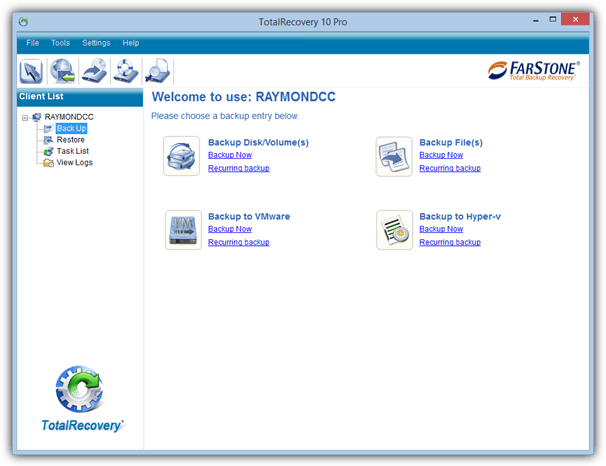
Price: $44.95
Supported Backup Methods: Full, Incremental and Differential
Selected Features: Support MBR, GPT, BIOS and UEFI, one-click Backup/Restore, disk defrag during backup, Scheduler, backup to NAS, network and FTP, file/folder backup, AES encryption, restore to dissimilar hardware, recovery manager on boot.
Visit/Download FarStone TotalRecovery Pro
11. Image for Windows by Terabyte Unlimited 2.87
Although Image for Windows is not difficult to use, it does have tons of options and tick boxes that might confuse less experienced users a little. The program has many of the useful features found in other backup software such as restore to different hardware, large drive (GPT) support and comprehensive command line support.
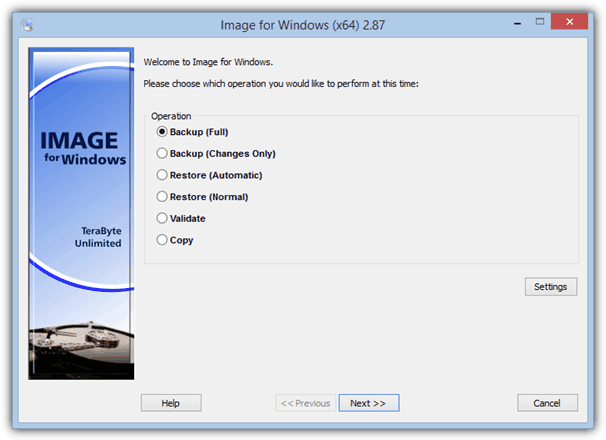
Price: $38.94
Supported Backup Methods: Full, Incremental and Differential
Selected Features: AES backup encryption, GPT, network and RAID support, restore files or folders, command line support, scheduling (via Windows Task Scheduler), drive copy, works with server versions of Windows also.
Visit/Download Image for Windows
12. Macrium Reflect 5.2
Reflect is generally considered as a solid and reliable product, the free version although slightly limited is one of the most popular free imaging programs around. Paid versions offer differential/incremental backup, file backup and restore to dissimilar hardware among other things. WinPE or Linux rescue media is available.
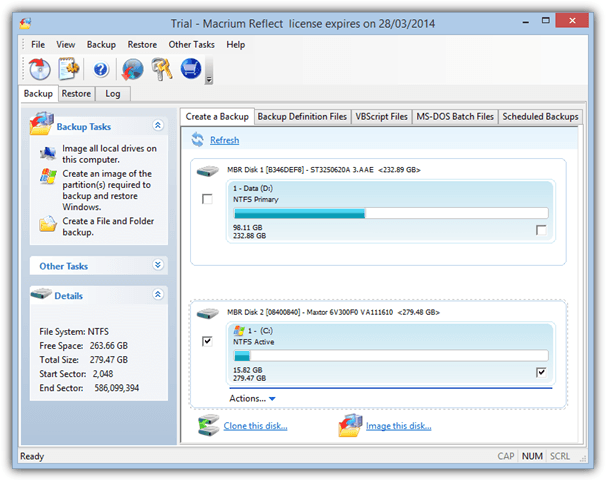
Price: Free, Standard $44.99, Pro $58.99
Supported Backup Methods: Full (Incremental and Differential in paid versions only)
Selected Features: Restore to different hardware, GPT support, drive cloning, file/folder backup, email notifications, recover from Windows boot menu, schedules and scripting support.
Visit/Download Macrium Reflect | Download Reflect Free
13. O&O DiskImage Professional 8
O&O Software produce a lot of very well known and easy to use tools, and DiskImage Pro aims to follow this trend. Most of the standard features found in other commercial and shareware backup applications are available, including the three main types of backup, a file/folder backup mode and restoring to different hardware.
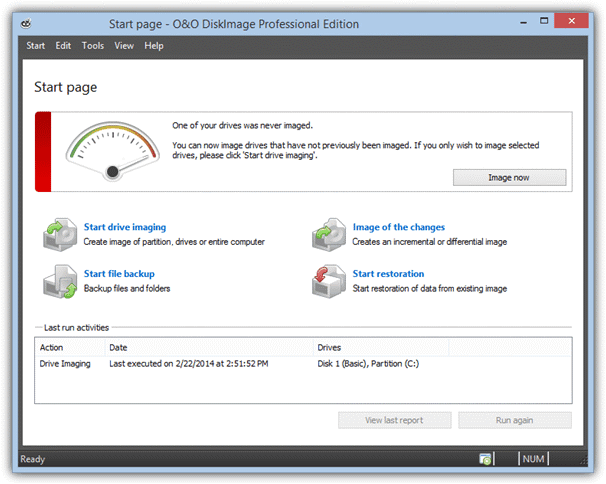
Price: $29.95
Supported Backup Methods: Full, Incremental and Differential
Selected Features: Create VHD images directly, scheduling via Windows Task Scheduler, one click imaging, drive cloning, dynamic disc, GPT and UEFI support, restore from virtual disks, save to network, start job on connection.
Visit/Download O&O DiskImage Pro
14. Paragon Backup and Recovery 14
For their free Backup and Recovery, Paragon offers a lot of features not found in many other software. These include Differential imaging and scheduling and also some basic hard drive partitioning functions. The Home edition also has incremental backup support, FTP, auto partition alignment and restore to different hardware.
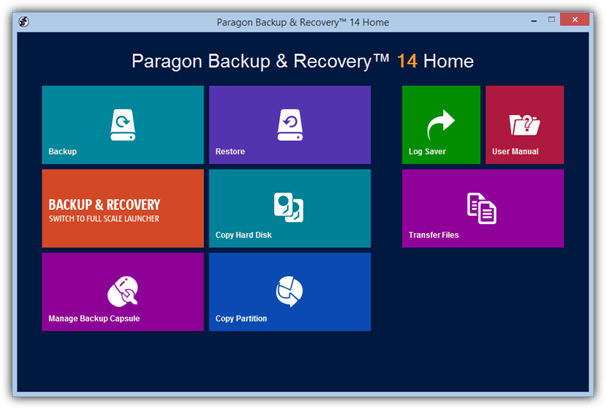
Price: Free, Home $39.95
Supported Backup Methods: Full, Differential and Incremental. This differs depending on whether you use the standard backup format or the new Virtual Disc format, see Test Notes on page 2 for more information.
Selected Features: Smart Backup, Selective Restore, basic partitioning features, partition alignment, drive cloning, migrate Windows to different hardware, scheduling and scripting, GPT, UEFI and dynamic disc support, recovery disc requires registering.
Visit/Download Paragon Backup and Recovery Home | Free Version
15. R-Drive Image 5.2
R-tools make quite a few utilities including the also well known R-Studio recovery suite. For a commercial product Drive Image isn’t loaded with killer features but it does have an easy to use wizard driven interface to help make the process easier. The results from previous tests weren’t great, maybe it does better this time?
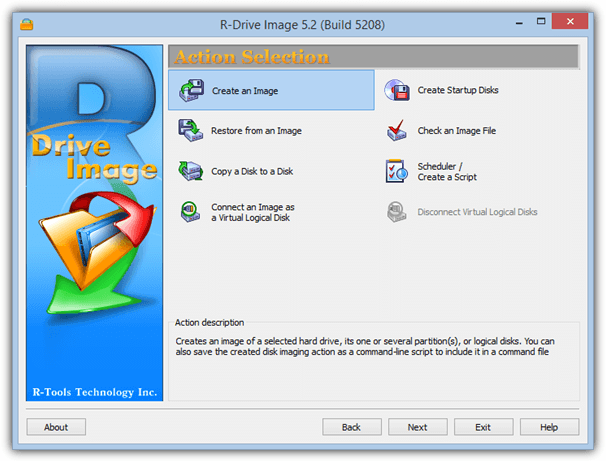
Price: $44.95
Supported Backup Methods: Full, Incremental and Differential
Selected Features: ReFS file system and GPT support, scheduler and script creator, drive cloning, mount image as virtual drive, backup/restore over network.
16. Redo Backup 1.04
Redo is a no fuss and easy to use bootable Linux disc that enables you to backup or restore both Windows and Linux machines from a bootable CD or USB. There’s also a few useful tools found on the Linux disc to partition, wipe or recover data from your drives.
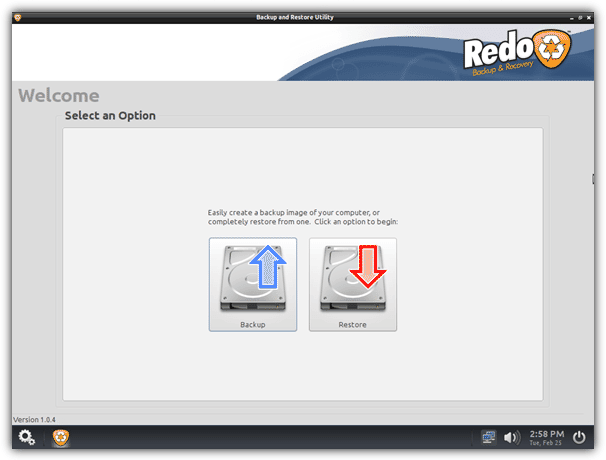
Price: Free
Supported Backup Methods: Full
Other Selected Features: backup/restore using network, internet access from the live disc plus several other drive related utilities.
17. StorageCraft ShadowProtect Desktop 5
Being the most expensive single product here, ShadowProtect has a reputation for being a fast and efficient backup solution. It also includes more advanced features like virtual environment support and remote management. The ShadowProtect Recovery Environment ISO is a separate free download for registered users.
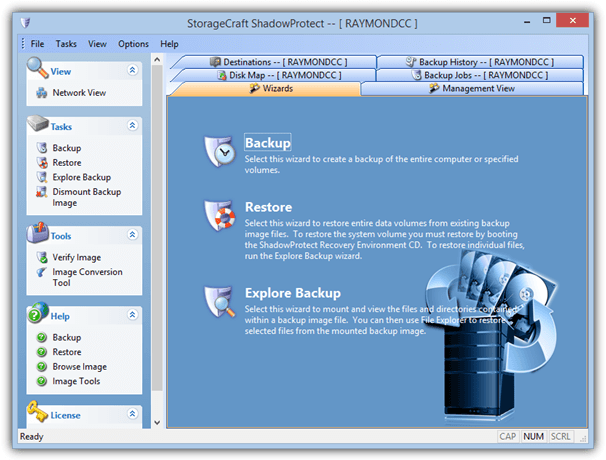
Price: $99.95
Supported Backup Methods: Full, Incremental and Differential
Selected Features: Schedule backups and incremental backups, restore to different hardware or virtual environments, repair boot errors or drive corruption, backup encryption, convert backups into virtual discs, remote notifications.
Visit/Download StorageCraft ShadowProtect Desktop
18. Symantec System Recovery 2013 Desktop
Symantec System Recovery is the replacement for the long time favorite backup tool after it was discontinued, Norton Ghost. This program though is a massive 700MB download and that doesn’t include another 800+MB for the recovery media. It does though have several features you would expect from an established brand.
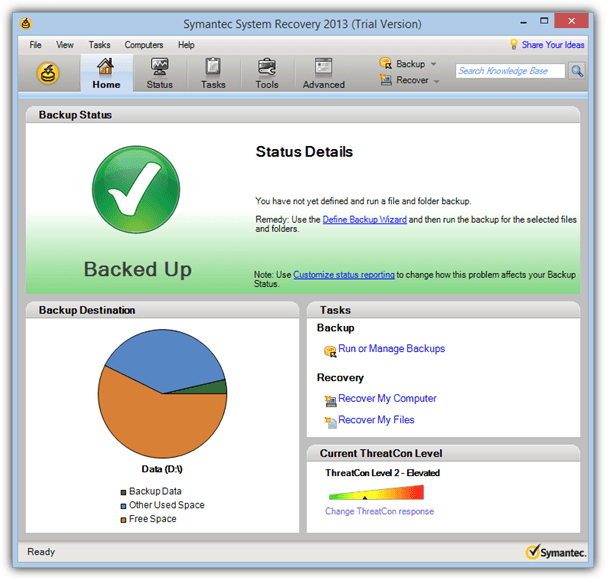
Price: $84.87
Supported Backup Methods: Full and Incremental
Selected Features: backup to external drive, NAS, SAN, Blu-ray, network share or FTP, virtual P2V and V2P conversion, recover files and folders, scheduling system, AES encryption, UEFI support.
Visit/Download Symantec System Recovery 2013 Desktop
19. Windows System Image
Since Vista, an option has been available in Windows called System Image to backup the Windows partition and associated partitions needed for Windows to boot. It’s very basic and doesn’t include anything much in the way of features, but it is a free built in imaging tool and at least gives the option for different backup locations.
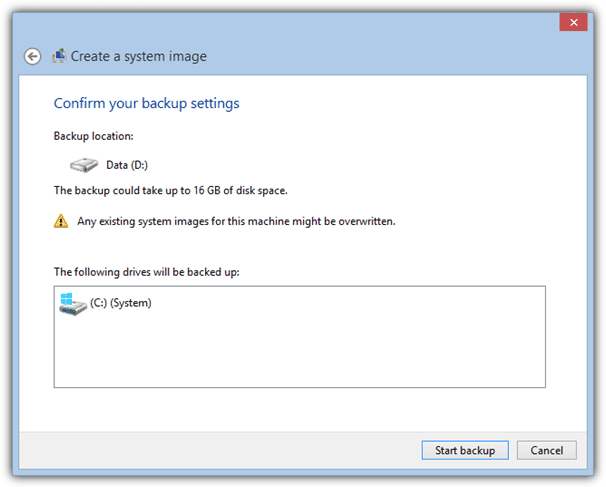
Price: Free
Supported Backup Methods: Full
Other Selected Features: Can use Windows, a recovery disc or the Windows install DVD to restore images, backup to hard disc, USB, optical media or network, built into Windows Vista, 7, 8, 8.1 as standard.
On page 2 you’ll find out how we tested, the results of our tests and the summary of who did what.


LazeSoft Suite does imaging too and it handles UEFI interfaces
You should create another updated article with latest version.
thanks for this article.
Please include Casper in your reviews. I find it the best at this job.
Update? Would be appreciated, tx.
Please DO NOT BUY Acronis products. I used Acronis 2013 now I bought 2020 new version. Their vendor which has its own office never answer the phone. No customer service. It is not that its line is busy. I tried it for one month they never answered. When I contacted via online customer of Acronis official service and the teller asked korean vendor to call me back, then they called me. They told me they will send me an email for that. but I think I have to wait forever.
You should again test all these with new versions
Hi HAL9000
Excellent & Extensive Review -used your hints and recomendations from years ago, (tuck in beard in belt!)
PLEASE PLEASE would you update the review now that MS has now officially killed off Win 7 support for most users. Forcing us to Win 10. No Doubt Win 8 will be soon.
Also many of the programs have had multiple revisions in the last few years.
2020 is another decade!
Thanks in anticipation!
Been deploying machines for years 1,000’s of them. ghost for many years until I stopped using it when it did not support larger than 2tb. moved on to active disk image the clone feature was unreliable at best, that did not matter too much because imaging was my main use. i.e. 1 image many to machines it worked 99.9% of the time. I threw in aomei in the mix because it was free and had a great interface so I recommended it to many customers even though they had to pay for the server version. since windows 10 1909 update nothing but problems. with active image and clone both render non bootable drives when you try the new drives. aomei image stopped working but clone works sometimes. it is like Microsoft found a way to spoil the pot. Anybody else run into this?
Title says 20 different programs are tested, article only shows 19 of them…I’m confused.
Also, this is 3yrs old, PLEASE update for 2019/2020, thanks!
There are 20 of them, the second option contains 2 applications and they are grouped as a pair because they are both based on Acronis.
Hi, Hal/Raaymomd.cc !
Please, when (2019) you would make some notes about some of these softwares.
I apprecciate your site very very much (of course there are many factors for a complete review and each one could fail ,depending on the user, etc (I am a newbie from Brazil – sorry for my english).
You know: there are a lot of sites that even tell anything about Paragon 17 (or 16).
For easy work and very well reliable, I am among Acronis new, 2019, AOMEI, Paaragon, Ease US Todo. Some says Macrium is too easy, others is difficult, and so on abaout the main others softs.
I intendo to my Windows 7, H. Premium, 64 bits, Desktop, I adore (and soon Microsoft cancel all support – at present I have to pay for an annual support and here in my city Recife, northeast of Brazil, is too much difficult meet a good technician… really to rare for a newbie like me).
kind regards, and congratullation,
Humberto
—————————-
Great Review.
Results echo my experience with the limited backup utilities I have used used.
Very quickly abandoned Symantec backup products.
Clonezilla my go to app for full system backups/snapshots.
Aomei WAS was goto program for backups and restore including the odd system backup. I did run into problems with Aomei aborting file backups with lots of files (800gb photos) due to lack of memory resource.
Easeus backup was able to takeover where Aomei could not.
Offline restore (boot able winPE) from Easeus is very noticeably slower then aomei.
Note that aomei drive imaging provides ease for virtual mount of the drive image. Very handy feature. You can do same with clonezilla images in linux but a bit more of a pain.
A review of this many applications w/focuses on speed is so far off the mark as to be useless. The first thing and main thing I need to know is how reliable this type of software is. It’s not like we’re dealing w/7-zip. Weeks or months sounds like a punt to me.
The title tells you what it’s going to be about before you even read another word, so why did you bother to read and comment if it’s of no interest to you?
Testing reliability is a useless exercise because we may test a piece of software 100 times and it works ok, others might try it once and it fails the first time. Then we’d get complaints that we’re paid shills or didn’t test properly. Why do you think so few websites/articles test reliability of PC software of hardware…?
Awesome testing. Thank you!
Nice review, however very stale. Windows 8 test bed? How about W10? Macrium Reflect 5? Now at 7. Acronis 2014? Now 2018 (ugh, hate that type of marketing versioning; doesn’t really tell you much about what really changed; you know you will get a new version each year regardless of what actually changed). Other examples abound. Like that you show when last updated in header, but text and data reads much older.
But, great effort and much appreciated. Well written, but should be proofed with “today’s glasses” on to bring it current.
A “Clone” test would have been great as these days there is a lot of that going on moving from HDD to SDD
I want to back my c drive ( where windows is installed ) on USB drive, and then restore windows from USB to pc, which software is better for me, please refer me only one.Many thanks for the write up.
I’ve bought Acronis 2014, 2015, Easeus Todo Home 10 and Amoei Backupper.
I feel the Acronis 2014 is the most reliable, and fastest.
Your forget, that AOMEI cannot backup many GPT drives.. (fx. on a resparry PC), where EaseUS can do this.
But EaseUS, somehow not make errors, such as Kodi (XMBC) not wokring, same for google chrom, and other.
REPEAT: AOMEI do NOT support GPT drives, for Rasperry mini computers..
It is a pity that in your comparision is not HDClone.
There’s so many versions of HDClone, we wouldn’t know which one to test. ;)
It would be nice if the reviewer would say how the programs actually work. I for one prefer an Imaging Program that runs by itself and not while Windows itself is still open. Like how the old versions of Norton Ghost did. You get a much more reliable image, if the only program running when the image is being made or restored is the Imaging Program.
The results are partly based on creating an image with a bootable disk like Ghost used to. You can see in the table only 2 programs did not have a boot CD.
We should have data about how heavy the apps are to the system. We have Macrium that only run 1 process with 2MB of RAM, and then we have Acronis that use 8 processes with 22MB of RAM.
For backing up my Hackintosh HDD (HFS+ partitions) I will keep using R-Drive. Knows how to keep the bootload intact and can backup only useful information of a HFS+ partition. So in a 250GB HDD if I have to rely on Macrium I end up with a 200GB backup, if I use R-Drive I get a 90GB backup, which is just the backup of the data and not empty space that I have in the HDD.
Very informative, as usual.
Macrium free 6 does allow for differential backups.
Not sure what the difference is between Windows images and the images created by these other software, but since I am only looking for a good, robust image of my :C: drive containing the OS and all apps, but not data (as I store it on a different drive and use Beyond Compare to backup data), I guess the Windows 7 image is more than what I need.
What about XXClone ? The free version do an amazing job, is very fast and have very much features. And for what you need a “Restore” function when you can always simply clone the OS back from your stored backup without the lost of any function or feature ? XXClone can make a 100% 1:1 copy/backup from all Windows OS what you can clone/copy back so often you want. This means you can clone a OS from any source to any disk inside or outside from your computer – even with a USB to USB connection between 2 computers. Only when your source is on a USB drive you need the Pro version.
XXClone is a completely different type of tool to those listed here. It doesn’t create or restore backup images but does a full 1:1 clone of the drive which is useless for our tests.
Redo Backup works will, saves a lot of time backup and recovering disk including disk cloning
I’ve used Clonzilla for Raid and was impressed with the speed and ease. Worked perfect – 1TB array onto a 2 TB array with no issues in less than 2 hours.
Come here to see the rank since I was using Todo for years and was satisfied BUT last week I found that lot of Todo so called successful backup are in fact incomplete and miss a lot of folders/files especially in with incremental backup.
I run my backups daily and I need RELIABILITY and it was since last week I was trying to understand why I was missing some data in my backup since the log file was “sucessful” ??? It is that it’s the process that is successful NOT the image file. You can check the image file MANUAL:LY AFTER the backup is done…
It’s crazy in 2015 it should be automated and moreover to have this bug that miss files/folders especially on incremental backup is terrible. I do my backup each day to be sure that I will not lose time in case of a crash…
Using Todo backup is like playing “Roulette Russe”… you don’t know if your backup is complete untill you need it. :(
So tomorrow I switch to AOMEI solution at least I will be able to check AUTOMATICALLY if the image are perfect, no worry in case of crash and peace of mind. :)
I really “wanted” to like AOMEI… and to be fair, the freeware backup and partition tools they provide have worked well. But even for PAID users, their forum based support is horrendous. Perhaps (hopefully) their email support for paid customers is far superior…?
But either way, they provide a PEBuilder product for free, which does a job none of their other products do – which is to build a bootable WinPE recovery image you can burn to optical disc or USB media, which can provide a recovery environment that includes BOTH their backup and partition tools. This is highly desirable to some of us who want a one-stop-shop recovery platform, and their PEBuilder offers that by providing the full Windows shell so that we can run yet ~other tools (say defraggers, system cleaning utilities, offline virus scanners, etc), which they actually include a few of themselves in their toolkit.
By comparison, the ‘separate’ bootable media that their main products create (I mean Backupper and Partition Assistant) do not expose the whole shell and instead launch directly into the application…
So for those of us that want that more robust recovery environment, including their PAID customers – I have to ding them HARD for not responding to multiple forum complaints that as of some Windows updates released sometime after December 2014, the WinPE image the builder creates is non-bootable. It pukes with a BSOD during boot. I traced it down to a timeframe backin May of this year, and another user further refined the list of conflicting Windows updates…
There have been NO comments to their users on the forums that I’ve seen – except second hand from one user who posted to the forum saying he emailed support and got a response that they apologized and said that the bug would be fixed “soon”. But that was also back in May, and yet AOMEI mysteriously released an update to PEBuilder MONTHS later – and it’s still broken in exactly the same way.
I recently needed to transfer a Win XP system to another drive. This Win XP system had been (re)installed about a year ago with much aggravation due to the age of my original disks and the various SP updates. I wanted to transfer this system to a new hard drive and make a reliable copy to not have to reinstall again (which I am concerned may not be doable at some point). My goal was to simply duplicate a 100GB drive onto a 320 GB drive….should be easy right.
1) Tried DriveImage XLM v2.5. Target disk would not boot (DMI Pool ……).
2) Clonezilla. Again the target disk would not boot, it would hang during what should have been the boot time. I tried various menu options with no success.
With both the above I tried to prepare up the target drive using various partition managers
including windows own disk management system. But no go.
3) Easus Todo Free. BIngo! worked great 1st time. I have since purchased the Home version because they deserve to be paid for a good product.
Clearly others have not had my issue so what ever the cause Easus was able to succeed where (some) others failed. I have no proof but I feel the use of the windows PE environment for the restore function might be key.
Regards
JohnRob
Great and thanks.
I replace now Norton Ghost 8.0… hesitating spending more than 30.- for single machines. Symantec is a shopping mess, Acronis was my choice before. Did this kind of research now 3 years, this time new: AOMEI Backupper, fair freemium pricing. Although, I would be ready to pay up to 5.-/y/home-device and leave cloud choice to me.
Will give Backupper a try, beside Windows Image, before clean Win 10 install.
Where is the speed info?
I have used some of these offerings and they all run at around 30 MBS.
I am currently using AOMIE backupper and even the pro version only runs at 40 MBS over USB 3.
Is this the best I can expect?
The size of the main image is 12.8GB (13,107MB), simply divide that by the time in seconds for the backup. For example, Aomei took 191 seconds (13107/191=68.6MB/s).
The speed of the backup depends on several factors such as the speed of your CPU, hard drive, USB controller, and other things like USB drivers and the speed of the drive you are backing up to all play a part.
Thank you for this very comprehensive list and compairison of imaging / cloning software. You made this process a little easier. Our users are very important to us and we are alwayse searching for good tools and utilities to help support them. Acronis has worked well for us in the past but we were not able to find a “enterprise” licensing model. We may try the Aomei technition license, it’s more in line with our business model, and seems to be rated fairly well, with lifetime support.
Aomei backupper is the only software that provides free-of-charge “Universal Restore”, a must for cloning system to dissimilar hardware to prevent blue screen error. Also the Win PE boot CD it generates can support boot from hardware RAID.
No Comodo? Seems like a pretty large piece of the pie to leave out, is there a reason Comodo was skipped?
No other reason apart from I always thought it was only a file backup program, so that’s my fault it was not included.
I wouldn’t go so far as to say a large piece of the pie, I’ve never heard anyone talk about Comodo Backup as an imaging application and you’re the first person to mention it here since the article was published a year ago.
It will be included when we next update the article.
Acronis TIH 2015 is flawed, jugded by their user forum. It is quite downstripped from the described Acronis TIH 2014.
But I will try some of the other mentioned, as I would need to boot-in from CD to backup up any disk.
The reliable Windows partiton backup is the built-in Windows System Backup from the Control Panel (in Windows 8: System 7 recovery, in Windows 8.1 File History there Disk Image, in Windows 7: Backup and Restore or so). It works decremental (creating old deltas in shadow space, pushing out older deltas).
For File Backup I recommend reliably Easeus ToDo Backup, (but not-not-not for Windows partition backup and not for bootable WinPE Recovery Disks. The latter are well known to fail when needed).
For Emergency Backup I have no recommendation, I do not know a reliable tool for Windows 7 and more recent.
The recommended tools never failed for me and I loaded them heavily and a dozen times.
Been using (paid) Ocster. 1 system crash and it pulled me out of it just fine. Easy to use, light system load. Pauses if you need more system resources. Had bad things happen with an old Acronis, won’t go back to it.
I just checked Ocster features
It mentions Rescue CD but I could not ascertain if ALL operations can be done from the bootable CD
(Windows not running AND we can use it on a PC where the program is NOT installed)
Rob (Who never does a backup whilst Windows is running)
Are any of these capable of backing up from within an active Windows session or backing up a RAID stripe set?
Very nice comparison.
If you plan for an upgrade of this test it would be nice if you could add these checks:
– Does the application make full use of the cores which the CPU offers ? Is it configurable ?
– Whats the average backup time and i/o performance when doing the disk image
uncompressed / using normal compression
I have a Xeon 1650v3 and doing full disk images from Samsung SSD 850 Pro to Seagate 3TB Sata6 disk.
With the latest Macrium and Paragon demo version if have to say that these programs are dog slow and only utilize 2-3 cores of my CPU. Compared to that Acronis TIH 2012 makes use of every thread of the 6 cores / 12 threads of my CPU.
– Is the Bootable medium able to do diskimages or limited to do only restores ?
I do not want to install Acronis makes to many things in the system, I dislike that.
I was glad in the past being able to make backups using the Boot and Recovery media.
With Macrium I notieced besides the bad performance and CPU utilization, that it can only restore.
– I would raise as a key requirement, that the Boot and Recovery CD needs to be able to make backups and restores. If your system does not boot anymore, you need a medium which backups the status “as-is” before your start doing recovery activities, which can make situation even worse. For this reason Macrium is a “no-go”.
– Test with new Chipsets, i.e. Intel C612.
The Acronis Boot and Recovery Disk doesnt recognize USB Keyboard and Mouse when using it on my new system. So the Linux version which they use is too old. I need to look if using Win PE environment copies maybe more drivers over from Windows, so that I maybe get my old Acronis 2011 version running, where I have the PLUS version for Win PE supprot. Creating the Boot and Recovery CD simply from within Windows does not help.
– Its cruicial, that the MBR is being saved and restored, no matter whether you do full or incremental backup / restore
– when doing a restore it needs to be possible to resize the partition sizes, maybe your new disk is slightly smaller in terms of capacity
– when doing recovery its required that the restore software activates the wanted partition
I hope, to see the most critical things also in a matrix, so that its easy to sort out inflexible programs, where the vendor does not recognize required key features which are required in emergency cases.
Besides of Acronis “bloatedness” and tendency to become more and more crappy it was already quite good in terms of the key features and also performance wise. The vendor is simply doing the completely wrong product strategie and has only mupptes sitting in 1st level, who have no clue about anything and route / address the problems wrong, then it takes ages until you have a case through with them. For every mail sent and received count 3 days. Mostly it ends up to get no 2nd level engineer and its a nightmare to troubleshoot real issues with them…
Very nice comparison !
Especially comparing clearly main features like incremental,differential or scheduler.
Too bad no one can test reliability ;)
I remember years ago when Acronis left me on the road with a non recoverable backup…whereas the self validation said it was a valid backup.
It was probably an USB driver bug.
So if you REALLY want to know if you recovery software works, you need to recover several times to know it. And most non-pro never recover until their computer crash. And they learn the hard way their backup is not recoverable…
What is the point of making backups if you can’t trust them ? That’s why backup software are growing everywhere : no one can REALLY know if they work right.
My advice : try to use at least two backup solutions…if their engines don’t conflict :D
Phil,
You are spot on
The most important test should be reliability.
I don’t care too much how long the backup takes, as I can be cooking/eating dinner whilst it is running.
Again size is semi important, but If someone pointed me to a 100% reliable backup program, then speed and size would pale in importance.
My advice to you all, is to keep things simple –
– NO incremental backups
– Do not have Windows running (use a bootable CD
– Have two external Docks (with 3.5″ drives shoved vertically into them) and alternate which dock you image into.
– Preferably use eSata connector, because I too had trouble with some images using USB
Rob
Unfortunately it’s virtually impossible to test these programs for reliability because that’s quite hardware specific. What could work flawless on my computer could be very unreliable on your computer. Speed and compression can be tested and translate from one computer to another.
Aomei Backupper 2.02 has been released…
Very informative test! Sadly, the one that is missing from the test (and comments) is the one i personally trust the last 3 years: Keriver Image/1 Click Restore Pro or Free. Very solid imaging program. 1CR Free does offer all three kinds of backup.
The Best one is R Drive Image which allows to restore windows 8.1 backup image within <<< 6 Minutes only either onto non partitioned space or any disk re-sizing it to actual byte size present in image backup!
Best one, R-Drive Image 5.3
Unless R-Drive have worked some kind of miracle between versions 5.2 and 5.3, our tests seem to strongly disagree with what you are saying. It was constantly one of the slowest during all our tests on Windows 8.1…
Thank you for this comparison. Sadly only Acronis and ShadowProtect are the only ones working with DiskCryptor encryption (from within Windows). Otherwise I would have tested Macrium Reflect Free, Paragon Backup & Recovery 2014 Free and AOMEI Backupper.
An artifact of upgrading from win 8 to win 8.1 is that you get a second recovery partition. Some system image backups don’t know that the new one replaces the original, unless you want to go back to win 8.
You might want to check that out.
Best is AOMEI Backupper 1.6, encrypts the backup but once a restore is done you do have to run another program to set the partition to active to have it boot. But for free with the encrypted backup, can’t beat it. If your operating system with all the registered to the programs you bought, is not important the Free WD-Acronis is super great and super fast. If your computer doesnt crash constantly and have to be re-authenticated constantly just buy the full backup from Acronis as well for more hdd wiping options ect. Thanks!
AOMEI Backupper 2.0 released:
New Features:
Files and folders backup and restore.
Backup data with command line prompt.
Backup Scheme allows you to do disk space management.
Merge multiple incremental backups into one.
Partition alignment to optimize SSD during the restoring or cloning operation.
Windows PE bootable media supports EFI/UEFI boot.
Fully support Windows 8.1 system and some bugs fixed.
There is an important feature missing from the free EaseUS Todo Backup system. Its Linux emergency boot disk will not boot with the UEFI boot firmware typical on modern computers. I was able to find a legacy BIOS boot-from-DVD-drive command from the startup menu of my HP Pavilion. It works. I don’t know if all UEFI computers offer such a workaround for booting from the EaseUS emergency disk.
Two features about Image for Windows not mentioned:
1. Check a box and it will verify your backup image bit by bit. Backups are worthless if you have an error in your backup image.
2. The backup image is bootable. So, no looking for restore disks. Very convenient.
You seem to have missed the line “we’ve displayed which backup methods are supported and a few selected features. To find the full feature list for a specific program, please visit its website.”
Thanks for the test, always nice to read. You should have tested at least one product also with other OS-environments to see whether different OSS yield different results. I recently used Macrium Reflect in XP (to use and store some still unused licenses for possible future use) on several machines and found it to be very, very slow. Also Paragon BR14compact on W7 did not impress me with its speed, Shadow Protect on the other hand worked like a charm. Apparently test results from W8.1 are just results from W8.1 and they don’t necessarily mean much for other OSS.
Although I would have liked to run the full test in 3 OS’s, the huge amounts of time involved meant that simply wasn’t an option. To take just one product and test it would have not been fair, what happens if we accidentally pick one that works far far better/worse in one OS than another? That would give everyone the false impression they all do that.
We simply chose Windows 8.1 because it is the current OS you go and buy in the shops with a new machine, Win 8 and Win 7 are very similar anyway because we did run a couple of small tests when looking at the software. You’ll probably find the vast majority of performance tests on the internet, whether it’s testing hardware or software, use only one operating system, and it’s often the latest one.
One essential feature that you either didn’t look into or weren’t clear about is restoring to drives of different size. Is that what you mean when you by “dissimilar hardware”? Could you expand on what you mean specifically.
Restoring to the same drive/partition is trivial. Restoring to a larger drive/partition is fairly easy. Restoring to a smaller drive/partition is a challenge. Although it may seem silly to need that as drive prices are cheap, it does happen. As of a few years back, there was no free driving imaging software that could restore to a smaller drive/partition and only one or two commercial ones. Has that changed?
As this article is about imaging size and speed, we didn’t want to go into detail about functions and features of the backup applications, just list a few select things each program can do, if you want to know more visit the software website.
As far as I know, most of the major backup programs can restore to different partition sizes, bigger or smaller. The “dissimilar hardware” phrase usually means that you can take an image on one computer and restore it on another computer, irrespective of what the HDD/Motherboard/CPU/RAM specs are. In the old days, this would be not be possible or cause a BSOD because of the hard drive controller being different.
Have used Drive Snapshot for years, with both UBCD4Win and Hirens and it has always been rock solid and have never had any problems.
You should try Miray HDClone It’s awesome.
FOG is also great if you need to Image multiple machines.
A big problem with HDClone is they restrict the speed at which the program works so that would mean we either had to test all 5 versions (because they would all produce different results) or show 1 result which isn’t accurate for the other 4 versions.
AFAIK, HDClone doesn’t do differential/incremental backups either.
Do not let FarStone results fool you. FarStone is old and well known company and their TotalRecovery Pro is rock solid product!
A lot of the other software here is rock solid also, but they don’t take a ridiculous amount of time to run a simple backup/restore task…
Yes i know other products works like they should too but absolutely not all. Same goes to companies support.
I’m worried if people are really so hurry that they can’t wait couple of minutes more to get results which they can at least trust! ;)
You are right in that we aren’t testing stability, reliability and software support etc, and FarStone may or may not be better than another program listed here.
At the end of the day, would you use a reliable product that does the job in 20 minutes, or a just as reliable product that does the same job in 4 minutes?? I know which I would prefer.
Don’t forget also this is just using ~13GB of data, if you had 100GB the backup time could be eye watering…
I am a long time user of Acronis (2013) and…recently of FarStone (v10). Plenty of features for FarStone but …..it is really really slow and if you change your backup’ s name it will fail to restore it even if you browse to your backup’s specific location. Pity for the money spent.
You forget Cobian Backup , wich is free and has full , incremental and diferential backup. Also the backup can be scheduled and many more other features .
softpedia.com/get/System/Back-Up-and-Recovery/Cobian-Backup.shtml
Cobian Backup is a completely different type of program to all of these and it’s not an imaging program, but a file/folder backup program. I didn’t forget, it just doesn’t do what we are testing here which is create/restore a backup image of the hard drive.
That’s also why other tools such as Syncback and Backup4All etc weren’t included, they don’t do what we are testing…
I always appreciate these in-depth, professional reviews. This site consistently has the most useful and reliable information for techs! Outstanding!
Storagecraft’s solution might seem expensive to begin with, but the $99 includes a years maintenance, which can be renewed for at a rather cheap price.
@Joey, you can easily schedule backups (full,incremental,differential) like:
– Now (uncheck “execute now” to save it as a manual backup job)
– Later (specific date/time)
– Weekly (specific day/time, start/stop time, time between backups even as low as every 15 minutes)
– Monthly (select dates of the month, can have multiple selections, when to do the first backup, time between backups even as low as every 15 minutes)
– Continous (select specific days, when to do the first backup, time between backups even as low as every 15 minutes)
To be honest, all the scheduling options are a bit over the top, so I tend to use “Now”.
I’m not affiliated with the product, but I’ve been a rather satisfied user for about 5 years.
The best and most complete comparison between backup applications. You did a wonderful job and I hope I do not end here with these comparisons between applications
Fantastic overview and very topical for me as I was considering the paid Paragon suite 14 @ 22 odd A,$, as they advertise creation of VMs for all major platforms. I recently became aware of a really interesting Linux distro which has great solution to maintain, protect backup and restore a win VM (RoboLinux).. having an easy way to create a win VM would be awesome.
Thanks for the nice review. I currently use R-Drive Image, I have a fast PC and backup/restoration time are ok, and it’s very reliable, including the boot media. I also use Macrium Reflect 5 because also of its reliability.
I also rely on Drive Snapshot because it handles files/folders exclusions.
Like your blog. As always. There may be a reason for this but can you include 2brightsparks.com/downloads.html#freeware in your next review? Would be nice to hear how it compares and any user comments. Thanks!
The simple reason we didn’t include it is because Syncback Free is a file/folder backup program and not a disk imaging program, so it can’t do what we are testing.
Nice work man. Thanks for your great effort! Keep it up.
I dont know why people complain so much about Windows 7 backup .. i have been using it since it’s release and have no complaints..
Why do i like it?
I don’t have to install an additional 3rd party software to add more bloat to my setup.. 3rd party software always come with all kinds of useless crap!
Yea Windows 7 doesn’t have all the bells and whistles but that’s how i like it.. it keeps the size down and does exactly what you need a backup software to do ..
I’m currently researching what product I wish to buy for my personal use. And, I’ve noticed some additional information.
I have heard of one important feature of ShadowProtect that you’ve failed to mention. (Note: My information may be dated, but comes from PC Magazine, so should be reasonably reliable.)
Changing a motherboard or video card, but keeping your old drive can leave you with a computer that won’t boot without a complete strip-down and re-installation of Windows. (I know this from personal experience.) According to PC Magazine, Storagecraft has found a way to deal with these hardware issues and incorporated it into ShadowProtect. And, apparently none of the others have such a feature. When the other products mention hardware independence, they are speaking of the disk drive and not the full system.
Thus, if you wish to upgrade your system hardware (especially the motherboard) without changing over your familiar drive setup, you may want to take an extra look at ShadowProtect.
Also, as I understand it, Paragon’s full Disk Manager Suite (more expensive) reportedly contains the most comprehensive set of tools currently out there … and the price has dropped dramatically. If you need addtional partitioning tools, you may want to look at that. Disk Manager Suite includes Drive Backup.
I saw Power Quest Drive Image 7 mentioned in the above comments. My work also used Drive Image and never had a problem with it. However, that product was purchased by Symantec a long time ago and became the basis of Norton Ghost 9.0. We switched to Acronis at the time, as we’d found a significant system performance penalty installing any Symantec product. We had little problem with Acronis, but the version we were using was not the easiest to use.
Acronis has such a feature for years now. It’s called universal restore, but costs extra money, while ShadowProtect includes it already, but is in general a little-bit more expensive.
Hi Raymond,
Thanks for the unbiased review on Disk Imaging software. There are many different programs to choose from but i prefer Acronis TrueImage.
I used to use PowerQuest DriveImage 7 (WinXP only!) and never had any issues. I have used Acronis TrueImage for a couple of years now. It is very easy to use and i have never had any problems or corrupted restore images. When using the bootable recovery CD, i always save my backup images to a 16GB USB flash stick and always set it to “validate the image file” if it passes then i burn them to a DVD-RW later when i have time and validate the burnt DVD just to make sure it’s ok, then i delete the file on my USB stick.
Regards,
Jon
Nice blog entry! I suggest you expand this in the future with some serious testing details. When evaluating some of these products, we quickly realized that incremental backup capability was a necessity for our business, because our servers became unacceptably unresponsive without incrementals. Differentials were not even acceptable. This narrowed the field quite a bit for us, to those few which support quick incremental backups. A home computer may not be seriously affected by such slowdowns, but businesses should keep this effect in mind – incrementals are the only decent option. There are other concerns too, with incrementals. Some products have serious problems with incrementals (read their support websites). We found in our tests only the StorageCraft ShadowProtect product was consistently reliable for incremental imaging. However we are using Server 2003, and even StorageCraft has had some issues with incrementals as they just released an update to fix some issues which are mainly seen on Vista and Server 2008 and Windows 7 and Server 2008R2. I would be very interested in hearing about the experiences of other users who are using StorageCraft ShadowProtect on Windows 7 and Server 2008R2. We will be migrating in the near future to these platforms and would like to know if the ShadowProtect incremental backups are working correctly on these platforms with their latest 3.5.1 release.
Been using Acronis True Image for several years and I have nothing but compliments. One I like is the ability to do full backup (no shcheduled backups) by just using it’s rescue media
Nice article, thanks. I’ve been researching backup software for a few months now, and I would recommend reviewing Symantec Backup Exec System Recovery next time around. It’s my second choice behind Acronis.
EMC Retrospect (with the Disaster Recovery add-on) is another option I tested, but the recovery process is too flaky for serious use. The next version announced supposedly has a revamped PE-based recovery system, at which time it would be worth a second look (the Retrospect UI is very flexible.)
I’ve adopted since 3 years “Drive SnapShot” after trying Norton Ghost, Acronis Disk Image, Paragon Drive Backup….
The ease of use and the speed for backup and virtual drive are very good !
Incremental backup is working great !
Compression ratio is not the best but is a good compromise between space and speed…
Thanks you so much. Im glad with this article is so nice no matter what they said
Here’s my own review, from experience. As a Windows 7 64-bit user, I used every single one of these backups at one time or another and I can tell you, from experience, the two most reliable and fastest are Active@ Boot Disk and Macrium. I never had a problem backing up with them. I never had a problem restoring with them no matter how bad I screwed up my computer. Just use the WinPE rescue disk with Macrium, the Linux based one doesn’t work on Windows 7.
With all the others They either lack essential features or I’ve run into problems backing up or restoring.
Acronis has every feature imaginable including backing up an image to a VMWare virtual machine. However, sometimes when you want to restore using their Linux bases rescue disk, it won’t recognize the external hard drive I have my backups in. They say to use a WinPE disk but creating one is complicated and I could never manage to make one that works. So with Acronis, if my computer happens not to boot up, I’m screwed.
DriveClone is SLOW as a turtle and it also has drive recognition problems with their Linux based rescue disk.
Norton doesn’t support Windows 7 which is what I use. Stupid. Back in the day, I used the excellent Norton Ghost 2003, the grandaddy of them all.
O&O is actually very stable, has backup and restore speeds, and its rescue disk works well. but it doesn’t have the feature to backup individual files.
Paragon is like Acronis. Loaded with features. Terrific. But the backup is as SLOW as a turtle. Takes forever. In fact, its the slowest backup I ever used. Differential backups get as big as the full backups and take longer. What’s the sense of having a differential backup then? Might as well do a full all the time.
R-Drive is missing essential features, incremental/differential, and file backup.
Windows backup is missing essential features, incremental/differential, and file backup. If you happen to restore a such a system files backup after you install software, that software will be broken. Only good thing is you can use your Windows installation disk as a rescue disk. Microsoft should be ashamed of themselves for having such a limited backup on their excellent Windows 7.
StorageCraft. Well respected with an excellent reputation. Very stable and reliable with many features. Reliable rescue disk. The backup software most used in companies by system administrators. Raymond made a mistake in his chart. Storage Craft (ShadowProtect) does have “Constant Backup”. In fact, it is completely “Constant Backup”based. Unfortunately there is no option to schedule backups manually, which is why I don’t use it. If it did, this would be my backup software for sure. I don’t like having automatic constant backups done in the background, it takes up a lot of space plus you’d be backing up stuff you screwed up, and viruses and trojans and what not.
That’s it. I hope this helps people in choosing a backup software.
Very good review Ray ;)
Thanks a buch!!!
I’ve tried all those and a few more. The best I found was Image for Windows by TeraByte Unlimited.
What I found more interesting while researching products was the fake review (top 10 review) sites that gave inaccurate and misleading information on almost all the products. They must get paid somehow.
Hie ray ur check is awesome u have lot patience to write it over here … dat was g8 nd i Loved itt
Here it is in a nutshell:
For the best paid back up software, go with Acronis True Image.
I have used Acronis for several years and can’t be more than happy with it. It is true that in previous versions, image corruption was a problem, but that issue has since been fixed.
For the best free back up software, go with Paragon. Paragon is very similiar to Acronis, although a tad bit slower. But hell, its free.
Now, I think many people use back up imaging software wrongly. What you are supposed to do ideally is to reinstall your os, make the necessary updates, install all the programs you use, then make a backup of that hard drive (in its pristine state). If you do this (and you only need to do it 1 time), the time it takes to back up is really fast and the time it takes to restore is faster to. Everyone should be making back up copies of their data and placing it on a cd or dvd. Such data should NOT be part of the incremental back up image or the disk image itself.
For me, the best is Macrium Free Edition. It’s fast, free and it’s not invasive as acronis that put many many files on memory at pc start. Macrium put only one file in memory for mount images as hdd that you can disable). I like a program that only backup without utility in memory. Macrium need only a add on for me “file exclusion”. After many years that I use acronis I say to it bye bye. I hate hungry not useful feature software.
Very informative and useful article. Thank you.
wow, very useful Ray. i’ve added to my reading list.
Hi Raymond,
Thanks for the comparison. I have been using Acronis for several years and never failed me. It is a great software though I am not using the latest version.
Been using Acronis since several years and always great results. Since day 1 of knowing Acronis, Ghost was kicked out and never looked back.
Good review.
Thanks a lot Reymond for such a nice article. I highly appreciate for your efforts, time. Its true “Computers, made easy with Reymond.cc” :)
I really appreciate your effort! Customer service/support is high on my list and Active@ Disk Image is off my list permanently because they couldn’t provide even a simple response. I just bought an external hard disk drive to either backup or image my two hard drives. Your research is very helpful. Thanks for spending the time to test and post results in a table for easy comparison!
Great job raymond.. Always loved by ur ‘testing’ article.. :)
I love this article. Very impressive and many details. Thank you very much.
Thanks for the test.
Good Post :))
Very good article. I’ve been waiting for this sort of testing for some time and now I’m glad I found it on your blog. Usually I’ve tried to make backup only with Ghost, Paragon, Acronis and now with Windows 7, and trully, Acronis is a very good choise. Paragon for me was little slow, but with a good control of the backup; Ghost it was fast and it worked on slower computer and Windows 7, without compression, I don’t think is usefull when you make backup on dvds.