
10 Free Clipboard Enhancement Tools to Make Your Computing Life Easier


 8 min. read
  Published on

It’s quite mystifying that Microsoft constantly does nothing to enhance a potentially very useful feature built-in to all versions of Windows, namely the Clipboard. The Windows Clipboard has been untouched for years but can be incredibly useful when you’re copying text or data from one place to another. The major drawback of the Clipboard has always been that there’s just a single slot for the data. As soon as you cut or copy something else, the original data is completely overwritten, all data is also lost when you logoff or shutdown.
Bizarrely Microsoft actually removed one of the few Clipboard related functions after Windows XP. It isn’t that well known because it’s not available from the Start Menu, but the ClipBook Viewer (type clipbrd into the Run box) is a small utility that shows you the current textual content of the Clipboard. Although not available in windows Vista/7/8, you can still copy Clipbrd.exe from a Windows XP system to the System32 directory of a newer operating system and use it.
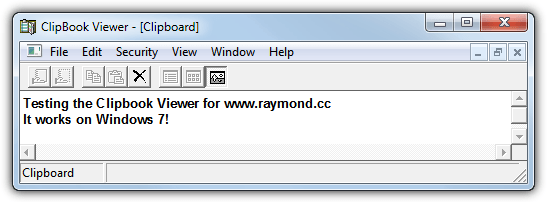
It’s not unusual for you to want to recall something you copied to the clipboard and have since overwritten. Did you copy a website URL a few hours ago and can’t recall what it is? Are you performing repetitive tasks copying text from one document to another? Did you reboot your computer while you had something you wanted in the Clipboard? Being able to store multiple data entries in the Windows Clipboard and have the ability to recall that data, even after a period of time or a reboot can be very useful, here we show you 10 Clipboard utilities that can do just that…
1. ArsClip
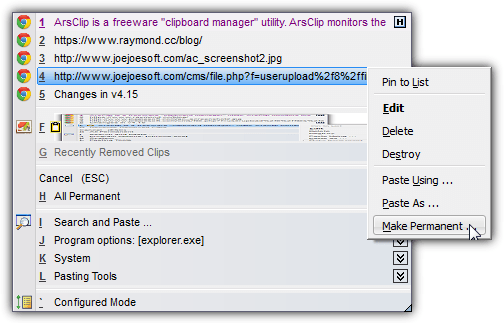
ArsClip used to be quite basic, but has turned into a well rounded clipboard management tool offering plenty of features without being too complicated. In addition to being able to copy and paste different text formats, sounds, images and files etc, you can set hotkeys or mouse actions for the paste menu, configure how to use the Windows 7/8 jumplist feature, disable the clipboard or choose different pasting methods for individual programs, create your own permanent clips or even create Windows commands and macros. ArsClip is very configurable, uses around 4.5MB of memory and can be used as a portable program or installed.
2. CLCL
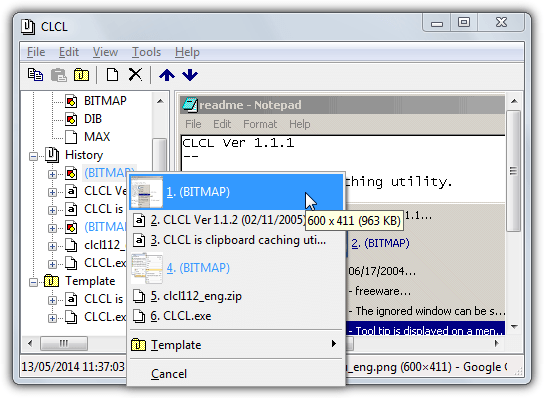
Despite its advancing years (it’s from 2005), CLCL is still a popular clipboard management utility because it does the job it was designed for, even on Windows 7 64-bit. It also has a few options not found in newer clipboard tools such as excluding a specific application, being able to copy/paste most things like images and files, very configurable hotkeys and being able to set different copy/paste shortcuts for different programs. More good things are CLCL has a portable version and uses only ~2MB of memory, the bad thing is there’s no documentation for CLCL at all. A few plugins are also available from the website enhancing the program a bit further.
3. Clipboard Magic
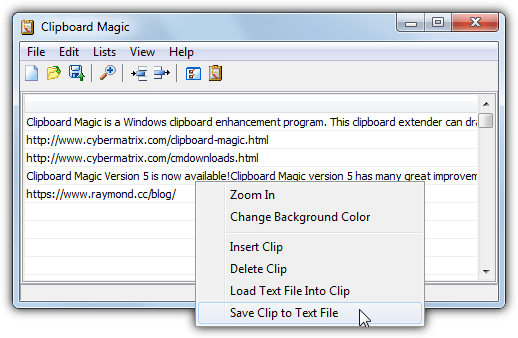
Clipboard Magic is a relatively simple clipboard enhancement utility and it only copies and pastes plain unformatted text. Fewer features than some other clipboard tools also means it’s quite light, averaging around or just under 2MB memory usage. Clips can be imported from or exported to text files, lists of clips you use often can also be saved and reloaded on demand. The hotkeys to popup the clip window are a little restrictive only allowing Ctrl+Shift+{defined key) but you can define row keys a little more freely to directly paste a selected clip. A basic editor allows you to edit the clip text on double click or using the Expand button.
4. Clipboard Master
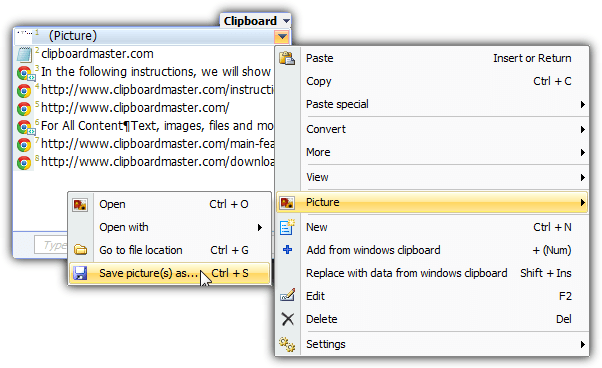
It could be quite easy to get lost in the sheer wealth of functions and configuration options in Clipboard Master. Just a few of the available features are; multi clipboard stores up to 10,000 entries, templates to insert predefined text, screenshot capture tool, Password Safe stores encrypted usernames/passwords, multiple functions to edit or correct the text/url, several options to copy/paste via mouse, Auto Copy, Zip/7z the clipboard contents, url shortener, choose what formats to capture and comprehensive keyboard shortcuts, the list goes on… Clipboard Master starts off using 4MB of memory but this rises to 10MB+ when you start using it.
5. ClipJump
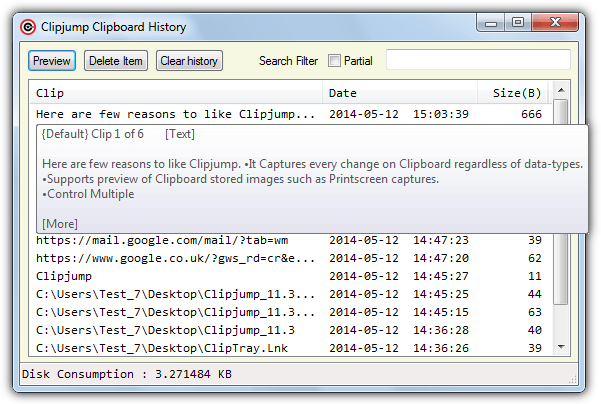
ClipJump is programmed in the Autohotkey language and certainly has a lot of features crammed into a small package. Apart from the impressive fact it barely uses a Megabyte of system memory, there’s also the ability to copy and paste just about anything including Rich Text, HTML, files/folders, images and etc. Also included is an ignore window manager to exclude specific programs, Clipboard channels to store sets of clipboard data, and batch pasting among other things. ClipJump defaults to using Ctrl+V to paste, simply keep pressing V to cycle the clipboard items with a preview tip provided. The program is currently distributed as a portable zip.
6. ClipTray
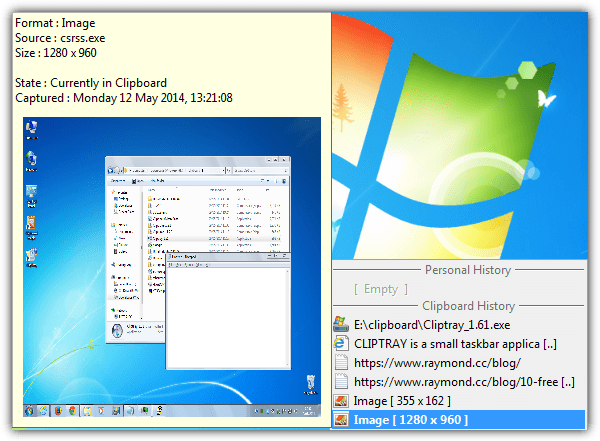
Although ClipTray is a very small and compact program (uses ~2MB) with not many features, it does have quite a powerful clip storing mechanism. Apart from plain text, it can also handle the copying and pasting of Rich Text, HTML, links (http/ftp/mailto), images, files/folders and audio WAV files. Upon pressing the hotkey default of Alt+V the menu will popup and also show a preview of whatever you’re hovering over, select the clip to copy it to the clipboard. Personal clips can be defined and there’s also a screen capture tool in the tray menu. ClipTray is old coming from 2003 but the only slight issue we had in windows 7 64-bit was when configuring the hotkey.
7. ClipX
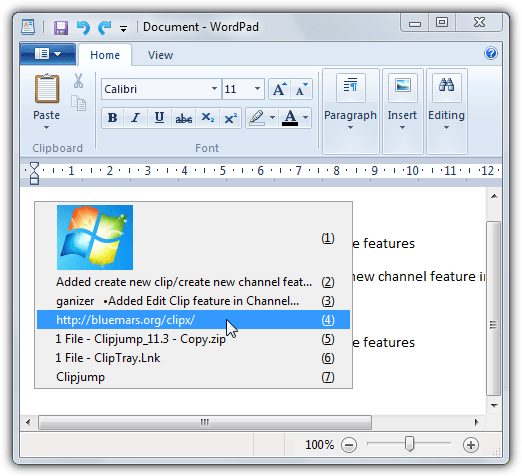
ClipX is getting a bit old now coming from 2008, but the last version (v1.0.3.9 beta 7) seems to work fine in Windows 7. It’s also very light, often taking up no more than around 1MB of memory. Despite its age ClipX is still very capable and can handle copying and pasting images, files/folders, text, formatted text and etc, and also includes a preview tooltip inside the popup menu when you press the hotkey combination (default is Win+V or Win+Insert). A few plugins can be installed from within the program to add extra features such as limiting the image/text sizes or adding stickies to the paste menu. Separate 32-bit and 64-bit versions are available.
8. Ditto
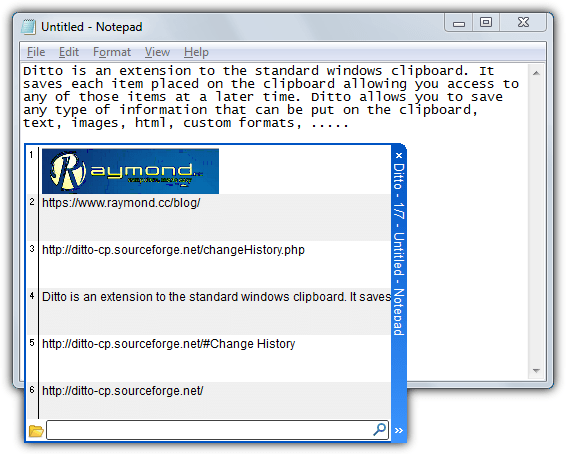
Ditto is quite a feature rich clipboard management utility while still being relatively light, consuming only around 3MB while empty. It can capture files, images and text formatting (for RTF/HTML etc) and then also display their thumbnails in the quick paste window, something not every clipboard tool can do. Another nice feature is transferring encrypted clips over the network which allows you to send and receive from other computers. There is a ton of hotkeys which can be configured although the most important is the default to bring up the quick paste window (Ctrl+’). A portable version is also available if you don’t want to install.
Download Ditto (separate 64-bit version available)
9. Ethervane Echo
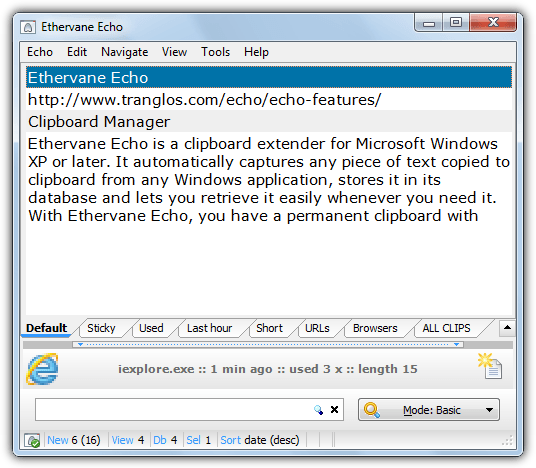
Echo is perhaps suited for pasting sizeable blocks of text because it brings up the main window when you press the default hotkey of Win+Insert. It also has a number of options such as searching through the clips, save/import/export clips, the ability to edit clipboard text inline or using a built in text editor complete with spell checker, choose the text formats to capture, and quick view tabs. Ethervane Echo is very configurable although the preferences window isn’t the most intuitive. A plus is the availability of a portable version and the dictionaries are optional downloads if you don’t need them. Echo used about 7.6MB of memory during testing.
10. xNeat Clipboard Manager
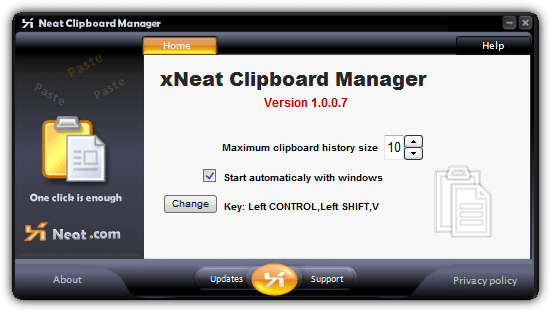
The major issue with xNeat Clipboard Manager is we couldn’t get it working on a 64-bit system, this is a real shame because it’s very light, using only around 250KB, and incredibly simple to use. It does however work fine on 32-bit, including Windows 8.1. Simply set your hotkey (default is CTRL+Shift+V), the size of the Clipboard history (up to 99) and whether you want to start xNeat with Windows, then press the hotkey when you want to switch between clipboard entries to popup a menu, right click to make an entry sticky. Sadly any updates to fix the 64-bit issue aren’t forthcoming as xNeat Clipboard Manager hasn’t been updated since 2008.
Download xNeat Clipboard Manager
Final Note: All the Clipboard utilities above were tested on windows 7 64-bit apart from xNeat which wouldn’t bring up the paste history menu unless it was running on a 32-bit system. Something we have mentioned throughout is the memory usage of the program, as they sit in the background all the time (unless you run the tool on demand) it makes sense to have something that takes up as little RAM as possible. ClipJump, ClipX and xNeat were all very light on resource usage, CLCL, Clipboard Magic and ClipTray were also very reasonable.



Improve this guide

User forum
0 messages