
8 Free Portable File Managers for Quicker File Operations


 9 min. read
  Published on

One area of Microsoft Windows that really hasn’t changed that much over the years is file management. Windows File Explorer is not that different now to what it was in the days of Windows XP or even 98. In Windows 8 the ribbon interface was introduced in Explorer which did help make file operations somewhat easier, along with a pause option for file copying. But in the end, Explorer still pretty much looks and works the same as it’s always done.
If you are someone that does a lot of file management and copies, moves, renames or deletes files quite often, you will no doubt find Explorer severely lacking in several areas. One drawback of Explorer is you need to have floating windows for each separate directory you want to work with. Something like a web browser shows it’s efficient to use tabs so you can quickly switch between locations. There are tools around that can add tabs to Explorer, but it still falls short elsewhere.
Third party file managers have been around for decades and many are far better at file management than Windows Explorer. Usually a file manager will be either like an enhanced version of Explorer or a Commander type program with fixed panes. Here we list 8 free portable file managers that you can use anywhere, even on a USB flash drive.
1. FreeCommander XE
The old FreeCommander 2009 used to be one of our go to tools when it came to fixing problems like files being hidden by a virus infection. That’s simply because it was one of very few file managers that would show hidden and system files by default. The old version has now been superseded by the new and improved FreeCommander XE. The 2009 version is still available for download if you prefer as it’s still a very capable program.
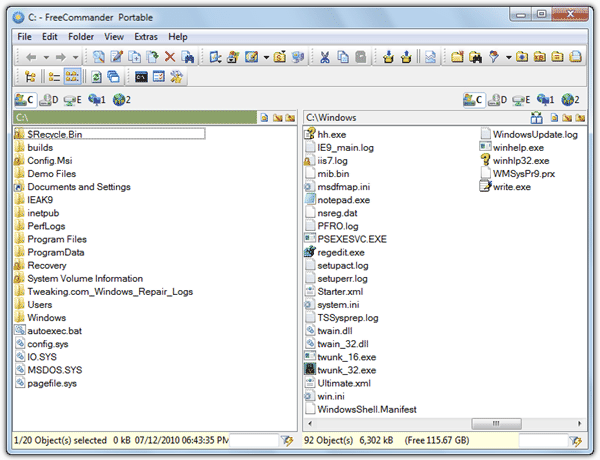
FreeCommander XE has a number of configuration options to tailor the interface to your liking with the option to switch between single or dual pane layouts and show folder sizes. There’s also plenty of features including create and verify MD5 hashes, attributes and timestamp editor, archiver, secure file wiper, batch file renamer, file or folder compare, advanced search, file synchronizer, screenshot tool, create a folder/file list text file, favorite locations and hex/text/image viewer, and a Win+E keyboard shortcut to replace Windows Explorer’s default shortcut.
One disappointment is it doesn’t show hidden and system files out of the box, which the old version does. File split/join and FTP, which were in the old version, are missing in XE although FTP has been added in a recent beta. FreeCommander XE does have a 64-bit version but it’s only available to download for people who donate to the project.
2. Explorer++
Explorer++ is not a dual pane file manager but instead behaves much like Windows Explorer by having one file and folder view at a time. This program has a tabbed interface though, so instead of several windows open you just switch tabs. It’s been around since 2008 and the last update was back in 2013. As Explorer++ is open source there are a couple of more up to date modified versions found in their forum.
The idea behind Explorer++ is to keep things relatively simple and stay quite close to how Windows Explorer works. As a result, you won’t find tons of options but there are enough to make it a useful alternative. Features include save folder list as a text file, copy paths, set file attributes and modified dates window, enhanced search window, location bookmarks, split/merge files, file destroyer (1 or 3 pass), a Go menu with system shortcuts and the ability to replace Explorer. Make sure to run Explorer++ as administrator in Windows 10 or it will crash during right clicks.
3. Multi Commander
Several years ago Multi Commander was a shareware application costing around $30 to buy. It’s not really surprising when you run the program and see how many functions and features that are available. These days though it’s completely free for personal and commercial use. Multi Commander is also actively maintained and updated at regular intervals.
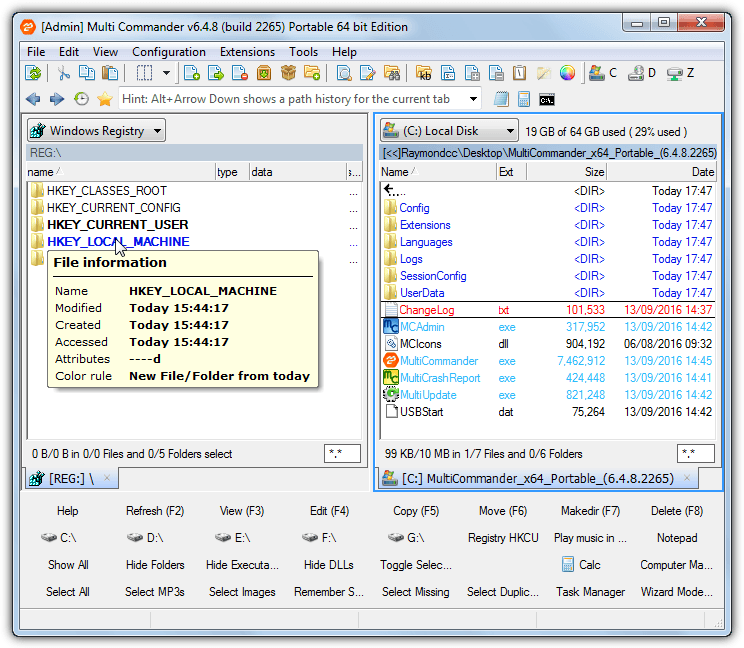
Multi Commander is built around a plugin system that can add features just by adding a new plugin. Available plugins are already in the program though so there are no extras to download. The feature set is quite impressive, and includes attribute/timestamp changer, open/locked file unlocker, image format/size converter, file compare and checksum, ownership and permissions editor, advanced search and rename, Zip/7z archiver, FTP manager, registry editor, favorites and aliases, custom file types, filters, and dozens of other options.
On first launch Multi Commander will ask whether you prefer an Explorer style interface or a Commander style interface which uses right click to select files and has better keyboard shortcuts. There’s also a custom option which allows for a mix and match between the two. You can always change later on with the Look ‘n Feel option in the Configuration menu.
4. NexusFile
If you want something a little different looking, then NexusFile is definitely a dual pane file manager to have a look at. It’s default skin has a rather striking black theme and file layout but it can be changed to something like a gray or more traditional white color with a few clicks. NexusFile is free for personal and commercial use.
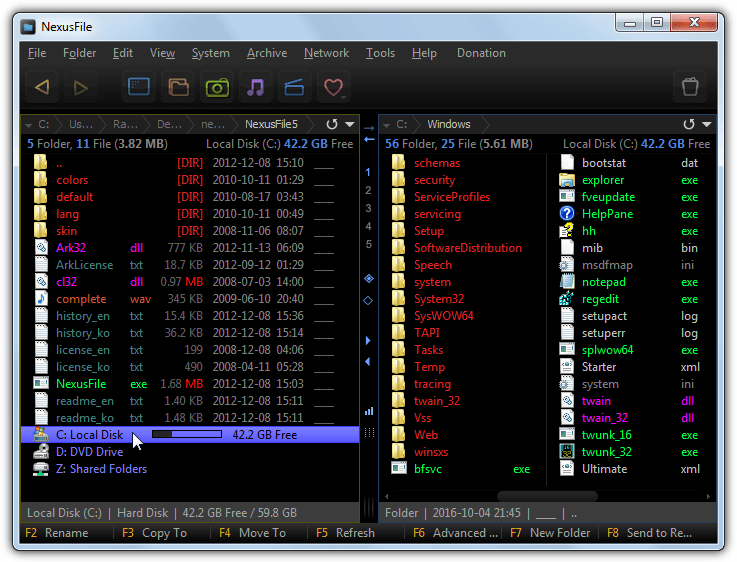
NexusFile is designed to be small and fast but should have enough features included for most users. Some of the features are FTP manager with quick connect, split and join files, compare folders, simple temp file cleaner, archiver, folder tree viewer window, folder favorites, advanced renamer, attribute/timestamp changer, file checksum viewer and an option to identify unknown file extensions online. NexusFile is also a dream for keyboard shortcut lovers because almost every function has a corresponding shortcut combination, they can be edited using F12.
5. XYplorer Free
There are two versions of XYPlorer, the shareware version starting at $39.95 and this feature limited free version. There are about 30 features missing between the free and paid versions but most of them you can easily live without. Only a few features like file operation queuing, portable file associations and a slower update cycle are things you might miss from the paid version.
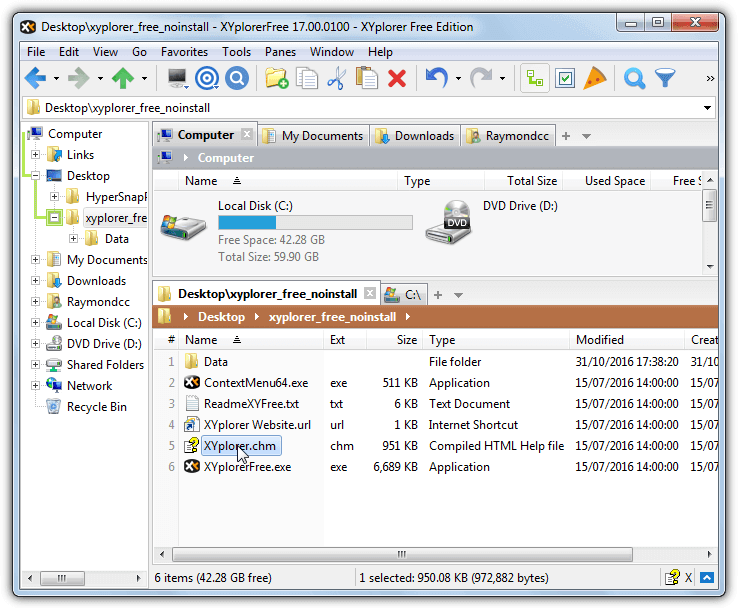
Some of the useful functions include send paths to clipboard, special rename options (including batch, regex, search/replace), backup to, duplicate files, file hashes, file metadata, quick/floating preview, show folder sizes, color filters, advanced file filtering and favorites. The F12 Info panel also includes a report generator, advanced file finder, tag creator, file/raw preview and an editor for file attributes and modified/created dates.
There are literally dozens of options to change almost everything about how the program looks and behaves, so nearly everyone should be able to get XYplorer setup to their liking. Thankfully the free edition has no disabled options, upgrade nags or anything similar, it’s also licensed for both private and commercial use.
6. Nomad.NET
This program is a little like Just Manager because it has a clean and uncluttered interface with a reasonable number of options, but not too many to be overwhelming or confusing. As the name suggests, Nomad.NET requires the .NET Framework 2 or above to work. Windows Vista/7 and newer systems have a compatible version of .NET already installed.
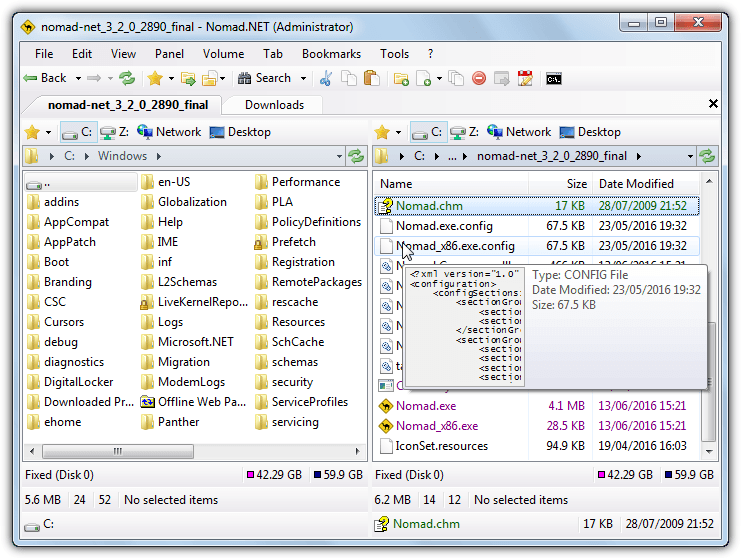
The features Nomad.NET does have are all quite useful. They include Bookmarks, dual option erase free space, folder branch (displays ALL files in a folder path), basic FTP manager, customize folders option, copy names/details to text or CSV, advanced search, move or rename window, multi format archiver, wipe files, attributes/timestamp editor and analyse suspicious file with VirusTotal.
Nomad.NET does have a hidden power feature which is a plugin system that also accepts Total Commander plugins. You can potentially expand functionality greatly as there’s loads of plugins available, but it will be hit and miss as to what works. The Nomad.NET website lists tested plugins but it’s quite small and outdated.
7. Q-Dir
What sets Q-Dir apart from most other file managers is it’s possibly the only free one around that offers a quad pane view. That’s a great thing to have if you are copying or moving using multiple locations. Although the quad layout is the program’s centerpiece, at the press of a button you can reduce it down to three, two or even a single window layout if you wish.
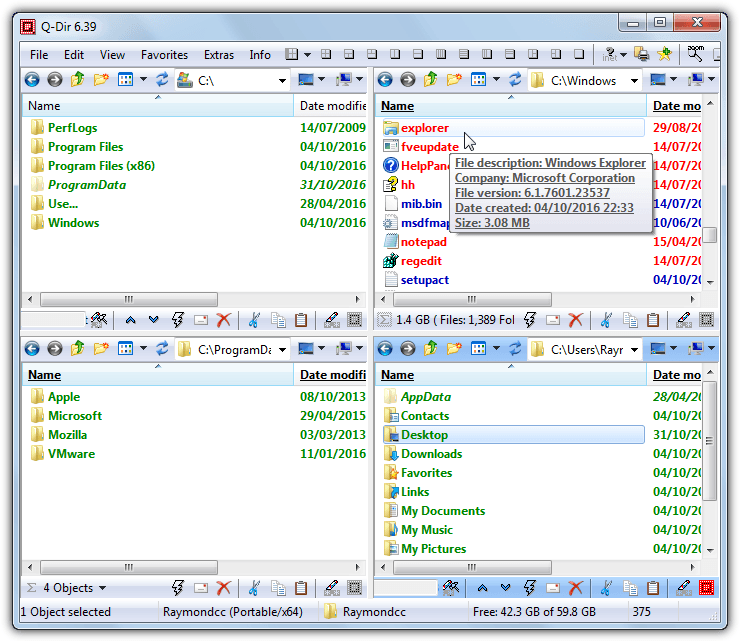
Q-Dir is built more to be fast and functional as opposed to being feature laden with the panes being almost the same as an Explorer window. Most functions are related to how the layout of the program looks although there are a few other things you might find useful. Q-Dir has a magnifier, favorite folders/quick links, a quick run menu, file filtering and the ability to set Q-Dir as the default file browser.
8. Double Commander
Anybody that has used the shareware Total Commander should find themselves at home using Double Commander as it looks quite similar. It not surprising as the developer says he took inspiration for the program from Total Commander. Although it has been around almost ten years and is actively updated, for some reason Double Commander never seems to have left alpha/beta status.
Functions include built in text editor with syntax highlighting, create symbolic/hard links, attribute/timestamp changer, directory compare, FTP manager, archiver, file split and combine, calculate and verify checksums, advanced search, folder hotlists (favorites), synchronize folders, quick viewer, advanced multi rename tool, and an operation queuing system.
Apart from looking similar to Total Commander, Double Commander also makes use of the Total Commander plugins that are available, such as those from Totalcmd.net. Although there are dozens available that can enhance functionality, not all will work and it may be trial and error to see which plugins you can use.



Improve this guide

User forum
0 messages