
10 Free Software to Monitor Windows Startup Locations


 10 min. read
  Published on

Software can be easily added to Windows startup so that it automatically runs when your computer is booted up. It is necessary for some software such as an antivirus to run at startup so it automatically starts protecting Windows once it has been loaded. However, there are many other software applications that come with an option to start with Windows and if you don’t need them running all the time consuming unnecessary system resources that can potentially slow down the computer, it is better to just disable the option.
Other than just legitimate programs adding themselves to Windows startup, any kind of malicious software such as viruses, trojans, rogueware, keyloggers, ransomware etc also quietly sneak into Windows startup locations without your knowledge to keep them active on the computer as long as possible until they are detected and cleaned. HIPS (Host Intrusion Prevention System) can effectively detect and prevent both legitimate and and malicious software from adding itself to startup but they are very sensitive and protect many other areas other than startup locations.
If you are looking for a smaller and easy to use tool to just monitor Windows startup locations, here we have 10 software tools.
The list of software are split into 2 categories which is real time and on-demand.
Real Time Windows Startup Location Monitoring
The list of real time Windows startup location monitoring tools below means that they need to be running to monitor changes on the startup location. If they are not running, anything added to Windows startup during that time will not be detected.
Watch 4 Start is one of many tools created by LeeLu Soft such as Watch 4 Folder, Zip2Fix, Quick Fix, etc. It is a free portable program to monitor a couple of unrevealed startup locations in Windows with multiple actions such as show desktop alert, popup message and running a program upon detecting a change. You can set it to auto run on Windows startup and checking the box at the bottom.
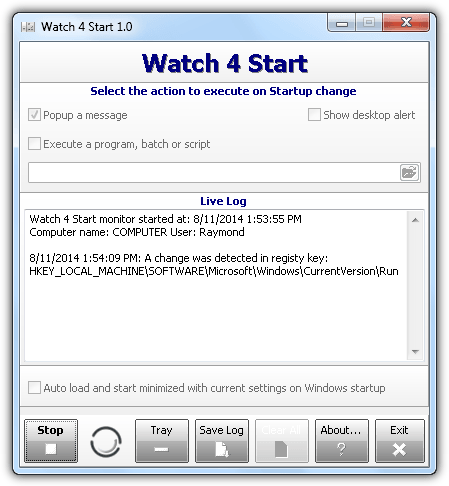
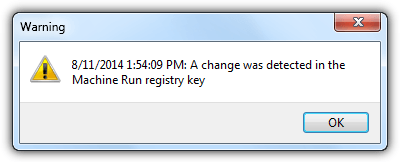
Below is a sample of popup message when a startup is being detected. It does not have the ability to temporarily block the change, only notify you about it. The Live Log from the main GUI will show the exact location of the startup change.
Watch 4 Start takes up 7MB memory usage which is quite a lot for a small and simple program. If you got the error “Thread error: The handle is invalid (6)” when trying to start monitoring, there is probably nothing much you can do from your side since it is a coding error. Try the next program below.
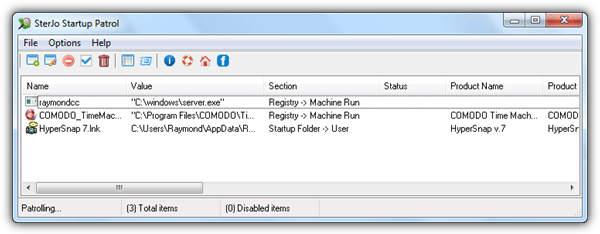
SterJo Startup Patrol is a free Windows startup monitoring program where it checks the registry run location and also startup folder. A few actions such as disable, enable, edit, delete, execute, viewing file properties and search online are available to assist in managing the list of startup programs shown in the main user interface.
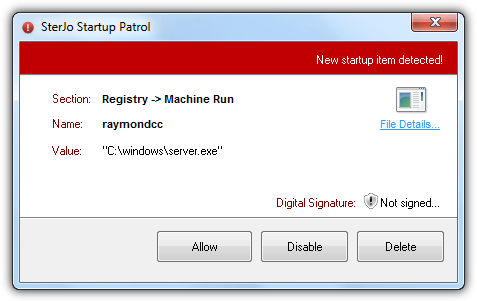
Upon detecting a new addition to Windows startup, SterJo Startup Patrol instantly prompts a notice asking for your action which is either allow, disable or delete. It also shows if the file is digitally signed. It takes up about 3.5MB memory usage when sitting in notification area.
The setup installer version of SterJo Startup Patrol prompts to install adware during installation. You can download the official portable version below that comes without the adware.
Download SterJo Startup Patrol
3. StartupMonitor
StartupMonitor is a really old software by Mike Lin that was released in the year 2000. Even the official website and download links are no longer available but we managed to find it on the web. You would expect that it won’t work on a newer operating system such as Windows 7, but surprisingly it does after testing.
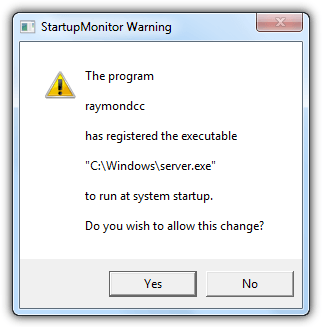
StartupMonitor is really light taking up only 0.2KB to 0.5KB of memory usage. It is purely a startup monitoring tool with only a warning popup telling you that it detects a change in system startup. You will not find a graphical user interface that lists all the startup programs nor configuration. Although it works, the possible problem is the additional startup locations found on newer Windows operating systems are not being monitored and there is no way to add them.
4. Spybot – Search & Destroy 1.62
The previous version of Spybot has a feature called TeaTimer which monitors called or initiated processes and also changes made on the critical areas in the registry which includes startup, but unfortunately this has been removed in the current version 2. Fortunately you can still download the older version of Spybot if you’d like to use its TeaTimer function.
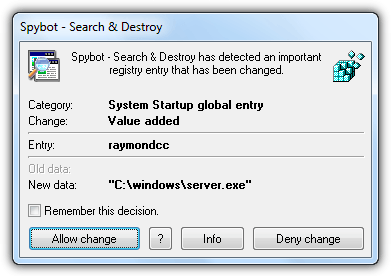
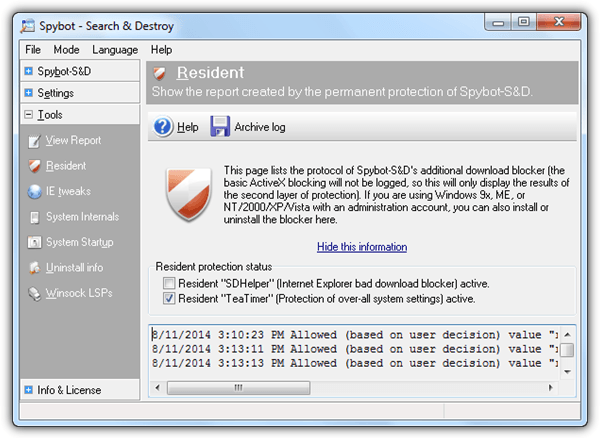
During installation, you get to choose if you want to enable TeaTimer by selecting the checkbox “Use system settings protection (TeaTimer)”. If you missed it, click on Mode at the menubar and select Advanced Mode. Go to Tools > Resident > enable the checkbox for “Resident TeaTimer (Protection of over-all system settings) active.”
Do note that the TeaTimer in 1.62 is unlike the older version of Spybot where it asks for your decision on any unknown actions. The TeaTimer in 1.62 is designed to be quieter and less intrusive. If you want TeaTimer to prompt for actions whenever it detects a new addition to startup locations, you must enable paranoid mode by right clicking the tray icon and select “Paranoid mode“.
Download Spybot – Search & Destroy 1.62
5. StartupEye
StartupEye is another simple and light startup monitoring tool that uses slightly over 2MB in memory. The only settings available for StartupEye are to load at Windows startup so that it starts monitoring once your computer is booted up, and whether to enable or disable the alarm when detect registry change.
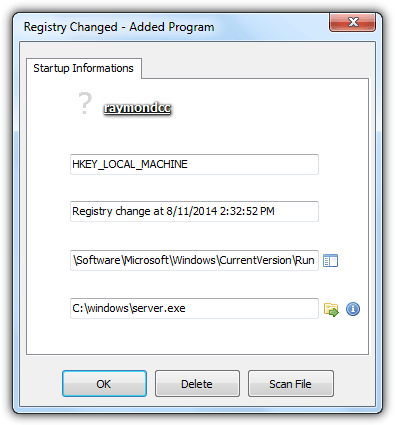
An advantage found in StartupEye that is not available on other startup monitoring software mentioned in this article is the ability to upload the file to VirusTotal for scanning by using the official VirusTotal Uploader program.
On Demand Windows Startup Location Monitoring
Unlike the programs mentioned above, the programs listed below aren’t required to be running in order to detect the changes in startup locations. A snapshot is taken whenever the program runs and will be used to compare with the next snapshot when you run it again. They can also be used for monitoring startup locations in real time.
6. WinPatrol
Most people would have heard of WinPatrol, a popular system monitoring utility that checks important areas in Windows such as startup locations and also allowing you to investigate hidden files, recently run programs, scheduled tasks, file types, cookies, active tasks, IE helpers and services.
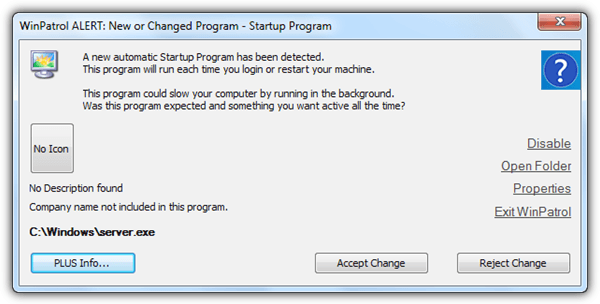
A huge turn off in the free version of WinPatrol is it does not check for changes in real time which means you’d get a delayed alert whenever an application is added to Windows startup. The default interval is 2 minutes and the fastest you can change it to is only 1 minute. Oddly we’ve tested the PLUS version with the real time protection turned on but it still took a while before the alert pops up. We also did not receive any popup alert to newly installed services and also the creation of scheduled tasks.
7. Startup Inspector – Startup Monitor
Startup Monitor automatically takes a snapshot at every second whenever the startup monitoring is enabled. It only monitors startup items in the registry such as Run and Run Once for both Local Machine and Current User. If you like it to be real time, simply configure it to automatically start with Windows. When Startup Monitor detects a change in startup, you are given the option whether to allow the changes or to block it by restoring to the original state.
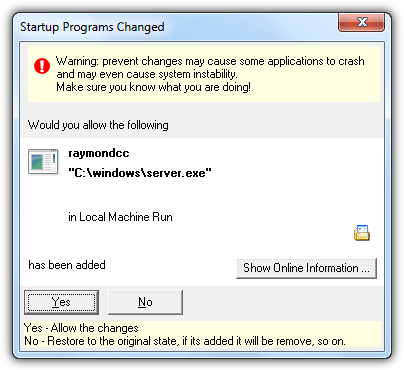
The program is light taking only 1.2MB in memory with very little to no CPU usage at all. The Show Online Information button don’t work anymore since it opens their official website to search for the filename which is no longer accessible. The logs are supposedly stored in Event Viewer but nothing is found in Windows 7 Event Viewer.
8. Tiny Watcher
Tiny Watcher is probably the most powerful true on-demand startup monitoring tool. It takes a snapshot every time Windows is booted up and compares with the previous one to look for changes. In fact, you manually start a scan whenever you want from the start menu. You can either run a quick check for a fast scan to compare the dates of creation and last modification or deep scan which is more thorough as it compares SHA-1 hash to determine content changes in a file.
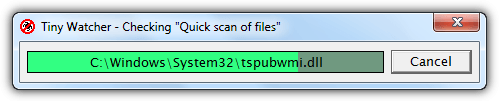
When Tiny Watcher detects a new running process, new entries in the monitored registry path, changes in win.ini and system.ini, file changes in Windows directory, and new scheduled tasks, a warning window will appear asking you to confirm the or remove the changes.
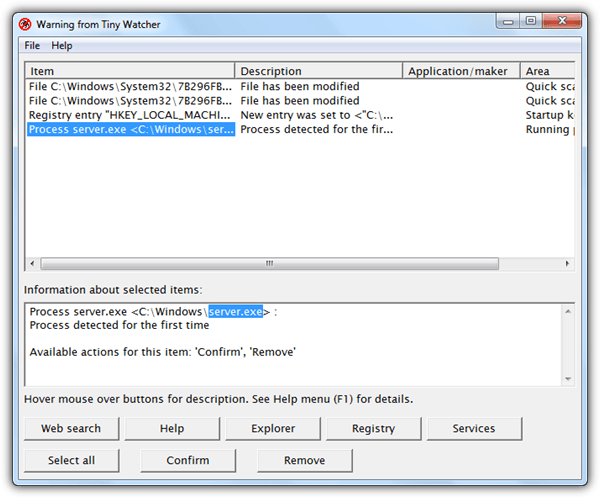
As good as Tiny Watcher is, its very unfortunate that the development of this tool has come to a halt since the last release on 2006. It can still work on Windows 7 and 8 but obviously misses a couple of startup places which didn’t exist when this program was coded for Windows XP. A really useful feature found in Tiny Watcher is the ability to manually add custom locations of registry keys, directories and files for Tiny Watcher to check.
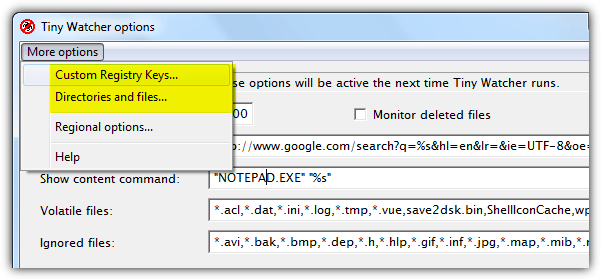
Melf, a member in Wilders Security Forums has created a list of custom registry keys, directories and files for Windows 7 which can be downloaded here.
9. StartEd Lite
StartEd Lite is the free version of the Pro software and the only differences are the lack of ability to backup startup & service configs, and detection of service based trojans. StartEd Lite is slightly different than the rest because it does not annoy nor scare you with warning popups instead the newly added startups are highlighted in yellow in the program.
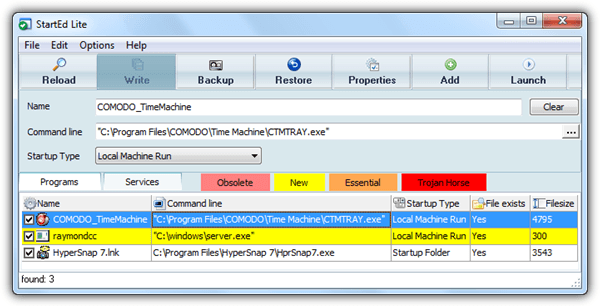
StartEd Lite is able to monitor startup locations from registry Run, startup folder, win.ini (Load and Run), and also services from its own tab. It takes up nearly 8MB of memory usage.
10. Startup Guard
Startup Guard is a freeware tool by Acelogix Software that monitors a system’s registry autostart programs including Internet Explorer default home page and search page which is normally hijacked by adware.
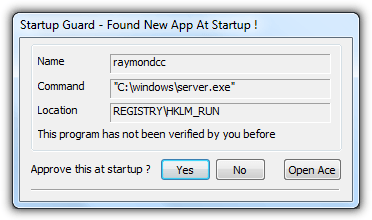
Three options are available when Startup Guard finds a new app at startup but the last one “Open Ace” doesn’t work if you do not have “Ace Utilities” installed in your computer. Basically you can either approve or deny the startup. Startup Guard is very light, taking less than 1KB of memory usage.
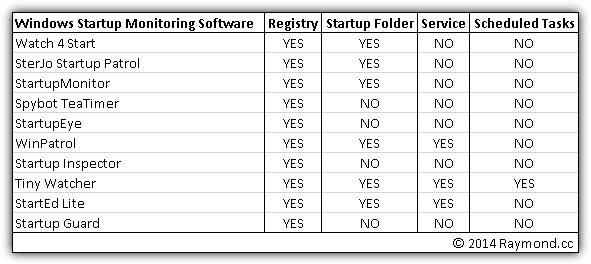
For your convenience, we’ve created a table to show the monitored locations by the 10 software tools mentioned above. There are many registry keys that can make a program start when Windows is booted up and we’ve only used HKCU Run in this simple test. As you can see, only Tiny Watcher is capable of monitoring all 4 different locations in Windows but it requires an updated list of locations added to the custom registry keys, directories and files.



Improve this guide

User forum
0 messages