9 Free Online Sandbox Services to Detect Malware [2023 List]
A program that seemed legitimate may be a threat even if it looks safe. For example, if someone sends you a program via email that displays a cute or funny animation upon running, it is possible that the program is already doing something bad to your computer in background such as stealing your passwords/files, installing a keylogger, activating your webcam and etc without your knowledge. This is made possible by simply binding a malware to run in background with another legitimate program that runs in foreground.
Although antivirus software and online AV multi-engine scanners does a great job in detecting binded malware, there is always a time frame of being fully undetected when it is newly crypted. So how do you know if a file is really safe or not? Analyzing malware and what it does requires a great deal of knowledge in computers and usage of advanced tools.
An easier way for anyone to analyze a file’s behavior is by uploading them to the free online sandbox services for automated analysis and review the detailed and yet easy to understand report. Here are are a list of online file analyzers that can be used for free.
1. ThreatExpertThreatExpert is an online free automated file analyzer that runs the file that you send in their virtual system. Every action from the program is then being recorded and generated into an easy to understand report. The ThreatExpert report page contains information such as memory and registry modifications, attempt to establish remote connections, screenshots, multiple virus engine detection with a summary findings showing the severity level of the file.
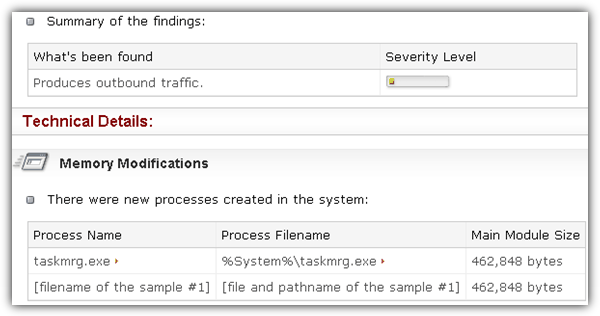
To submit a file, you can either register a free account so you can access your reports anytime or enter your email address to receive the report in MHTML format and a direct link to the online report. There is a 5MB file size limit and the analysis can take up to 10 minutes. They also have a standalone desktop tool to submit files without opening your web browser.
2. Malwr
Malwr uses the open source malware analysis system called Cuckoo Sandbox which is also developed by them. Other than able to analyze EXE files, Malwr also supports PDF, PHP, PERL and DLL formats. Providing an email address to the submit form will notify you once your file analysis has been complete with a direct link to view the report.
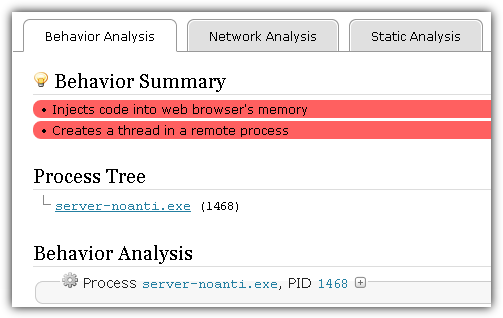
To submit a file to Malware, browse the file, optionally enter your email address to receive notification or wait until the report is listed at the the main homepage, fill up the CAPTCHA and click the Analyze button. The report will contain file details, analysis errors, screenshots, behavior/network/static analysis and dropped files.
3. IObit Cloud
IObit Cloud is a very simple threat analysis system that uses heuristic method to automatically determine if the uploaded file is a threat. The report will only tell you if the uploaded file is a threat or safe without providing any technical details on what the file does when it is ran. There were a couple of times when we had to re-upload because the step 2 upload file progress got stuck at 99%.
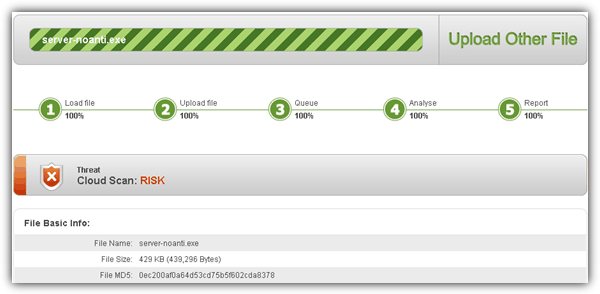
No additional information or step is required to submit the file for analysis. Simply click the Browse File button, select the file that you want to upload and wait for the 5 steps to complete.
4. ViCheck
ViCheck is another online sandbox service that accepts any types of files as long as it can be ran on a Windows operating system. Other than analyzing the file behavior, ViCheck also checks for embedded executables in documents, shellcode and common exploits. An advantage found in ViCheck is the multiple methods in file submission including web, email and remote file download. The web submission allows you to select up to 5 files but with a total 10MB for all files combined.
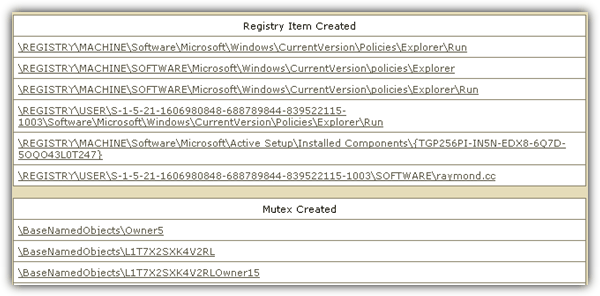
ViCheck report page shows file information, detected entities, shellcode/exploit scan, and finally the sandbox results. Files that are moved, created registry items and mutex, outgoing connections and file downloading are some of the information in the sandbox report. ViCheck is more suitable for advanced users.
5. CWSandbox
MWanalysis uses CWSandbox by Sunbelt Software which is now fully acquired by GFI with the technology renamed to GFI Sandbox. Although the official CWSandbox webpage has been redirected to GFI, you can still find it hosted in this German university server. Other than using CWSandbox, MWanalysis also added a VirusTotal scan results on the report page. The CWSandbox report contains scan summary, file and registry changes, network activity and technical details. Take note of the analysis highlights area from the Scan Summary to review
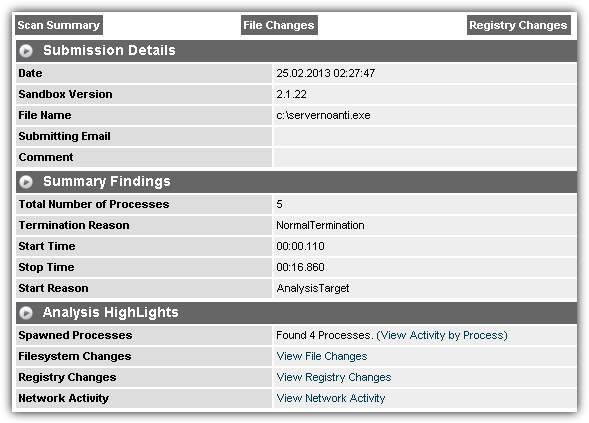
CWSandbox supports both email and web submission. The web submission has a limit of 16MB file size and accepts a ZIP file with a maximum of 50 files in the archive. An email is required to receive the analysis notification.
6. Comodo Instant Malware Analysis
Comodo Instant Malware Analysis is one of the easier to use and understand online sandbox service. The submission form does not require an email address nor solving a CAPTCHA code. Simply browse the file that you want to analyze in Comodo sandbox, tick the box to agree with their terms and click the Upload file button. The file will then be analyzed in real time and the report page will continuously refresh by itself until the analysis has been completed.

You should pay extra attention to the ones colored in red because those are the common actions of a malware. If you scroll right to the bottom of the report, you will see a verdict on the auto analysis with the detected suspicious actions.
Visit Comodo Instant Malware Analysis
7. Anubis
Anubis is another popular online service to analyze unknown Windows executable files. Four report formats (HTML, XML, PDF and Text) are available to download once the analysis has been complete. One thing that we really liked about Anubis’ report is the summary found at the top of the page that interprets the results telling you what the files does instead of just showing you technical information on the file activities.
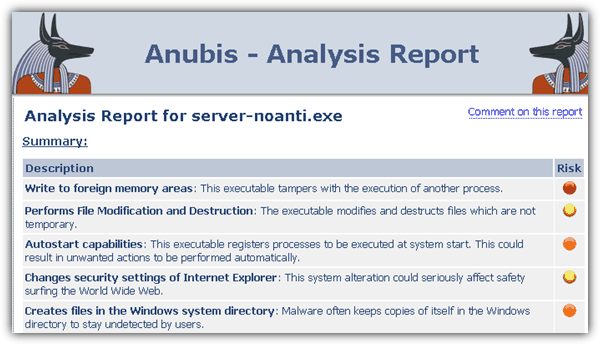
Anubis accepts a maximum file size of 8MB and you can directly submit the file from the website’s form. The captcha code is optional to provide a priority boost in the analysis queue.
8. GFI ThreatTrack
GFI SandBox is meant for OEM or cloud providers and fortunately they’ve created a webpage that offers free analysis called ThreatTrack which uses their sandbox technology. ThreatTrack supports analyzing any Windows executable file, office documents, PDF files and even flash ads that is mostly not accepted by other online sandboxes.
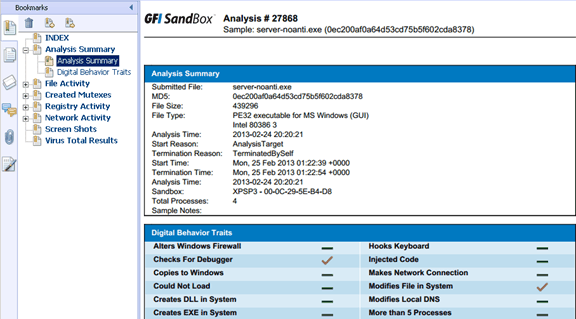
The PDF and XML report is only sent to the email provided during submission and is not available online. So make sure you use a valid email address that you have access to.
9. Joe Sandbox Web
Joe Sandbox, previously known as JoeBox and used to be free for public usage without any limitations has evolved into a more powerful automated malware analysis system. The reports generated by Joe Sandbox are very comprehensive and detailed.
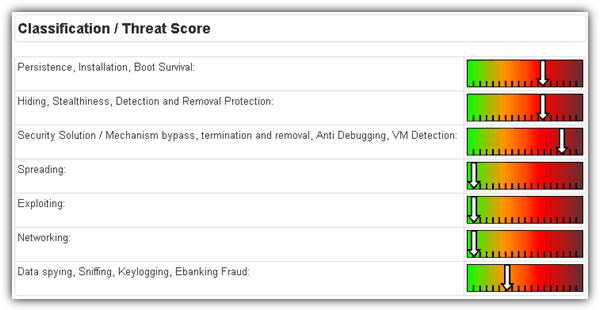
Joe Sandbox is no longer open to public for free usage but anyone can request for a “Simple” account which is free by emailing [email protected]. Do note that the simple Joe Sandbox Web account comes with some limitations such as the analysis can only be ran on Windows XP with 100 submissions per month.
Final Notes: Unfortunately receiving a clean report from the online sandboxes doesn’t mean that they are absolutely safe either because some malware has the capability of terminating itself when it is ran on virtual machines (anti-sandbox / anti-vm) to prevent itself being analyzed. You can however still upload the suspicious file on all online sandbox analyzers mentioned above to increase the chances of the malware missing a bypass.





Interested in speed and IOC extraction, especially VBA/Powershell/JS/VBS/Cmd de-obfuscation? Try out filescan.io!
As for me, the best sandbox now is any.run
Limited to 16 mb exe’s. Useless if you need to test anything bigger.
So many edda links this page is now useless
For deep static malware analysis you could try MalwareAnalyser.io
Online malware anomaly-based static analyzer with heuristic detection engine powered by data mining and machine learning.
The ThreatExpert link is no good anymore. Looks like Symantec now owns them.
Very Informative!
Check this as well
sandbox.anlyz.io
thanks
I just voted . Its a small way to repay you for everything that you have written to help me and others like me! Good luck!
Judiline
thanks
thanks a lot Ray.
Thanks, Raymond. I regularly upload files for analysis by VirusTotal, NoVirusThanks, ThreatExpert and CWSandbox. I think CIMA would be an intelligent addition in my Bookmarks.
Thanks for the information.