
Add Thousands Of Cleaning Rules to CCleaner, BleachBit, And Other Junk Cleaners


 7 min. read
  Published on

Apart from getting rid of potentially unwanted files, a junk file cleaner protects your privacy at the same time. This is because other users sharing the same computer wouldn’t be able to track what you’ve previously done on the PC as Windows and most software has a history function that shows recently opened files or tabs. There are literally dozens of junk file cleaners around, CCleaner and BleachBit are two popular ones.
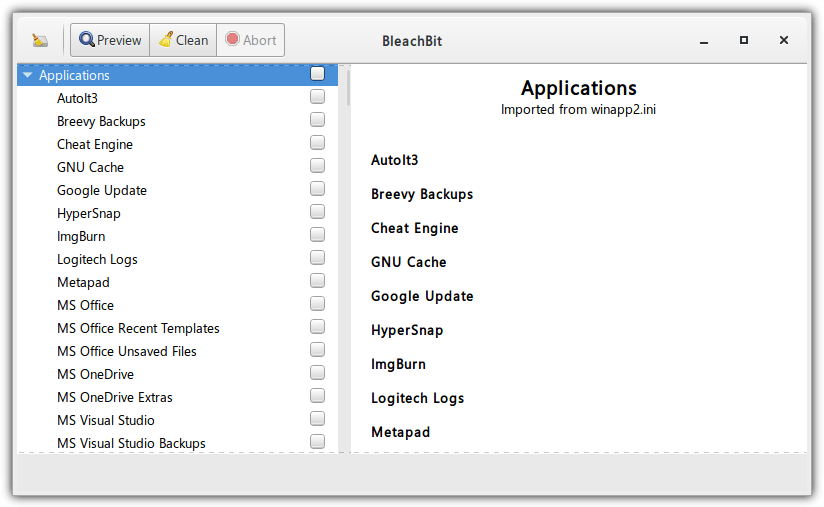
CCleaner and BleachBit come with a sizeable amount of selected rules to find potentially unused and junk files. However, those lists are by no means complete and there will still be thousands of pieces of software that are not supported out of the box. Thankfully, some junk file cleaners allow you to add your own program to clean through an inclusion list or an external Winapp2.ini file.
A Winapp2.ini is a text file that includes a list of files, folders, and registry keys/values that can be removed during a cleaning process. These entries will be in addition to what the cleaning software already has in its default list. You could even create/edit a winapp2.ini yourself with a bit of knowledge or download a ready made list from the winapp2 website. That list currently has nearly 3,000 entries.
Here we’ll show you how to add winapp2.ini to CCleaner, BleachBit, and a few other cleaning tools that support it.
CCleaner
CCleaner is probably the most popular and well known junk file cleaner. It is owned by antivirus vendor Avast Software which in turn is now owned by security giant Norton. Although it’s hugely popular, CCleaner does not include Winapp2 entries by default and they need to be added.
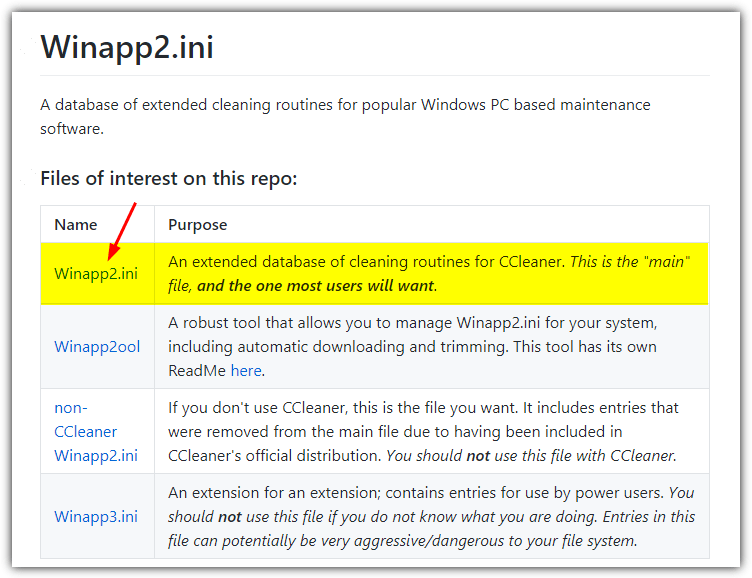
The quickest way to add the winapp2.ini to CCleaner is to do it manually. Download the winapp2.ini file from GitHub and save it to the folder where the CCleaner executable is located. By default the install folder is “C:\Program Files\CCleaner\” but it will also work using a portable CCleaner. Run CCleaner and it will automatically load the additional cleaning rules into the Applications tab of the cleaner.
A disadvantage of using the default winapp2 file is it will create a huge delay in loading the CCleaner Applications tab because it will add all the entries from the list. Another issue is remembering to update the list manually at semi regular intervals. Fortunately, those problems can be easily be solved by using a very handy tool called CCEnhancer.
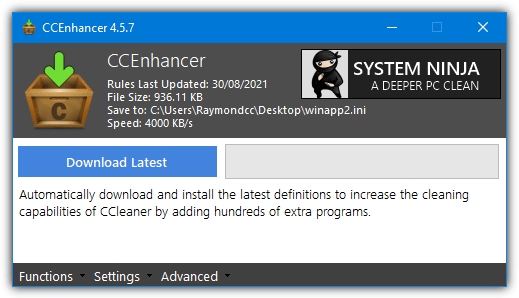
CCEnhancer is a third party tool that automatically downloads the latest Winapp2.ini with the click of a mouse button. It intelligently detects the installation path of CCleaner and saves the downloaded Winapp2.ini file to the same location. Run CCEnhancer once in a while especially after updating CCleaner to download the latest Winapp2.ini file.
All you have to do is download and run CCEnhancer, then click the “Download Latest” button to import the latest Winapp2.ini straight to CCleaner’s install folder. The option to reduce the list to improve performance is called Trim and found in the Advanced menu. It essentially removes all the rules that are not used by your system and can reduce the size of the original file by a huge amount.
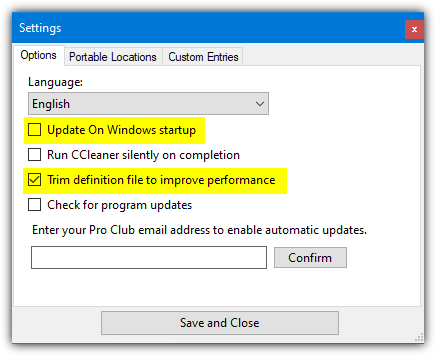
If you want to auto trim the winapp2 file when it downloads, enable the “Trim definition file to improve performance” option in CCEnhancer settings. You can also enable “Update on Windows startup” for CCEnhancer to download a new winapp2.ini if one is available when Windows starts.
BleachBit
BleachBit is not as well known as CCleaner, but it’s still a very popular tool in its own right. Where this tool differs from CCleaner is it has stuck to its core principle of being a junk file cleaner and doesn’t try to do multiple things. An advantage of BleachBit is it already has the feature of adding Winapp2 rules built into the software. All you have to do is turn it on.
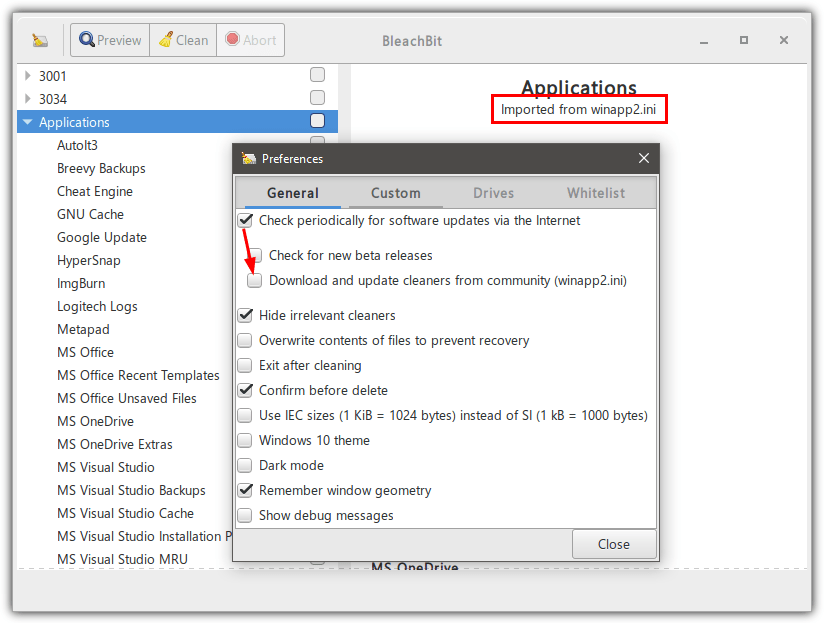
Open BleachBit, click the menu button at the top left, and select Preferences. In the General tab, make sure “Check periodically for software updates via the internet” is enabled, then check the box for “Download and update cleaners from community (winapp2.ini)”. Close and re-open BleachBit and it will load the winapp2.ini file. There will now be many new entries in the tree view available for cleaning.
Other software That Uses Winapp2.ini
Besides CCleaner and BleachBit, there is other software available that also makes use of the data in the winapp2.in file.
System Ninja
This tool is actually made by the same developer as CCEnhancer, so it’s no surprise that it uses winapp2 as part of its cleanup routine. System Ninja is similar to CCleaner because it includes other built in tools besides a junk file cleaner. These include startup manager, software uninstaller, process manager, duplicate file finder, hardware information tool, and a few more features that can be added by plugin.
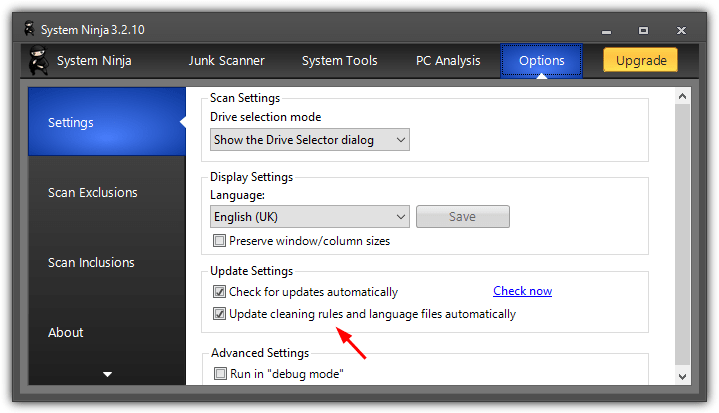
Unlike the two cleaners above, System Ninja uses winapp2 rules by default and it will automatically download the latest rules file on program launch. If you want to perhaps use your own winapp2.ini or it’s not updating when you want it to, go to Options > Settings, and check the “Update cleaning rules and language files automatically” option is on or off depending on your needs.
There are a few other pieces of software that incorporate the winapp2 rules into their cleaning routines. Avira System Cleanup uses winapp2 rules by default but we’d recommend avoiding this software as there are many disabled features in the free version. It’s essentially just used as a vehicle to upsell the product and advertised other Avira products.
Another application that works with winapp2 to a degree is R-Wipe & Clean. However, support is unofficial and work needs to be done to import data from winapp2.ini to a format that the software can understand. You also have to run and expire the 30 day trial to be able to use the free version.
The last winapp2 compatible software we’ll mention here is Tron. This is a group of multiple scripts and tools to perform some very deep and thorough cleaning which could take several hours to complete. Tron actually includes a version of CCleaner in its distro along with a custom winapp2.ini. It should be updated and distributed with Tron when required so you shouldn’t have to update it yourself.
Download Winapp2.ini Lists Manually
Most of the tools above either update their winapp2 lists automatically or in the case of CCleaner, a third party tool can update the list for you. If you want manually download the winapp2.ini file, it can be done a couple of ways.
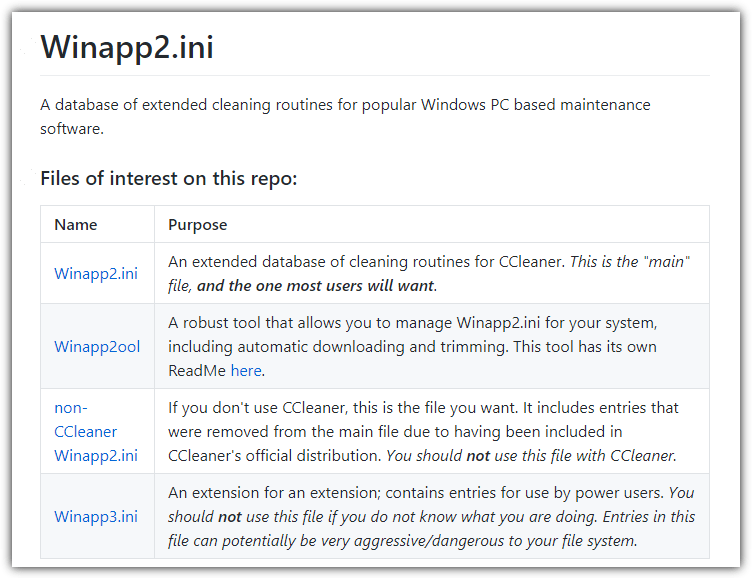
Firstly, you can visit the Winapp2 GitHub page and download the file you want. Note there’s one version exclusively for CCleaner and another different version for other tools like BleachBit. There’s also a winapp3.ini that can be used as an addon to winapp2.ini. However, it is listed as for advanced users only and could cause damage to your system because it’s very aggressive in its cleaning.
The second option to download winapp2.ini lists manually is by using the Winapp2ool utility available from the same website as above. It’s a command line based GUI so keyboard number inputs are used to operate it.
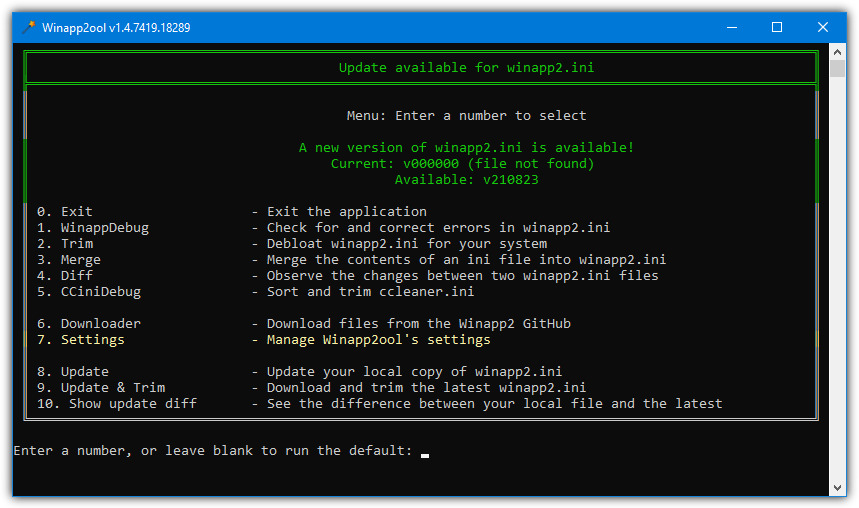
Winapp2ool can download the latest lists from GitHub, trim lists of unused data, merge lists, detect changes between two lists, and perform general operations on the ini files. The tool is portable and only a few hundred KB in size.



Improve this guide

User forum
0 messages