13 Free Online Services and Software for Converting PDF to Word Compatible Format
The Portable Document Format (PDF) was introduced by Adobe in the 90’s and as the name implies, PDF is simply meant to be a type of self contained document that you can distribute easily. It doesn’t matter what operating system or software you have installed, as long as you have a reader to view it, the document will always look the same. Unlike a simple text file, a PDF document can contain many elements including text, images, hyperlinks, tables, fillable forms and etc.
Windows 8 has built in support for viewing PDFs and most web browsers can also view and save PDF documents. There’s plenty of free third party tools like Foxit Reader, Nitro Reader, SumatraPDF or even Adobe’s own reader. If you want to edit a PDF file, a popular way of doing so is converting the document into Microsoft Word format, that way just about anybody can then edit it without the need for specialized PDF editing software. If needed, you can later convert the Word document back to PDF.
Some products such as Microsoft Office itself, Google Docs and even Libreoffice can convert or allow you to edit a PDF but the results are often less than satisfactory. Here we list a number of free software or online PDF to Word format converters that can help you get a good result.
Because results can vary wildly, we also run some tests to see which converters might be best for your particular documents.Online PDF to Word Converters
There are probably hundreds of converters online that offer to convert PDF files to RTF, DOC or DOCX, but there’s also a massive difference in the quality of results. Here we look at what we think are some of the better performers.
1. PDFOnline
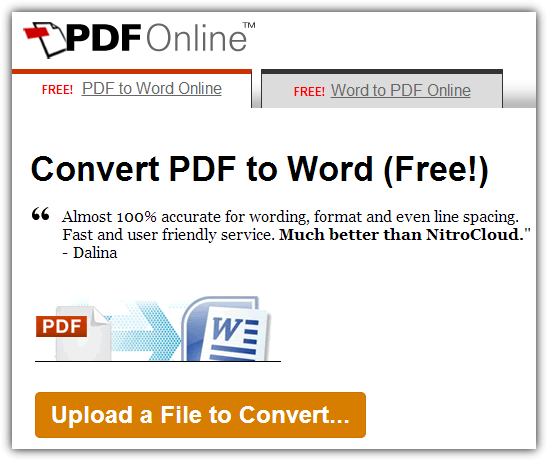
After uploading and processing your document, a preview window will display how well the conversion has gone, the window also reassures you that your document is private. Pressing Download will give three options; download as a zipped HTML page, re-download the PDF file, or download as a Word document. The output file is not DOCX or DOC though but rather a Rich Text file (RTF). In addition to converting from PDF to Word format, there’s also a tab for the opposite of Word to PDF.
2. EasyPDFCloud
EasyPDFCloud is a beta product from the same people as PDFOnline above and aims to also be a cloud storage solution for your documents. A free account gets you 50MB of storage and optional Dropbox integration. It can also monitor Dropbox folders and automatically convert uploaded PDF files.
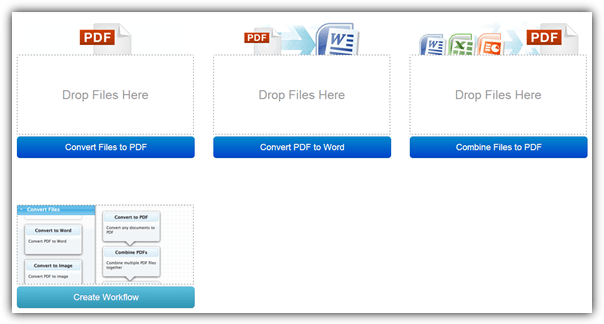
An account also gives you other things such as being able to upload 10 files simultaneously instead of just 1, and the option to create workflows which basically means chaining operations together. The service can also create PDFs from other formats, while the Word convert outputs DOC files. These can be kept in your cloud storage or downloaded immediately. The maximum PDF size allowable for this service and also PDFOnline is 5MB.
Something that could be useful here is the option to use OCR (optical character recognition) to convert a scanned document to DOC, DOCX and RTF, although it is very restrictive only converting 2 pages.
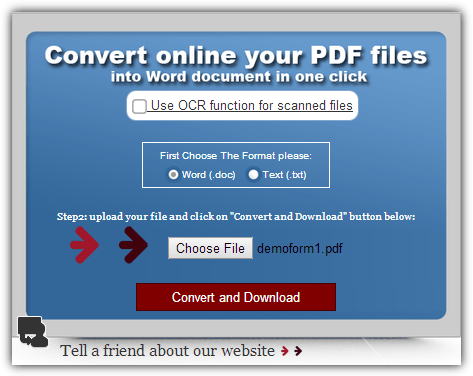
The PDF conversion to Word is simple and offers to output the file as either a .TXT Text file or Word 2003 .DOC document. There seems to be no obvious file size or page limit and we managed to convert a 13.2MB PDF successfully, so the limit is reasonably generous and somewhere above that. Be aware that a converted file has a randomized filename.
4. Zamzar
Zamzar is more of an all in one converter supporting around 1200 different file types, including audio, video, ebooks, documents and etc. Another plus is the option to add up to 10 files at once or alternatively upload a file from another url.
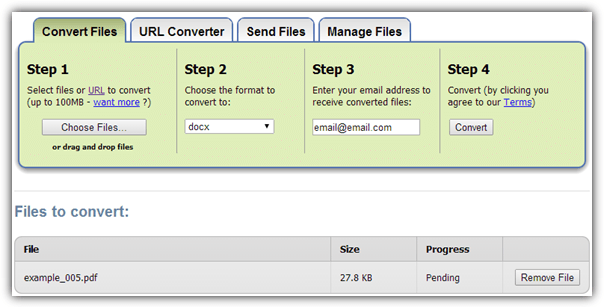
After choosing the PDF file(s) you want to upload, there are nearly 30 formats which you can convert to, including compatible Word formats of DOC, DOCX and RTF. Then supply an email address and wait for each file to upload, be converted and the email sent to you with the download link. One drawback is each conversion will be emailed to you separately, even if you upload 10 files at once.
This is another general file converter handling many formats from video and audio, to archives, images, ebooks and documents. A generous size limit of 250MB covers all but the most enormous files.
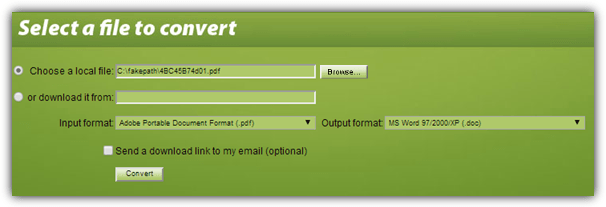
Apart from being able to directly upload from your computer or download a file from the internet, you can convert to Word 2003 .DOC or a few other formats, mainly ebook related (sending via email is optional). Convert.Files also has a few other PDF related services which could prove useful. OCROnline is a dedicated optical character recognition service and Crack My PDF aims to help remove passwords or restrictions inside PDF files.
This online service has several different ‘convert xx to xx’ modules to process a large number of different formats, including separate PDF to TXT, PDF to JPG and a selection of formats to PDF. The maximum PDF file size accepted is 30MB.
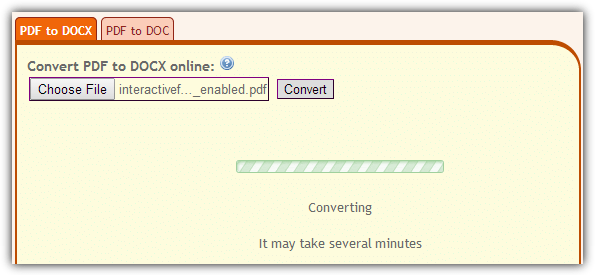
ConvertOnlineFree can produce conversions of both DOCX and the older DOC formats, you simply need to select the appropriate tab and then browse for the file to convert. Once the conversion is complete the Word document will download in your browser. An extra server from Germany is available if you are having difficulties, which we did find was a lot faster for conversions.
As a big name in PDF software, we felt we had to try this even though it only offers 5 PDF to DOC conversions a month. Thankfully conversions are tied to an email, so simply use a temporary email address to get another 5. A free account will get you 5 more conversions and the option to connect Nitro cloud to Dropbox, Google Drive or OneDrive, sign/share PDFs and etc. The limit is 50 pages and a PDF under 5MB.
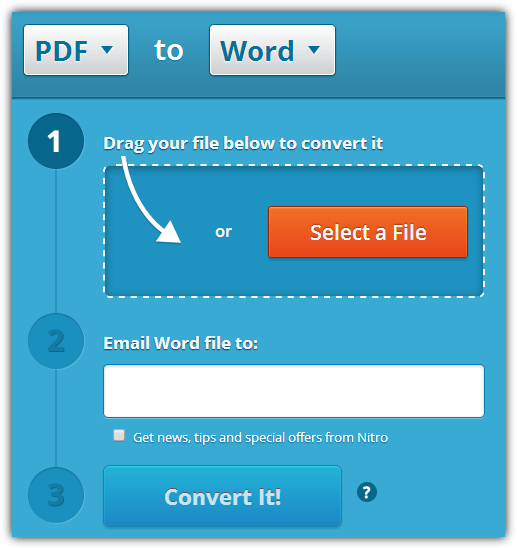
The PDF converter can accept Word, Powerpoint or Excel files as well, it can also output to any one of those four formats. It does only accept a single file at a time and the resulting Word document (.DOC) will be sent to the email address you supply. The commercial Nitro Pro software trial version can also be used to perform PDF to DOC conversions if you have some larger conversions to do.
8. SautinSoft PDF to Word Online Free
We found this quite a fast service, after uploading it usually only took a few seconds before the document was being downloaded. Sautinsoft have more than one of these services spread across their websites, at Sautinsoft.net it ony has a 2MB limit, on the FirstPDF webpage it has a 5MB limit.
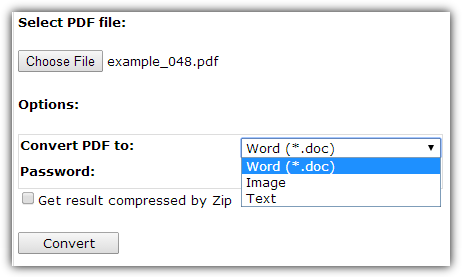
In terms of options, it’s quite basic and there aren’t many things to configure apart from choosing the conversion format, an optional password and whether to compress the file into a Zip before download. In addition to Word format (.DOC), you can also save to image (PNG, JPG, BMP, TIFF) with manual DPI options, and plain text (.TXT) format.
9. Wondershare Free PDF to Word Online Converter
WonderShare make a ton of different shareware applications, from YouTube converters to Photo Recovery software. Something this service displays clearly that other don’t always tell you, is there’s a maximum PDF size limit of 10MB.
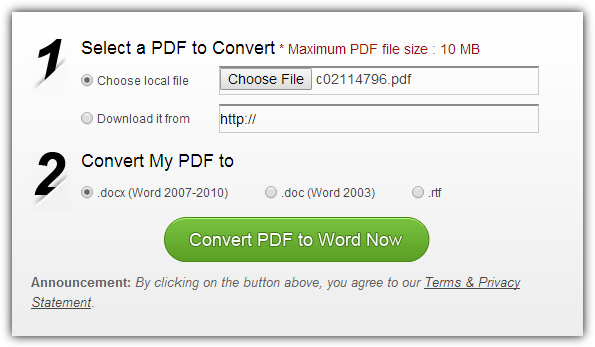
In addition to uploading from your computer there’s also the option to upload from elsewhere on the internet. It also concentrates solely on Word conversion and allows you to convert the PDF file to DOC, DOCX or RTF. Conversion time isn’t the quickest and we noticed a slowdown at certain times of the day, but you should get your link to download the Word file within a minute or two at most.
Not Tested Online PDF Converters
Online PDF converters are ten a penny and there are tons out there to choose from. We did try out many others, here’s some we left out for various reasons.
VeryPDF – Produced terrible conversions, none of the table borders were drawn. Seems to convert to plain text without any formatting.
PDFWord – Always said there’ll be a wait of around 30 minutes, it could have taken up to 7 hours just for it to convert our test files.
Convertii.com – Only 3 free conversions per month as a guest, then another 3 per month if you signup for an account, changing IP works but is too much hassle.
PDFtoWord.org – Always gets stuck at converting and won’t go any further.
Soda PDF Converter – You must register for a free account and even then you can only convert 1 file every 30 minutes.
CometDocs – Although it has an online converter and apps for Windows/Android/iOS, you’re still restricted to only 5 conversions a week. This can be increased through referrals but extra conversions need a paid subscription.
On page 2 we’ll look at some free software PDF to Word converters and find out which converters overall produce the best results.

Thank you for sharing on RTF to PDF Converter. Very helpful article.
Hi All,
it seems the only Portable option with UniPDF doesn’t work anymore. Nitro PDF Cloud doing a good job, big name big task ! Thanks.
Great article, shows just how many useful tools are out there. I like online-pdf.org, which is not listed but should be in my opinion since it has a lot of features and supported file formats :)
Really easy conversion from PDF(with image contained) to Word.
Great tool, Thanks!
Related: pqscan.com/pdf-to-image/
Thank you so much for the information. Please keep up the informative articles and the blog going on..
Great Article! I mostly use PDFfiller to edit or create fillable PDFs. Its not the same thing, but maybe someone needs it. It also allows you to erase in a pdf, esign, efax, add logos and pics to add. Its pretty easy to use and its pretty cheap. I think you can get a free week if you and a friend both register.
I if you agree I would share with the new only tool multi-convert.com.
your blog is well
I’m having trouble that no one seems to have?
Every converter I use, several, I get blank pages or I get a Word file with just a jpg on each page.
NO TEXT?
I even “printed” the pdf file with Print to pdf” program and that new file wouldn’t convert to Word text either.
I could OCR the pdf file but the text wasn’t formatted very well but at least it was text.
What am I doing wrong?
Thanks for sharing the informations. With these lists of converters, I can use it in converting my pdf document easily. Your article is really helpful.
I prefer uploading to Google Docs and then download as .doc or .txt format.
quick and simple.
Compared to most of the tools and online services listed here, Google Docs was pretty awful in its conversions when we looked at it, Office was a similar story. They’re OK for the basics, but…
Few years ago there was a company called AnyBizSoft. They had a free PDF to Word converter. It was the highest quality PDF converter I have ever used. It converted everything PERFECTLY – all the formatting, transparent graphics, tables, fonts, forms and the resulting PDF was still very compact. Unfortunately the free product was killed and the company was acquired by Wondershare who have made it into a shareware product.
Hello Raymond,
Thank you so much for the information. Please keep up the informative articles and the blog going on..