
5 Freeware to Create Jukebox Server and Stream MP3


 5 min. read
  Published on

Music is important to most people because it can affect the mood or emotion of a person and also has the ability to create an atmosphere depending on the genre that is being played. This is why you can find the ability to play music on almost every device such as on your computer, TV, phone and etc. Most likely you already have your own playlist with your favorite songs that you’ve spent years compiling but the biggest challenge is to be able to access them from any computer or device.
Although there are already some cloud services such as Google Play Music and iCloud that let you store your entire music collection to be streamed online, you may want to setup your own audio streamer from your PC if you prefer the files to stay on your computer without storing them on remote servers.
Here we have 5 free software that can turn your computer into a music server where you can access your music without uploading to any third party.
1. Vibe Streamer
Vibe Streamer is a free MP3 streaming server software that is easy to configure. All you need to do is install the program, run it, create users, share the music folder, and click on the Start button from the Status tab. Any computer located in the same network or even through the Internet (if port forwarding is setup) can access the MP3 files using a web browser through the default port 8081. Do note that the web based audio player requires Adobe Flash plugin to run. It also has a session setting to configure the maximum connected users and also the session timeout.
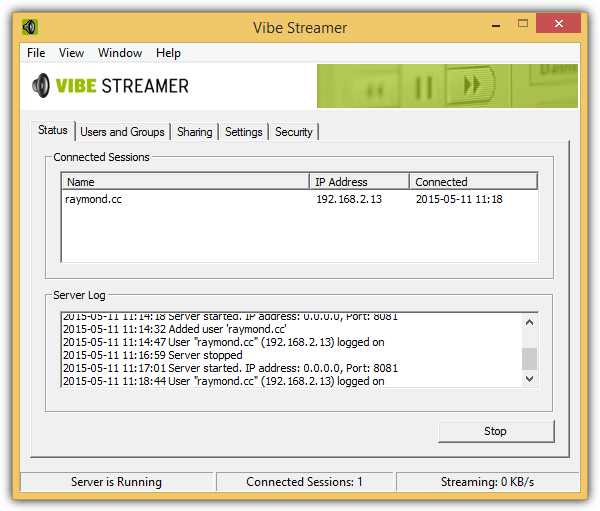
Do note that the development of Vibe Streamer has been halted and the last beta was released back in 2010. This would mean that a lot of newer features won’t be found in Vibe Streamer such as the support for lossless audio formats (FLAC). Vibe Streamer also has problems displaying the Settings when ran under Windows 8.1 although it is still possible to manually change the configuration from the XML files located in the conf folder from the program’s directory.
2. AudioStreamer
AudioStreamer is another free software that can turn your computer into a web based music streaming server. It is a portable program that does not require installation. Unlike Vibe Streamer, AudioStreamer does not have a graphical user interface and the configuration is made by logging in using the admin account from your web browser. AudioStreamer listens to port 9090 and the default admin account is:
user = admin
password = start
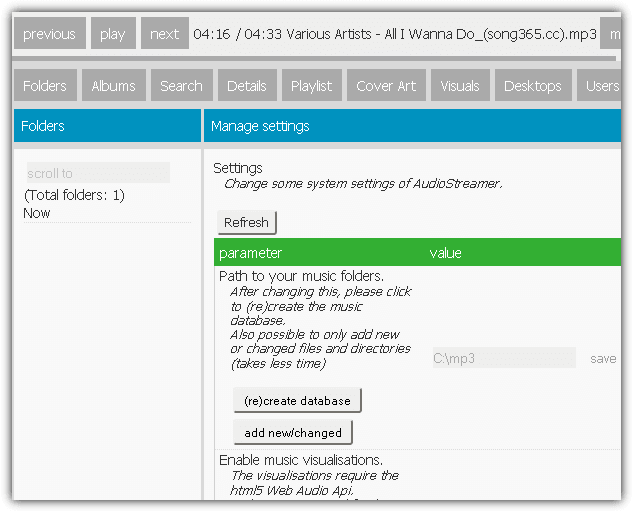
AudioStreamer uses HTML5 audio player and has a responsive design that can even work on mobile native browsers without the need to install any third party app. AudioStreamer supports the following audio formats: aac, ac3, aiff, aif, m4a, ape, flac, m4b, mp2, mp3, mp4, mpa, mpc, ogg, opus, tta, wv, wav, and wma. You can also find experimental flashy music visualizations that work on newer versions of Chrome and Firefox.
3. Sockso
Sockso is a free and open source music server that runs on Java. It is probably the easiest to setup because the default configuration allows anyone to stream the shared music without authentication. So all you need to do is add the folders containing the MP3 files and access the web interface through port 4444 from your web browser.
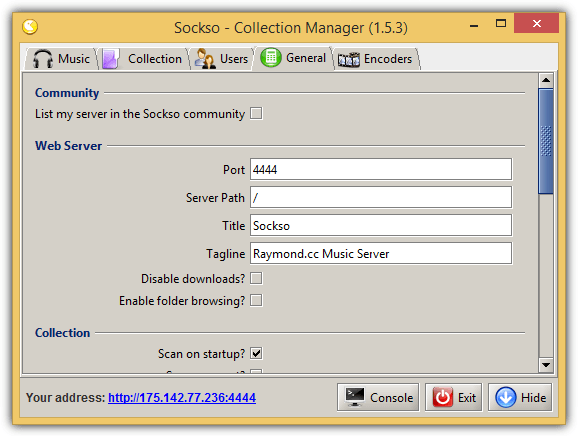
Sockso only support up to 5 types of audio format which are MP3, OGG Vorbis, Flac and WMA. Although the web-interface lists 8 different types of methods to play the audio files, they worked very well on computers but none of the audio players seem to work on iPad including the HTML5 player. A useful feature found in Sockso is the ability to allow users to download the whole album or individual music files.
4. LimboMedia
LimboMedia is more than a software to stream your music files anywhere. It allows connected users to create their personal homepage with their favorite bookmarks, To-Do list, quick notes, and accessing files/medias. LimboMedia also runs on Java and configuration can be done via the web interface. The default port is 8000 and can be setup using the login username admin and password admin. Encrypted HTTPS connections can be accessed at port 8001.
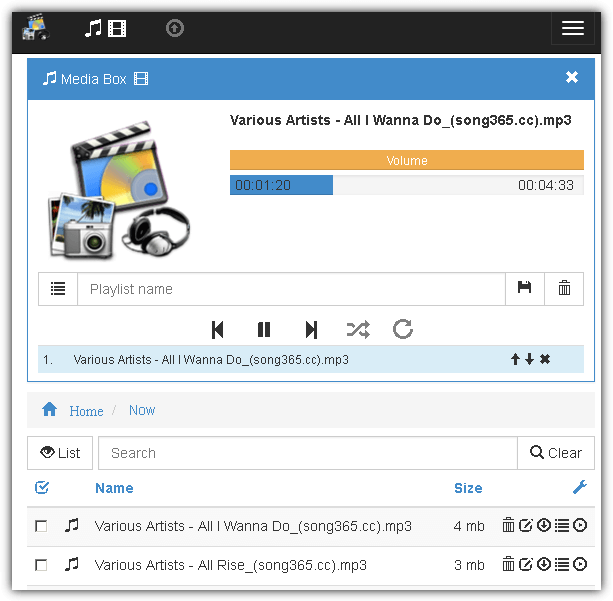
The users can be configured with different rights such as read, write, edit user details, access file system, and administration. They can upload their personal files and also download available files. Video files can also be streamed and can be transcoded on the fly if the native codec is not supported. The web interface is also responsive and works very well on tablets and smartphones. Since LimboMedia is based on Java, it runs on Windows, Linux and Mac OSX.
5. Subsonic
Subsonic comes with 2 versions which are the free and premium. The premium version costs $1 per month and offers additional features like app support, video streaming, personal Subsonic server address, playing media on compatible DLNA/UPnP devices, ad-free web interface, streaming on Chromecast and Sonos devices. Subsonic runs on port 4040 by default and can be modified from the Subsonic Control Panel found in the notification tray area.
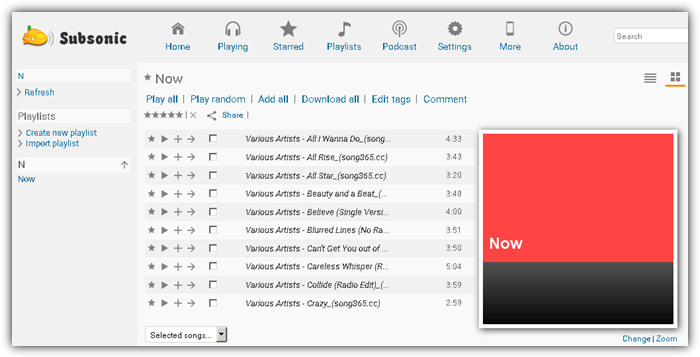
Subsonic’s web interface is not mobile friendly and cannot stream music due to the flash based audio player. Remember that you will need a premium version of Subsonic to use the apps for streaming on tablet and mobile devices.



Improve this guide

User forum
0 messages