PC Hardware Info Tool: 11 Best to Find System Specs [2023]
Knowing what hardware is present inside your computer by using just the tools present inside Windows might give you some idea, but it won’t be terribly informative. Something like MSInfo32 would offer some useful snippets of information about several different system components although it’s by no means complete. For instance, if you want to know the important details about your processor, graphics card, memory speeds, motherboard chipset and BIOS etc, it has to be obtained from somewhere else.
It can be frustrating when you’re troubleshooting and ask someone if they can tell you something like how much or what speed RAM they have installed, or what graphics chip is present and they don’t have a clue what they have or how to get you the relevant information. For a much better idea relating to the specification of yours or somebody else’s computer hardware, a 3rd party utility is the way to go.
Thankfully there are several around that can handle this and can range from giving you a general overview of the system components, to comprehensive in depth details of a single component such as the CPU or graphics card. Here’s a selection of freeware tools to help you extract the information you’re looking for.
1. Speccy
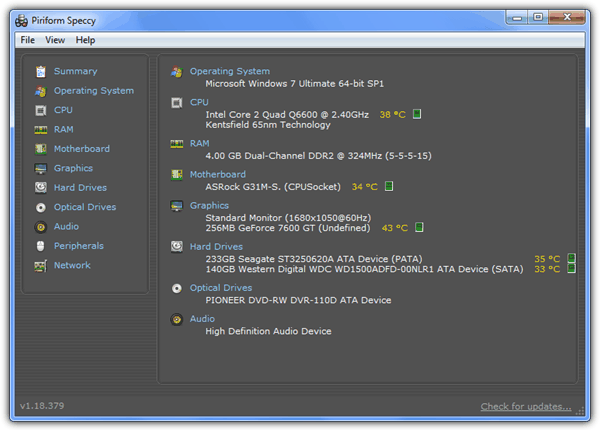
Piriform’s Speccy does exactly what it’s other tools like CCleaner, Defraggler and Recuva do, and that’s to give you relevant information and not over complicate things. In addition to displaying easy to read yet informative details about your system’s hardware, any related clock speeds and frequencies are also present, as are active temperature readings for components with a thermal sensor. Clicking any animated green bar pops up a larger graph for more accuracy.
Speccy is available with installer and portable versions and works on Windows XP to 8 32-bit and 64-bit. Download the Slim version from the Builds page to avoid the installer that comes with a toolbar option.
2. System Spec
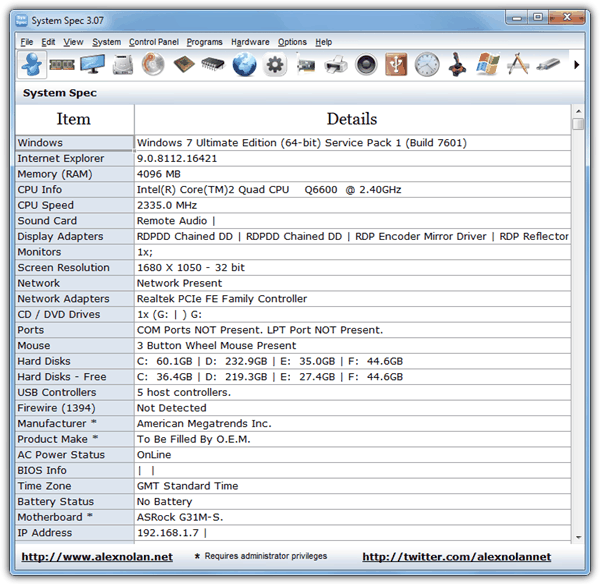
System Spec displays a lot of the basic hardware information on its main window, and by clicking on the icons across the top, more in depth details are available for components such as CPU, memory, sound, USB etc. There are also a number of convenient menus with quick access to Control Panel functions and system tools such as System File Checker and Device Manager etc. The main window details can also be exported to an HTML file to quickly display the basic information.
The program is a standalone portable executable and is compatible with Windows 98 up to Windows 7. Note that hard drive SMART information is not available in Windows 7.
3. HWInfo
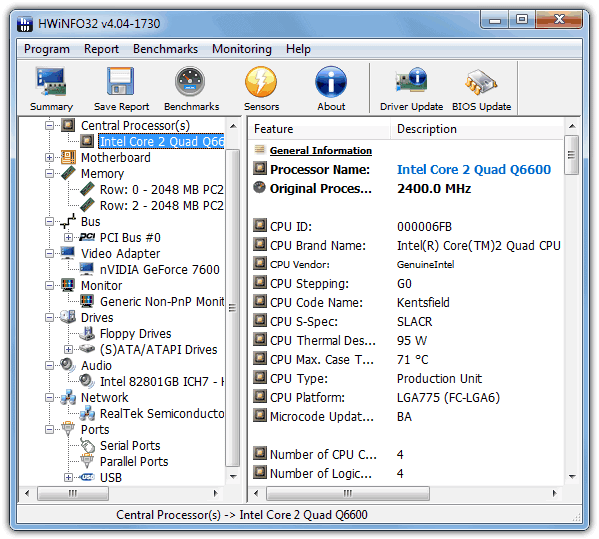
HWInfo is definitely one of our favorite free system and hardware information tools because there really is enough in it to suit everybody. There are in fact 3 different screens you can get your information from and you will be asked on startup; the Summary screen displays useful information about the core system components of processor, memory, graphics and motherboard. The Sensors window displays every temperature, voltage and frequency your system has available.
The main interface is very similar to the popular shareware Everest/AIDA64 system information tool and displays all the hardware components in a tree like structure. The information is comprehensive but easy for most people to understand. There is also a powerful report option which is configurable as to what hardware trees you want to include. The 32-bit version does have an advantage over the 64-bit version because the latter doesn’t include the CPU, memory and disc benchmarking feature. There is also a DOS based version for old systems.
4. PC Wizard
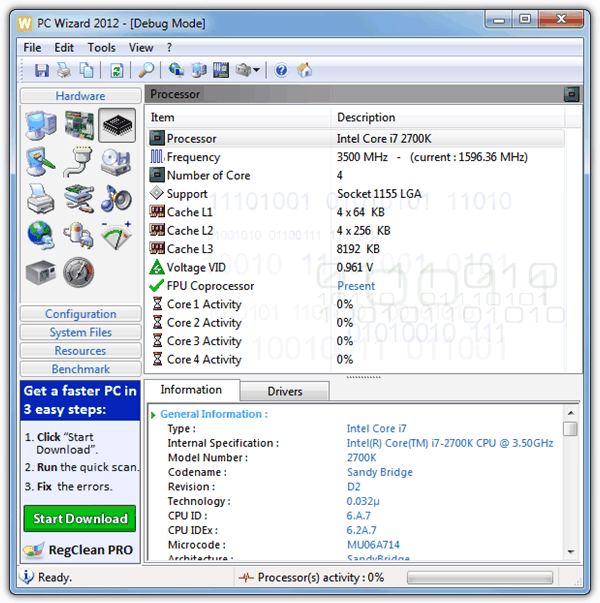
CPUID’s PC Wizard is one of the most comprehensive free hardware information tools available. And in addition to the highly detailed and easy to understand information provided about hardware, it also scans several areas of your Windows system and can even pull things like your browser or instant messaging usernames and passwords.
There are some other valuable features such as several different benchmarks to test various parts of the system, a processor stress tester to check for stability, and also a monitoring window where you can check the temperatures, voltages and and fan speeds for various hardware components. Do note that PC Wizard is ad supported and will display an ad in the bottom left corner of the main window.
5. System Information Viewer (SIV)
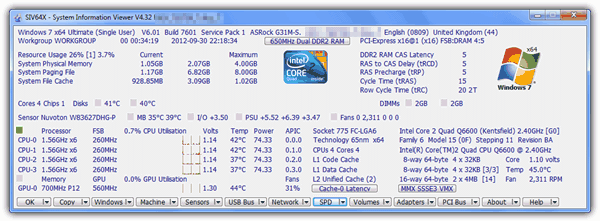
SIV is absolutely jam packed with text information and provides so much of it, average users could be put off by all the seemingly incomprehensible numbers and statistics. But if you’re looking for truly comprehensive statistics and details about all your hardware components, System Information Viewer is a good tool to use. All the usual basic detail about CPU voltages and temps etc and memory clocks are in the main window, clicking the buttons across the bottom takes you to numbers loaded windows about almost everything you could eve wish to know about your hardware.
System Information Viewer works on everything from Windows 95 upwards and comes as a portable zip file, make sure to run the specific x86 or x64 version for your operating system.
6. System Information for Windows (SIW)
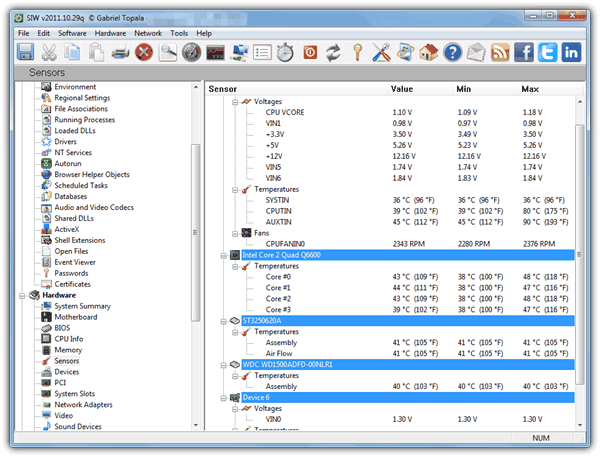
SIW is another comprehensive information tool and as well as displaying a good amount of hardware detail, there’s an equally large amount of information about Windows or other software components, and also information about several parts of your network. Some useful tools are also present such as a broadband speed tester, a window password revealer, MAC address changer, a simple monitor tester and CPU, memory and network monitoring windows.
It’s highly recommended to download the portable version of SIW from PortableApps.com because the official website only hosts an installer for the free version complete with opencandy adware.
7. CPU-Z
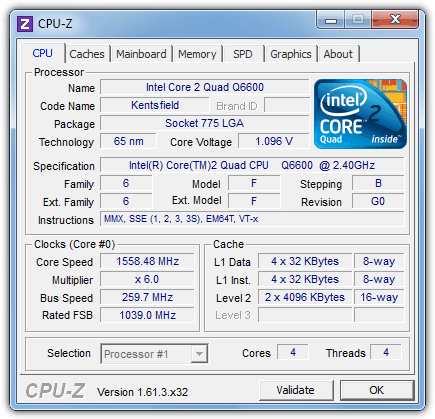
CPU-Z has long been one of the techies favorite tools because it simply focuses on providing useful information relating to the 4 core component areas of your system; processor, motherboard, memory and graphics. The supplied information is clear and concise and CPU-Z is a tool that’s often recommended when overclocking because of the accuracy when reading the CPU or RAM frequencies.
There are separate 32-bit and 64-bit portable versions available, and an installer version containing both. Asus or Gigabyte fans can also download a themed version for their systems.
8. GPU-Z
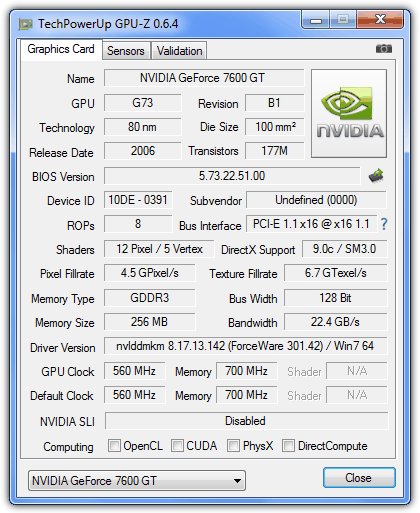
This is a good complimentary tool to CPU-Z because where it displays your CPU information in great detail, GPU-Z does a similar thing concerning your graphics subsystem. Everything from the cards architecture to its capabilities are displayed, and there’s also a couple of useful icon buttons, one to take or upload a screenshot of the window, and one to save or submit the graphics card BIOS to the online database.
The Sensors tab has all the graphics card’s currently available clock speed frequencies, fan speeds, GPU load and voltages and includes a logging facility and small bar graph for each reading. GPU-Z is a standalone executable and compatible with Windows XP and above.
9. Mitec System Information X
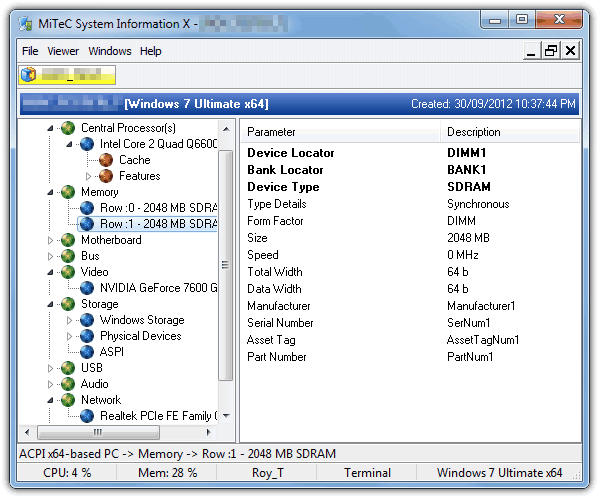
There is a reasonable amount of hardware information available in this tool without blinding you with too many numbers and stats. If you do want more detail, pressing F10 will bring up the System Overview window that has large amounts of information about both your hardware and the Windows system. What’s useful here is you can save the information from one machine and then load it up on a different PC and it shows in a new tab, so you can load several profiles from different computers at once.
Mitec System Information X is portable, has separate 32-bit and 64-bit versions available and works from Windows 2000 upwards.
Download Mitec System Information X
10. Kiwi System Info
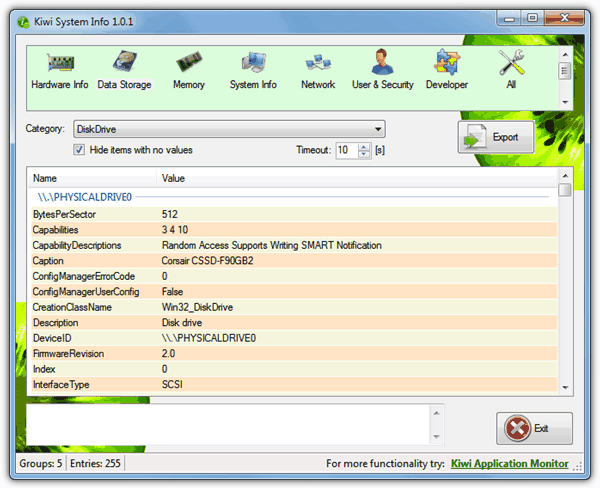
This is a freeware system information utility released as a standalone version from the shareware Kiwi Application Monitor program. All the information is gathered from the Windows Management Instrumentation (WMI) component found in Windows. Some of the information can be a little difficult to interpret for the average user but there is lots of it so should should have most of the hardware information you’re looking for. Simply select the main hardware area across the top and select the component from the drop down.
Kiwi System Info is a single executable downloaded in a zip file and works on Windows XP and above.
11. Astra32 / Astra
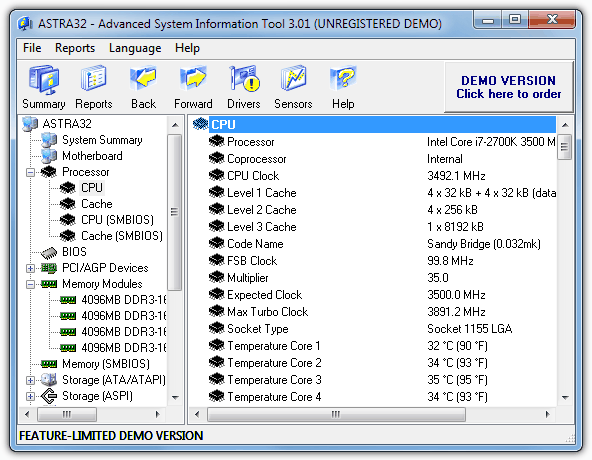
Unfortunately Astra32 is not a free product and costs around 25 Euros, but if you don’t mind the nag screen and are not interested in gathering serial numbers or creating a report, then the demo version still displays a wealth of useful information. There is also a portable zipped version if you don’t want to install it.
Astra is the DOS version and is a separate product from Astra32. It also costs 25 Euros and has the same demo limitations, but again is perfectly usable if you don’t care about reports or serial numbers. You can download a Floppy image or ISO which can be burned to CD, and being a DOS image means you don’t need Windows installed to be able to gather system information.
Although it’s quite old now and doesn’t recognize newer hardware too well, it’s worth mentioning the old favorite hardware information tool Everest Home Edition (now AIDA64) is still available for download and is great at handling older hardware.
You might also like:
 Network Repair Tool: 10 Best to Fix Internet Connection [2023]
 Take Ownership Tool: 6 Best to Download in 2023
 Java Cleanup Tool: Best to Use in 2023
 Manually Update AVP Tool Kaspersky Virus Removal Tool Signature Databases
 3 Apps to Create a USB or DVD with All Hardware Device Drivers for Windows XP, Vista and 7
sir, this is a very useful article indeed, but i am sorry to say that none of the 11 tools listed/recommended above shows the serial number of all the day to day hardware ie cpu, ram, hdd, dvd writer, motherboard. Most of these 11 only give the serial number of hdd only. what can one do in order to get the serial number of all the possible hardware in a pc? Thanks.
The simple reason is only the HDD has a serial number to show you, the rest either don’t have one or it’s physically printed on the hardware itself.
sir, you may be right, but as far as i know, all the modern hardware have a chip of some sort that stores the serial no, thanks a lot.
As far as you know isn’t very far. HAL9000 is right. Unless you have a Pentium III that is. The Pentium III was the only processor ever to have a serial number that could be accessed programmatically. It’s a serious privacy issue, and governments around the world took measures to prevent those chips from being used in their computers. Intel stopped including the PSN in the CPUID and if you query the CPUID on any modern hardware you’ll get all zeros after the instruction set/model number. AMD *never* included a serial number on their chips.
Serial numbers are for inventory purposes. Any device/chip should have one.
It is only dangerous if the information can be used to do a crime. And you need to be ‘infected’ to forcibly disclose your hardware information.
wmic memorychip get serialnumber
wmic baseboard get serialnumber
Neither of those commands do anything for me…
Dear sir
i really liked your website it is very informative
i am a computer science college student it is helped me alto
Omaid khan
gardez afghanistan