
7 Easy to Use Tools that Extract and Convert Audio from Video Files


 6 min. read
  Published on

Converting, ripping and encoding is all the rage these days when it comes to video and multimedia files and just about everybody who uses a computer has, or probably would like to be able to do it at some point. As you might expect, when it comes to video and audio files, there are literally hundreds of different file formats around, and many of them need to be specific to be able to work on certain devices such as mobile phones, tablets, personal music players or dedicated multimedia players.
It will come as no surprise that because of its popularity, there are literally hundreds of tools and utilities available to manipulate media files. This comes with its own set of problems because many tools are crippled shareware or even the same program underneath and re-branded to look like different products. Others can be very complicated to use, some just aren’t that good, and most are bundled with some form of adware in the installer.
One type of popular conversion is extracting audio from video files or DVD’s so you can play the music from a movie, music concert or listen to a soundtrack on your MP3 player, mobile device or in the car. Here we have listed 7 free tools that are easy to use and allow you to get the audio track from a video file or DVD and convert it to various different audio formats to help with compatibility on your music players.
1. Format Factory
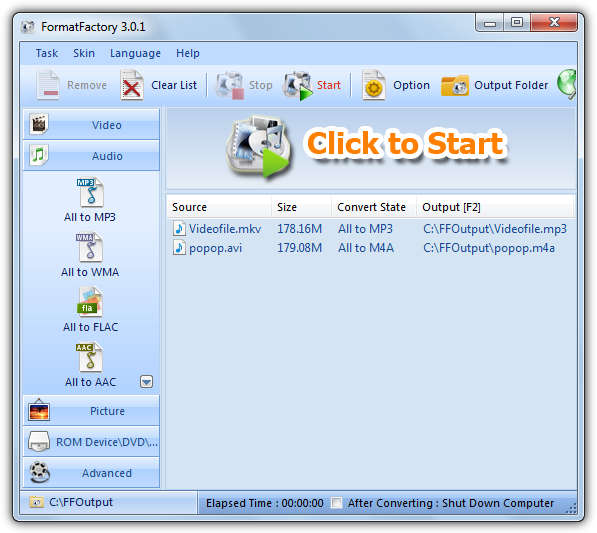
Format Factory is a popular multipurpose media converter that supports converting just about all popular video, audio and picture files to other formats. To extract audio from a video, simply click on audio down the left and select “All to “. In the new window you can choose the the video file, output quality and optionally the save to folder. Other than converting audio and video formats, it can also watermark videos and images, rip DVD’s and audio CD’s, and the program interface supports up to 50 languages. Watch out for the toolbar adware on install.
2. xrecode II
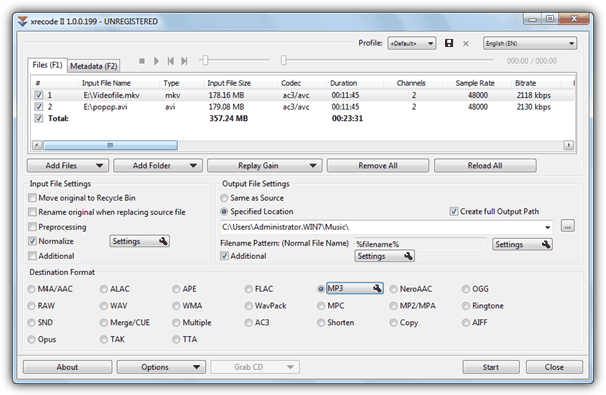
This is quite an advanced audio converter and grabber which allows you to convert many audio formats but it isn’t difficult to use. It does though only convert audio from video and cannot convert between video formats. xrecode II supports parallel conversion, normalizing audio files so that every mp3 plays at the same volume, combine multiple files into one large audio file, and convert to over 20 audio formats. To use xrecode II in a basic way, simply load the video file(s), click the audio output format and then Start. This is actually shareware that costs $15, but is fully functional with only a nag screen being displayed on startup.
3. Freemake Audio Converter
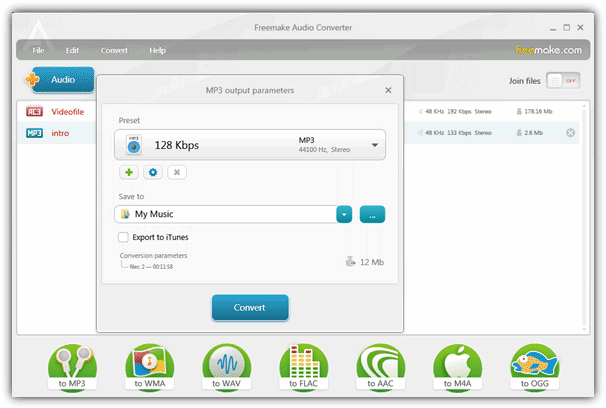
Freemake produce some nice tools and the Audio Converter software is ideal for extracting audio files from video. It will accept most types of video file for input, and can output the resulting audio track to MP3, WMA, WAV, FLAC, AAC, M4A and OGG. Simply click the blue +Audio button to add the video file(s) and then click on the desired “to ” icon across the bottom. The popup window will let you choose the quality and the save location, MP3 has a useful “Export to iTunes” option and the files in the window can be joined. All Freemake products are very good and their other tools are well worth checking out, but the amount of adware offered during setup means you have to be very aware during installation.
Download Freemake Audio Converter | Full Offline Installer
4. FreeStudio Video to MP3 Converter
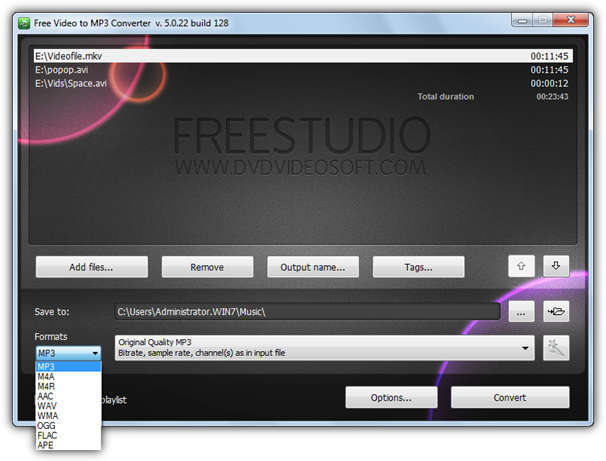
FreeStudio have this Converter which is a 30MB download, or their complete suite of 48 media utilities which includes this program, and is only 65MB, something to bear in mind. The converter itself has a nice and easy to operate interface, just click to add in all your video files and choose an output folder. There are some useful functions such as setting up a custom output name prefix, adding audio ID tags to the converted files and creating an M3U playlist. Select the output audio format from 9 available in the drop down and the quality from the big drop down, or custom setting by clicking the wand icon. FreeStudio is another product that offers a toolbar during install.
Download FreeStudio Video to MP3 Converter
5. Pazera Free Audio Extractor
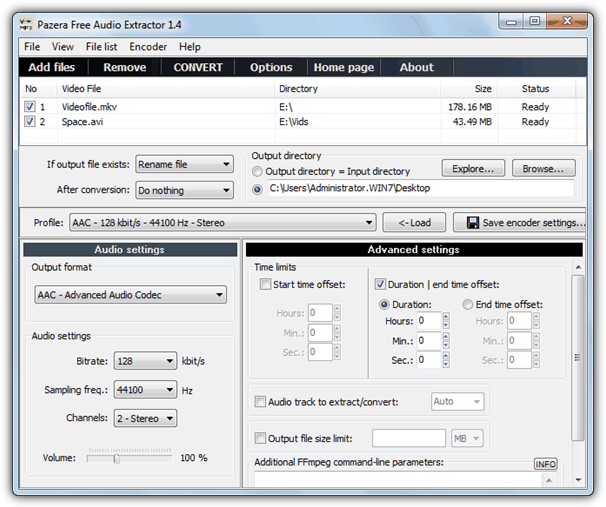
Pazera comes in portable or installer versions although the portable zip is preferable not least because it doesn’t offer adware on install like the setup file. The interface looks a little busy but is easy enough to use, just add your files and browse for a directory to save the files in if you don’t want them saved to the input directory. There are several profiles on hand or you can set the quality settings for the 8 different audio formats yourself. Some advanced settings allow for the start time and end time to be altered, and selecting an audio track if there is more than 1 in a video file. Pazera uses FFmpeg for its conversions so if you know any custom commands, they can also be entered.
Download Pazera Free Audio Extractor
6. Video to Video converter
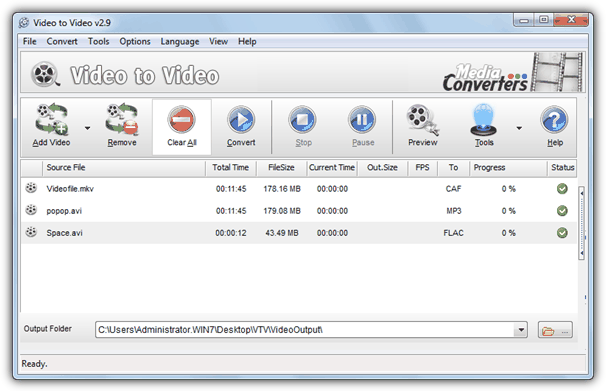
Despite the name, Video to Video converter is perfectly at home extracting audio from video files. It can if fact handle almost anything to do with ripping and converting media, including DVD ripping, authoring and burning, splitting, joining and loads of other useful options. For simple audio extraction, just add the video files and from the 700+ output profiles on offer, select the audio tab and choose 1 from the 14 different audio formats available. Quality can be configured there or in the main window. It’s one of the few tools of this type to have no nags, toolbars or ads in either the installer or portable versions. If you include the sheer amount of features on offer, Video to Video converter is definitely one to check out.
Download Video to Video converter
7. DVDx Open Edition
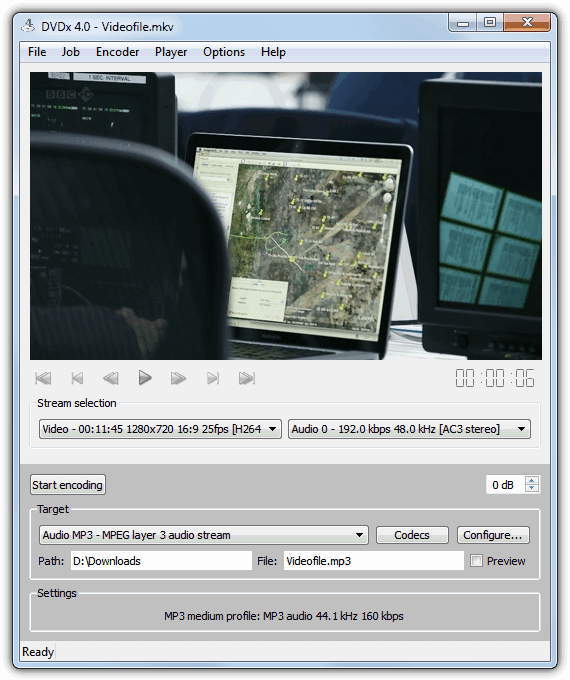
The Open Edition of DVDx is free and open source and also doesn’t come with any adware unlike most tools of this type. Although a bit basic and not blessed with features, it’s still a very useful tool that can convert video files and rip audio straight from DVD’s, even protected ones, and also from standard video files. Audio can be converted to AC3, AU, M4A, MP3, OGG and WAV and is chosen from the Target drop down, and an audio correction volume adjustment is available. Opening the video file and selecting the output folder are both selected from the File menu.



Improve this guide

User forum
0 messages