
2 Ways to Test and Determine If Your BitTorrent Speed is Limited or Throttled


 5 min. read
  Published on

BitTorrent is a protocol that is being used for file sharing. It has been around since 2001 and is still going strong today with it estimated to be using up at least 50% of all Internet traffic. BitTorrent is not equal to piracy as it is merely a method to transfer file. However there are quite a few Internet Service Providers that don’t like their customers downloading files through BitTorrent and employ technology to block or throttle Internet traffic that is used by BitTorrent.
There are a few different ways to block or throttle BitTorrent by ISP. They could be blocking the BitTorrent tracker host and without a tracker, you wouldn’t be able to connect to any peers. They could also block the BitTorrent website itself but this can be easily bypassed by changing the DNS or use a web proxy. Sometimes an ISP can temporarily lift the BitTorrent ban on certain days or time range that normally starts from midnight till morning.
A more sophisticated method in detecting and controlling BitTorrent traffic is by Deep Packet Inspection. This system is able to intelligently detect BitTorrent usage and starts shaping the traffic by throttling the download speed to a minimum without requiring specific rules of blocking BitTorrent websites or trackers.
As we said earlier, not all BitTorrent usage is linked to piracy. There are many legitimate software packages such as the different Linux distributions that can be downloaded using BitTorrent. If you are curious to know if your ISP is throttling or slowing down BitTorrent usage, here are some ways to test it without getting into trouble.
Determine Internet speed
Before you can determine if your ISP is throttling your BitTorrent download speed, you must first know what is the full Internet connection speed. A good and easy way to test is by visiting speedtest.net from your favorite web browser. Speedtest.net will automatically find test servers that are closest to you and even perform a ping test to determine which is the best host to test on if there are multiple servers located at the same place. Simply click the “BEGIN TEST” button to start.
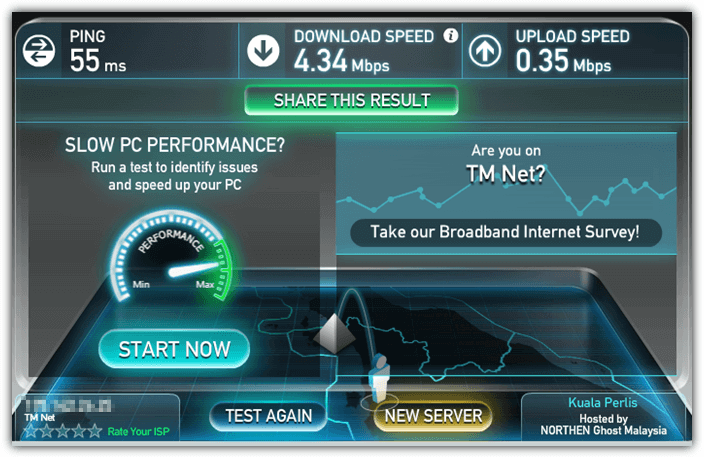
After finished testing your Internet connection speed, take note of the details particularly the “download speed” located at top. That is the full download speed that can be achieved by downloading from the standard HTTP port 80 which is normally not blocked or throttled.
Test BitTorrent Download
The best way to test BitTorrent is obviously to use a BitTorrent client and try downloading a file. However there are some concerns if some anti piracy agencies are able to track and fine users for downloading pirated contents, or installing some spyware that is bundled in the BitTorrent client application. We’ll recommend a safe BitTorrent client that is clean from unnecessary adware and also a legitimate source to download a legal file.
1. Download Deluge BitTorrent Client Portable, run and extract.
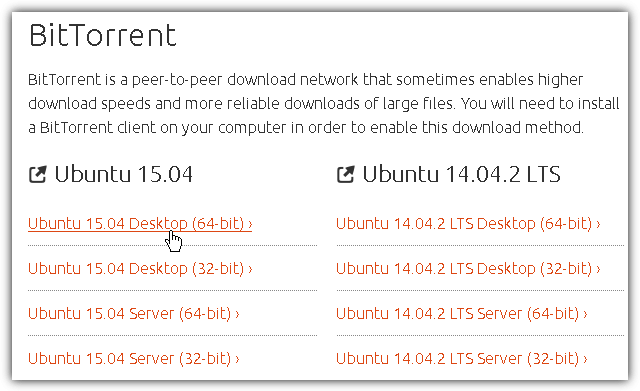
2. Visit Ubuntu download page, scroll down to the BitTorrent area and select any version of Ubuntu to download.
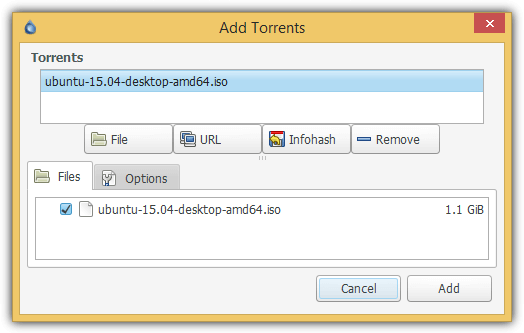
3. Run Deluge, drag the Ubuntu .torrent file that you’ve downloaded in step 2 and drop it to Deluge. Click the Add button to start downloading Ubuntu using BitTorrent protocol.
4. Take note of the “Down Speed” column. Ubuntu is a well seeded and healthy torrent so you should achieve the download speed similar to the results you get from speedtest.net if your ISP does not throttle BitTorrent traffic.
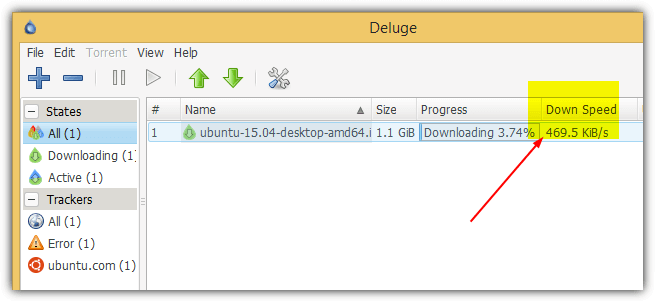
Another sign of your ISP not blocking or throttling BitTorrent traffic is when you see that the download speed achieving the maximum speed in just a few seconds instead of having to wait 10-30 minutes. Refer to the “Down Speed” column at the animated image below.

Once you’ve finished testing, you can right click on the ubuntu listed in Deluge, select “Remove Torrent” followed by clicking on the “Remove With Data” button. You can now delete the whole DelugePortable folder.
If you prefer to run a BitTorrent download and upload test without downloading or installing any third party BitTorrent client software, there is an online service called Glasnost that has been around since 2010 to easily test if your ISP is sharing your Internet traffic. There are different tests that you can run apart from BitTorrent which is selected by default.
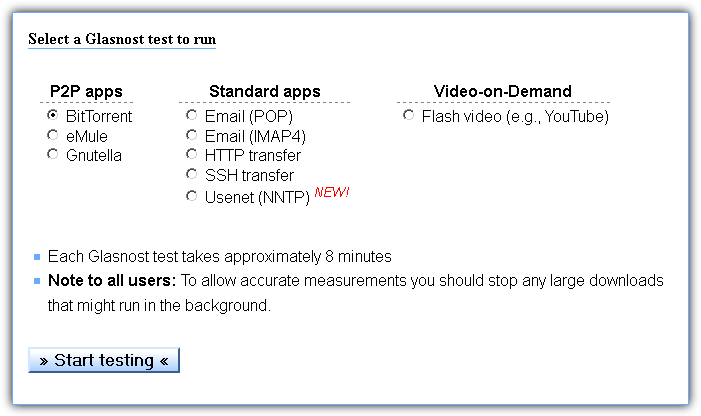
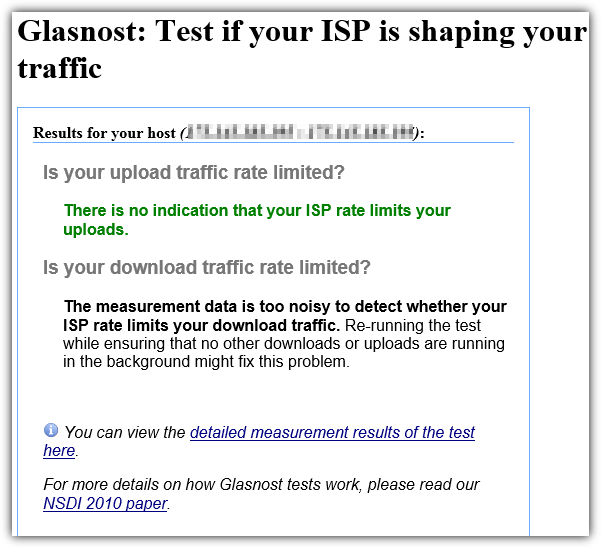
You will need to wait 500 seconds for a series of automated download and upload tests to be run to determine if your traffic rate is being limited by your ISP. The report page will either show if there is an indication that your ISP limits your uploads/downloads or not, or if the measurement is too noisy. Noisy measurement can be caused by unstable Internet connection or even by your ISP as a method to throttle BitTorrent traffic.
Do take note that you cannot run Glasnost tests on Google Chrome because they’ve stopped support NPAPI plugins such as Java. You can however still run Glasnost tests on other web browsers like Internet Explorer, Firefox and Opera.



Improve this guide

User forum
0 messages