
4 Tools to Blank the Screen Except for a Selected Area or Window


 5 min. read
  Published on

If you’re someone that sometimes needs to show a small low resolution presentation or video on a computer with a monitor that has a resolution a lot larger than the clip, you will know that showing it in full screen will give pretty poor picture or image quality. The next best solution is to show it at the original or only a slightly increased size but that leaves the rest of the desktop free for people’s eyes to wander and they don’t pay full attention to want you want them to see.
Of course, if you’re just worried about someone else seeing what icons are on your desktop and what programs are installed, an easy way to stop that is to hide your desktop icons temporarily. Simply right click on the desktop, go to View and untick “Show desktop icons”. That still leaves your task bar, any pinned programs you have and the system tray visible though.
A simple solution would be to blank out all areas of the screen apart from what you want someone else to see, then only viewing a specific part of the desktop should keep their attention on what you want it to be on. Also it may be useful if you read documents or e-books and would like to concentrate on just the window with the text and want to shut out everything else for a while. Here’s a few tools that can blank out parts of your desktop and only make a selected area or window visible. All tools were tested on Windows 7 64-bit.
1. Zorro
Zorro is a utility that will completely blank the screen except for a rectangular area selected by the user. In addition it can also snap its blanking area to any open window and also reverse the function and blank just the selected area leaving the rest of the desktop visible. To do that, just click Options from the menu and check Blank Selection.
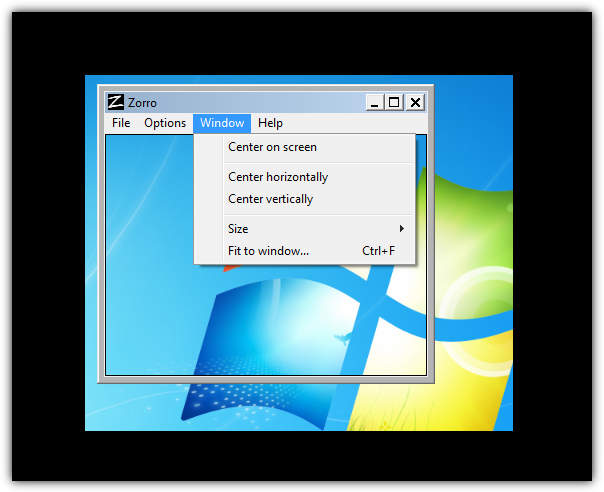
Zorro also includes support for multiple monitors, has a dedicated 64 bit version and has portable versions. All you have to do is drag the window to the size of the area you want to keep (or blank if Blank Selection is on), there are some presets in the Window -> Size menu and you can also use the Fit to window option and drag the target over the window to snap to that size. Then press the Escape key to enable or disable the blanking. You can change the blanking color or hotkey if you like. Works on Windows 98/ME and above.
2. TunnelVision
TunnelVision works slightly different to Zorro because this tool will blank all parts of the screen except a specified area around the mouse pointer, and where ever you move your mouse, this area will follow.
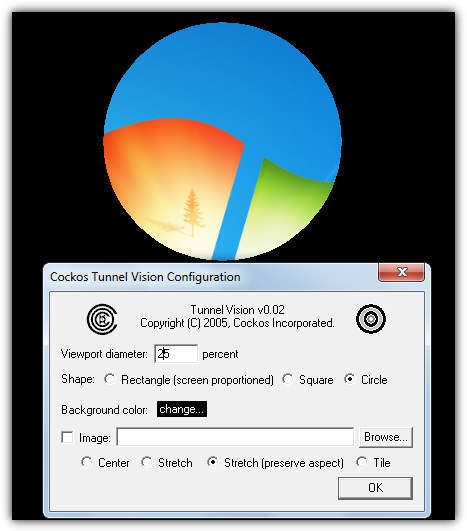
Even though it’s from 2005, the program seemed to work fine on Windows 7 64-bit and has a few options to get it working the way you want. Instead of a user defined blanking color, you can also select a bitmap (.bmp) image to use as the background and the shape can be changed from circle to square or screen proportioned rectangle. The diameter of the viewing area can only be set in screen size percentage, pixel size and an option to hide the mouse pointer would have also been useful. Enable / disable and the settings can be configured from the tray icon. TunnelVision is also portable.
3. Dropcloth
Dropcloth is from Lifehacker and a simple portable application made from AutoHotkey that overlays a solid colored window on top of your desktop. You can then make only the active window visible and the rest of the desktop will be blanked.
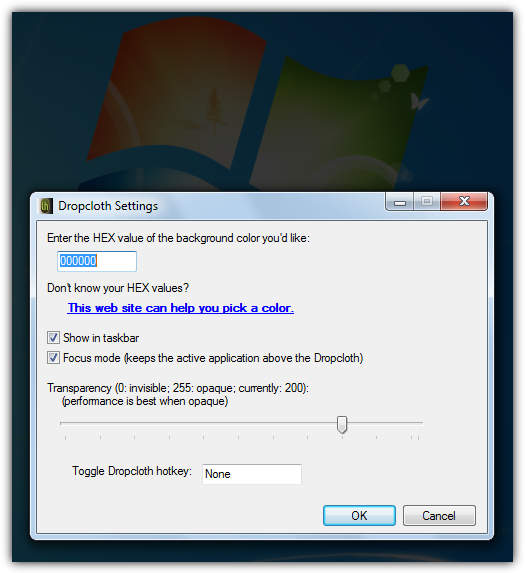
In addition to completely blanking the rest of the desktop, Dropcloth can also apply transparency to darken the desktop instead of a complete blank. Different colors can also be chosen but you will need to know what it is in Hex. Then open the program from the Start menu or restore from the task bar and it will become the only visible window. A hotkey will allow it to be turned on or off quickly.
4. Ghoster
The way Ghoster works is very similar to Dropcloth, and it’s also created in the AutoHotkey scripting language, but there are one or two differences.
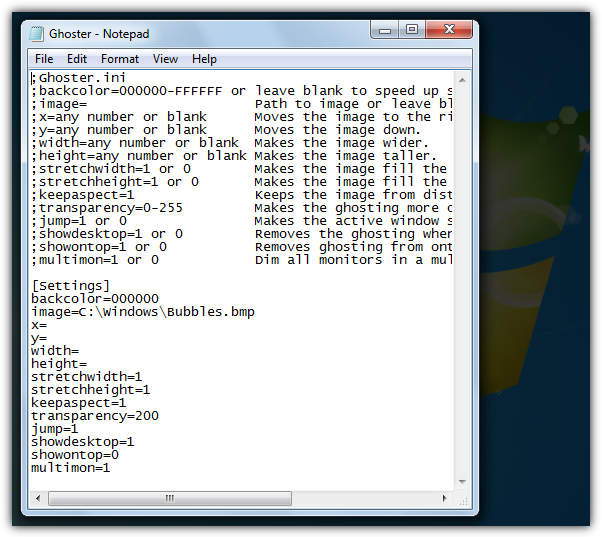
The first difference is that Ghoster is able to keep the desktop interactive meaning you can click anything on it, windows or icons etc. The drawback to Ghoster is the preferences are stored in a text INI file and need to be edited from there. There are some useful options though such as using an image which you supply the path to instead of a blank background, and multi monitor support. When in use, simply click on a window to make it active and blank or dim all other open windows and the desktop.



Improve this guide

User forum
0 messages