Porn Blocking DNS: 10 Free Services to Use in 2023
There are various ways to try and stop inappropriate online content like pornographic material from being accessible to children. One is to install parental control software. The software can effectively block this type of material up to a point but can be messed with or bypassed. Another option that doesn’t need any software installed on your computer is filtering content through the Domain Name System (DNS).
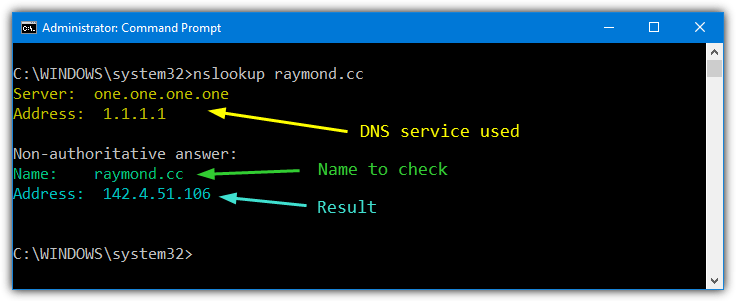
DNS is a set of online servers that translate standard website names into their corresponding IP address, which the browser needs to show the website (for raymond.cc, it’s 142.4.51.106). It’s like a huge Windows HOSTS file with billions of entries. ISPs generally use their own DNS servers, which will be the default for all devices using your internet connection. However, they are not always that fast, private, or secure.
There are many third-party DNS services that can filter out specific website addresses, like ad hosting, malicious content, illegal content, and, of course, adult or pornographic content. Here we show you the best free DNS services that offer adult or pornographic content blocking as standard. All you have to do is add the DNS addresses to your Windows network properties. Instructions are supplied on the specific websites if you don’t know how to do it. IPv6 addresses are also included for more advanced users.
Best Anti-Porn DNS
- AdGuard DNS – Privacy-focused content filtering
- Surfshark Trust DNS – VPN-integrated DNS with filtering
- OpenDNS Family Shield – Pre-configured family-friendly DNS
- CleanBrowsing DNS – Customizable, age-specific content filtering
- Neustar Public DNS – High-performance, security-focused DNS
- Quad9 – Security-focused DNS with threat blocking
- SafeSurfer – Child-friendly DNS with parental controls
- DNS For Family – Family-friendly content filtering DNS
- Comodo Secure DNS – Security-enhanced DNS resolution
- Yandex.DNS – Multiple levels of internet protection
1. AdGuard DNS – Privacy-focused content filtering
- Operating System: Windows, Mac, Android, iOS, Router, Linux.
- Pricing: Free and paid tiers
- Developer: AdGuard
This free software is one of the top privacy-oriented DNS servers available on the market. This application resolves DNS requests and helps you to block ads, trackers, and malicious domains. It also provides reliable encryption protocols such as DNS-over-HTTPS, DNS-over-TLS, and DNS-over-QUIC.
Because you don’t need to download anything or make a configuration, this software is ideal for settings where multiple devices or users need protection. Additionally, the application uses a sophisticated system to detect and block websites that may contain inappropriate content, even though they are not explicitly labeled as such. All you need to do is set it up as your DNS server, and it’ll start working immediately.
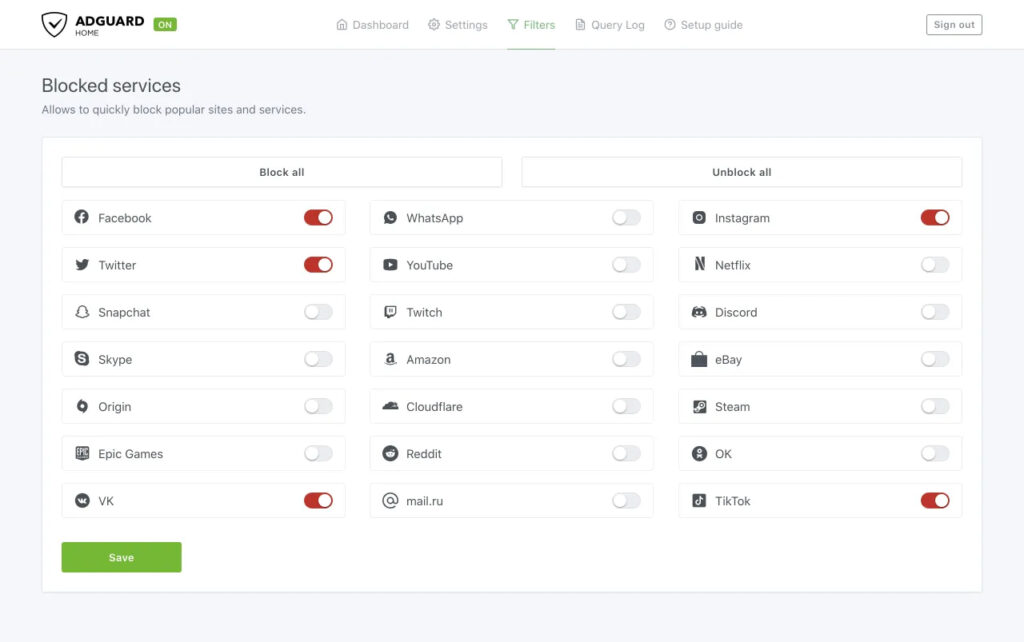
Another great feature of AdGuard is that it allows you to customize your experience. For example, you may choose to block certain sites or create custom filters based on specific trigger words and phrases. Whether you’re trying to protect your children or an individual looking to avoid inappropriate content, AdGuard DNS has the features you need to stay safe and secure online.
2. Surfshark Trust DNS – VPN-integrated DNS with filtering
- Operating System: Android, iOS.
- Pricing: Free
- Developer: SurfShark
This software is an excellent blocker for porn sites because it has many powerful features that set it apart from others.
For example, the application uses a secure DNS server to protect your online activity from prying eyes. This makes it almost impossible for you to get inappropriate ads anywhere you are. The application is incredibly easy to set up and use.
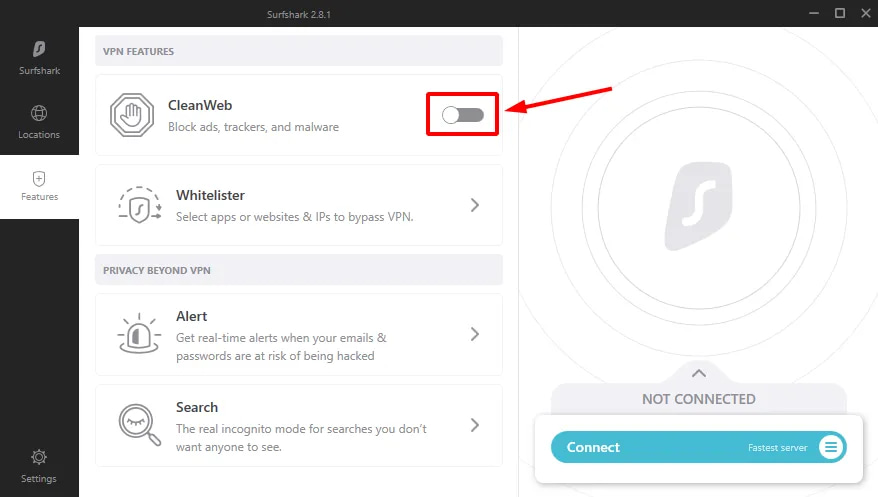
You can also customize the types of websites you want to block, giving you more control over your online life. This software is exceptionally great for users who aren’t tech-savvy and don’t want to spend a lot of time configuring their settings. The DNS works on multiple devices, so you can rest assured you’re always protected.
3. OpenDNS Family Shield – Pre-configured family-friendly DNS
- Operating System: Windows, Mac, Android, iOS, Home routers, Servers.
- Pricing: Free
- Developer: OpenDNS
OpenDNS was one of the first to offer free DNS servers with adult content filtering back in 2010. It is possible to create a free account and customize the DNS service with extra filters (such as blocking social networks, P2P, or gambling), domain blocking, and even creating a custom block page. However, it’s not a requirement, and you can just set and forget using the addresses provided.
OpenDNS has two free DNS services, Family Shield and Home. Family Shield is pre-configured to filter out adult content by default and will be enough if that’s all you want. To block even more, such as illegal activity, social networking, or custom domains, create an account and set up custom filtering. This works with both Home and Family Shield. The process looks complicated, but there are many guides on the internet to help.
OpenDNS Family Shield
Preferred DNS Server: 208.67.222.123
Alternate DNS Server: 208.67.220.123
OpenDNS Home (create a free account to set up adult content blocking)
Preferred DNS Server: 208.67.222.222
Alternate DNS Server: 208.67.220.220
4. CleanBrowsing DNS – Customizable, age-specific content filtering
- Operating System: Windows, Mac, Android, iOS, Linux.
- Pricing: Paid
- Developer: CleanBrowsing
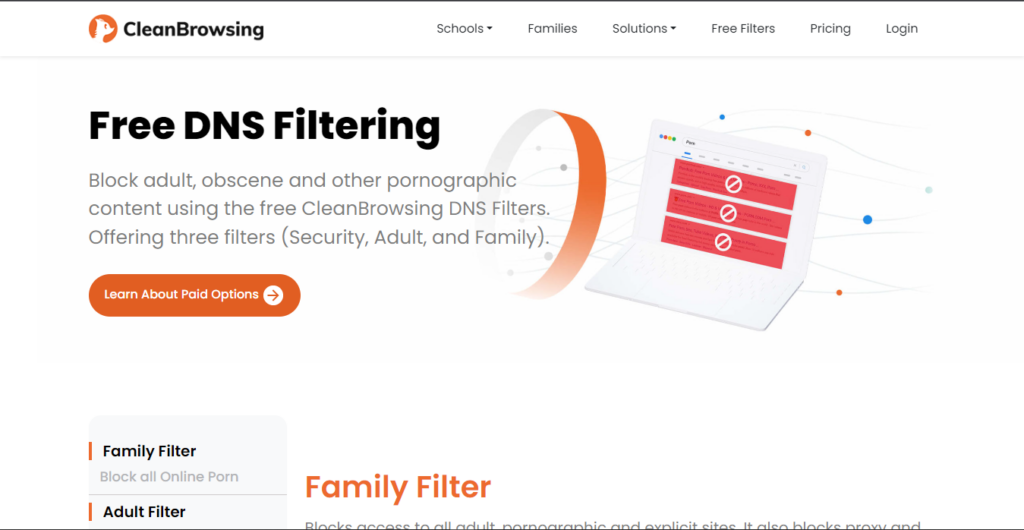
CleanBrowsing has quickly established itself as one of the most popular and effective adult content-filtering DNS services. In some effectiveness tests for blocking pornographic content, we’ve seen it score higher than any other DNS service. The basic Security Filter blocks malicious content, while the Adult Filter blocks pornographic and explicit websites.
The full Family Filter adds more protection by blocking proxy and VPN domains and mixed content sites like Reddit. Google, Youtube, and Bing browser searches are set to safe mode. A blocked page simply shows up as a standard page not found error. Extra information is listed on the website for more secure privacy options like DNSCrypt, DNS over HTTPS, and DNS over TLS.
CleanBrowsing DNS Adult Filter
Primary DNS server: 185.228.168.10
Secondary DNS Server: 185.228.169.11Primary IPv6 DNS server: 2a0d:2a00:1::1
Secondary IPv6 DNS Server:2a0d:2a00:2::1
CleanBrowsing DNS Family Filter
Primary DNS server: 185.228.168.168
Secondary DNS Server: 185.228.169.168Primary IPv6 DNS server: 2a0d:2a00:1::
Secondary IPv6 DNS Server: 2a0d:2a00:2::
5. Neustar UltraDNS – High-performance, security-focused DNS

- Operating System: Windows, Mac, Android, iOS, Linux.
- Pricing: Freemium
- Developer: NeuStar
Neustar UltraDNS allows users to customize their internet experience by quickly resolving queries using an ultrafast, highly reliable global DNS service.
The platform mitigates threats by preventing access to malicious websites on the internet. Neustar has four levels of DNS; the first is unfiltered, and the second one is called Threat Protection and blocks malware, phishing sites, etc.
The third DNS is Family Secure, which uses Threat Protection and blocks pornography, some gambling sites, violence, and hate. The most filtered DNS is listed as Business Secure but can also be used as a family version. It additionally blocks gaming, adult (presumably different from just pornography), drugs, alcohol, and anonymous Proxies.
Neustar Family Secure
Primary DNS server: 156.154.70.3
Secondary DNS Server: 156.154.71.3Primary IPv6 DNS server: 2610:a1:1018::3
Secondary IPv6 DNS Server: 2610:a1:1019::3
Neustar Business Secure
Primary DNS server: 156.154.70.4
Secondary DNS Server: 156.154.71.4Primary IPv6 DNS server: 2610:a1:1018::4
Secondary IPv6 DNS Server: 2610:a1:1019::4
6. Quad9 – Security-focused DNS with threat blocking
- Operating System: Windows, Mac, Android, iOS, Linux, Routers.
- Pricing: Free
- Developer: Quad9 Foundation
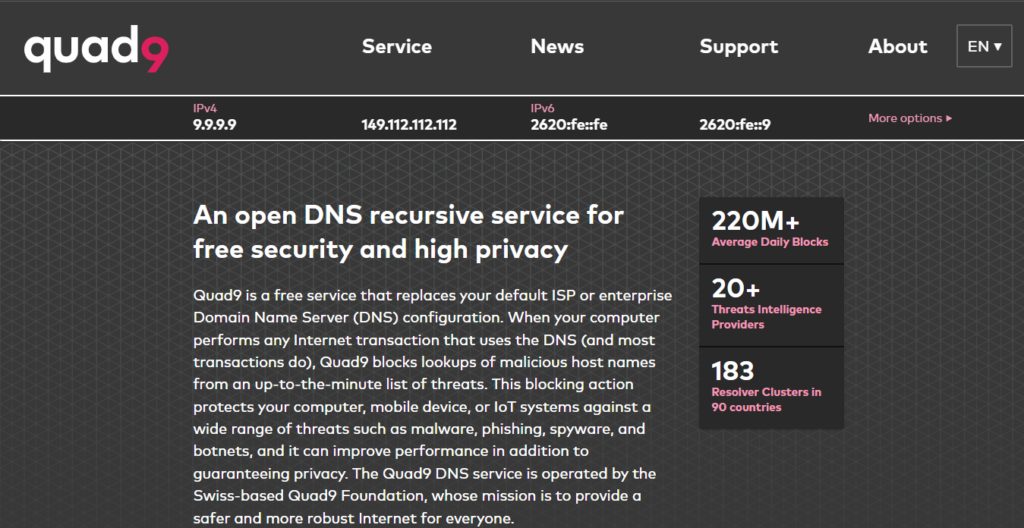
Quad9 is a Swiss-based global public recursive DNS resolver that launched its own DNS service in 2016 to provide its users with a safe and sturdy internet browsing experience.
This is one of the only DNS resolvers equipped with a founding charter prioritizing privacy. Quad9 is dedicated to keeping personal data under the control of the end-user on the internet.
This service is mainly beneficial for blocking malware and phishing, which are common threats on sketchy pornographic websites. It replaces the default DNS configuration, blocking lookups of malicious host names from an up-to-the-minute list of threats.
Primary DNS server: 9.9.9.9
Secondary DNS Server: 149.112.112.112Primary IPv6 DNS server: 2620:fe::fe
Secondary IPv6 DNS Server: 2620:fe::9
7. SafeSurfer – Child-friendly DNS with parental controls

- Operating System: Windows, Mac, Android, iOS, Routers.
- Pricing: Paid
- Developer: SafeSurfer
SafeSurfer is a DNS service from New Zealand that appears to be partly run with voluntary donations. In addition to the standard IP addresses you can use below, there are also desktop applications for Windows, Mac, and Linux, as well as mobile applications for Android and iOS.
The SafeSurfer website and DNS servers are not in New Zealand and are entirely hosted in the United States. The DNS itself uses a mixture of Google Cloud and Open DNS servers. While it may not be the fastest DNS resolver outside of the US, using those servers should make it pretty reliable.
Primary DNS server: 104.197.28.121
Secondary DNS Server: 104.155.237.225
8. DNS For Family – Family-friendly content filtering DNS
- Operating System: Windows, Mac, Android, iOS, Linux, Blackberry.
- Pricing: Free
- Developer: DNS for Family
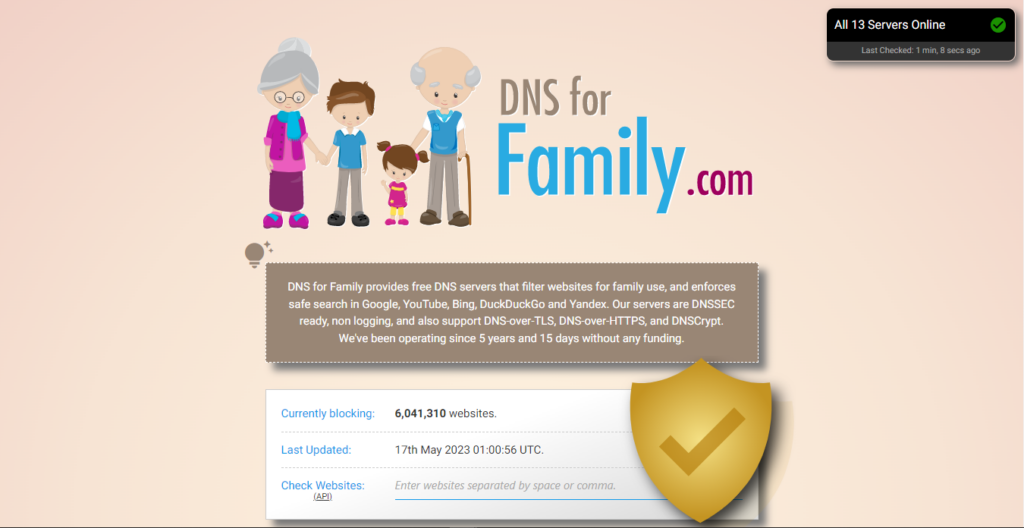
This service is from Germany. The website is based there, as are the Cloudflare servers it uses. The DNS speed will obviously be reduced the further you live away from Europe. According to the website, the current list of blocked domains stands at over 2 million, and that list is updated daily.
In addition to adult or pornographic websites, DNS For Family blocks adverts by default, believing they could help link to adult content. DNSCrypt stamps are available on the website for the more advanced or security-conscious user as well as a custom Raspbian image for Raspberry Pi users.
Primary DNS server: 94.130.180.225
Secondary DNS Server: 78.47.64.161Primary IPv6 DNS server: 2a01:4f8:1c0c:40db::1
Secondary IPv6 DNS Server: 2a01:4f8:1c17:4df8::1
9. Comodo Secure DNS – Security-enhanced DNS resolution

- Operating System: Windows, Mac, Android, iOS.
- Pricing: Freemium
- Developer: Comodo
Comodo Secure DNS is a popular domain name resolution service that resolves SecureDNS requests by processing them through a worldwide network of redundant DNS security servers.
The service is completely cloud-based and load balanced, with highly available Anycast DNS infrastructure hosted in over 25 countries. It blocks phishing and malware domains and even brings advanced protection against botnets, cookie stealing, anonymizers, etc.
Comodo Secure DNS Public Server
Primary DNS server: 8.26.56.26
Secondary DNS Server: 8.20.247.20
Comodo Secure Internet Gateway
Primary DNS server: 8.26.56.10
Secondary DNS Server: 8.20.247.10
10. Yandex.DNS – Multiple levels of internet protection
- Operating System: Windows, Mac, Android, iOS, Routers.
- Pricing: Free
- Developer: Yandex DNS
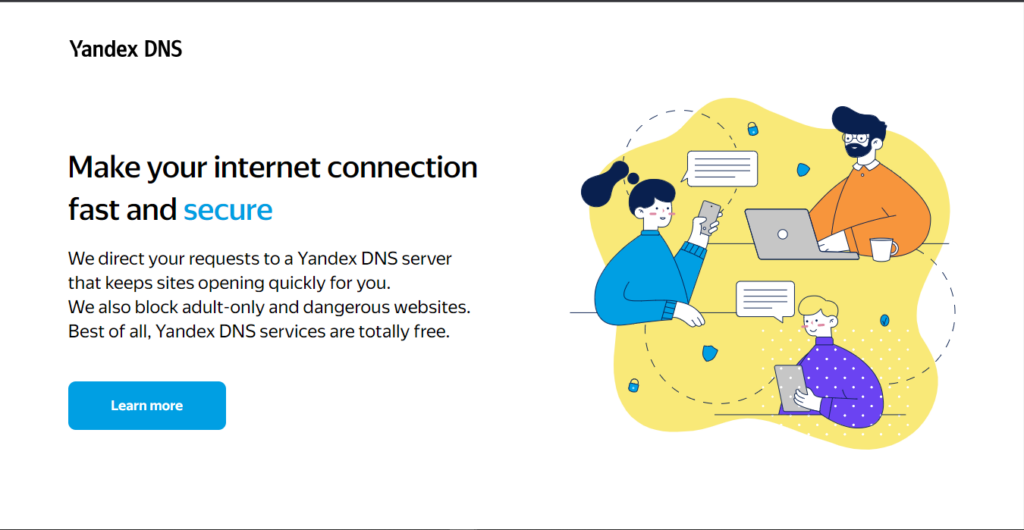
Yandex DNS is a free, Russia-based DNS server that directs your requests to the Yandex DNS server, providing you with greater control over your internet connection.
The service offers three tiers of internet protection, i.e., Basic, Safe, and Family. While the Basic tier works absolutely fine for normal day-to-day use, you might want to try the Family tier, which protects from dangerous and fraudulent websites, blocks websites with adult content, and blocks botnets.
Yandex Family DNS
Primary DNS server: 77.88.8.7
Secondary DNS Server: 77.88.8.3
Overview of best porn blocking DNS
| DNS Software | Free trial | Block specific websites | DNS Customization | DNSSEC verification |
|---|---|---|---|---|
| Aduard DNS | Yes | Yes | Yes | Yes |
| Surfshark Trust DNS | Yes | Yes | Yes | Yes |
| OpenDNS Family Shield | NA | Yes | No | Yes |
| CleanBrowsing DNS | Yes | Yes | Yes | Yes |
| Neustar Public DNS | NA | Yes | No | Yes |
| Quad9 | NA | Yes | No | Yes |
| SafeSurfer | Yes | Yes | Yes | Yes |
| DNS For Family | Yes | Yes | Yes | Yes |
| Comodo Secure DNS | NA | Yes | No | Yes |
| Yandex.DNS | NA | Yes | No | Yes |
How to choose the best DNS for blocking porn?
There are several factors to consider when choosing a porn blocking DNS. Here is a comprehensive guideline to help you make an informed decision.
- Reputation and trustworthiness – Look for DNS services with a good reputation and a history of providing reliable and secure services. Research reviews, user experiences, and check if the service is recommended by trusted sources.
- Accuracy and Granularity – Assess the accuracy and granularity of the DNS service’s blocking mechanisms. Does it accurately categorize and block the websites you want to restrict? Can it differentiate between different types of content to provide fine-grained control? Make sure your DNS service addresses these concerns.
- Customization Options – Consider whether the DNS service allows customization to suit your specific needs. Can you add or remove specific websites from the block list? Is there flexibility in adjusting the level of filtering based on different user profiles?
- Cost – Consider the pricing structure of the DNS service. Some services may offer free options with limited features, while others have subscription plans with additional benefits. Evaluate the value provided by the service in relation to its cost.
- Privacy and Security – Evaluate the DNS service’s privacy and security practices. Check if they have a transparent privacy policy, use encryption for DNS queries, and have measures in place to protect your data.
Try Out all of the Above DNS Services Using a Simple Program
We have given you several choices for a family-safe DNS service, but you may want to test a few out or just add a DNS to your system as easily as possible. While changing the default DNS in Windows to test these services is not particularly difficult, typing in addresses and closing/opening the network properties windows is a bit annoying.
A simple program we have mentioned before is called DNS Jumper. With it, you can try out different DNS services with just a few mouse clicks. There is a family-friendly list of presets already built in, but we have created a custom configuration file so you can easily try out all of the options we’ve listed.
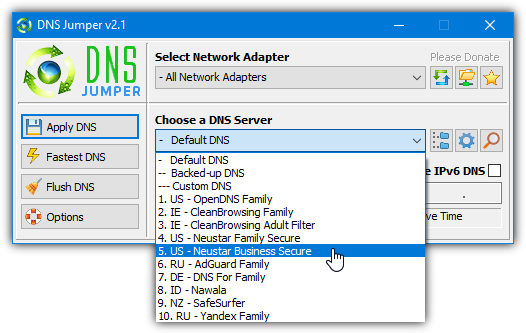
The program is free and portable, just download the zip file and extract to a location of your choice. Run DNSJumper.exe and select from the “Choose a DNS Server” drop down menu. Then click Apply DNS. Once you have settled on a choice of DNS, close the program as DNS Jumper doesn’t need to stay running.
Download DNS Jumper (with custom family DNS list)
Note: An important thing you should know is the DNS settings in Windows will override the settings in your router. For example, if the router is set up to use CleanBrowsing but the computer is using Cloudflare, the computer will use the unfiltered Cloudflare. To prevent the DNS method being bypassed, you will need to create a standard user account for your children so that they cannot change the DNS settings.
Note 2: Something that is slowly being adopted by ISP’s is the use of the transparent DNS proxy. This forces all DNS requests through the ISP’s own DNS servers and ignores any custom settings in the router or on individual devices. If no custom DNS services have any effect when trying them, this may be the cause. Unfortunately, there is very little you can do other than contacting your ISP to find out.
However, there is a workaround if you still want a custom DNS on your PC, and that is using DNS encryption. This method encrypts DNS requests meaning they are not processed by your ISP and a program called Simple DNSCrypt can help you do that. You can only use the DNS services in the predefined lists but the good news is Adguard, CleanBrowsing, OpenDNS, DNS For Family and Nawala are currently included.
Final Thoughts
These were the best free porn blocking DNS servers available in the market right now. Make sure you have gone through the entire list to see how these servers fare when compared based on top features and pricing.





You know, talking to your kids and infant adults about the dangers of porn and too much m*********** plus having these restrictions to help them not fall into that trap is overall much more useful than just blocking it.
No matter age, if they tried to access it, they are ready for a talk or two. That of course only works if you were a good parent/grandparent. If they dont trust you, you messed up along the way and have a long way to go to fix yourself before you can start to help your children.
best regards,
Blah Blah Blah Blah
If you have multiple versions of these would they conflict with each other or cause one another to not work anymore? I’m trying to get layers of protection.
In theory, they wouldn’t conflict with each other and just act as an extra layer of protection. What one DNS misses the other might catch.
The issue is you can’t have two DNS services running at the same time on a PC. You can use the one from your router or the one on your computer, not both. Whatever DNS is being used on your PC will override the DNS on your router.
Is there a DNS that blocks social networks and porn?
If there’s one I am interested in it.
I want to block this two cathergories in my devices everywhere I go.
You could use something like client side blockers for social media (ex: pluckeye or coldturkey) and dns for porn; I am not aware of that block social media by default.
The paid version of Clean Browser does have a filter. This filter blocks access to social networks. It includes Facebook, Twitter and Google Plus.
But which is best? ACTUALLY best?
I saw Comodo being promoted on other sites, set it up all looked good but on testing the filtering was useless!
Opendns sometimes they require months of voting before they agree to filter, even then they dont.
Safedns locks down youtube too much
Others dont block VPN.
Next DNS looks good but at 300,000k free option its used up in 3 days of noisey apps such as snapchat and apple pones talking all day
The kids wil lfire up an app (facebook, snapchat, instagram, twitter) and get to adult content this way – so youll need a decent advert/integrated url bocklist not just the usual big brand websites.
For me the best solution was to set up a DNS server on my lan, free, called NXfilter, yes even on windows, point all my dhcp to it then as a second layer point anything getting through this to Next DNS, putting queries down to under the 300,000 limita month.
Once i know my local DNS is working well and most traffic is blocked properly (you can see this ont heir charts what is clean what needed further blocking), i could just push it out to one of the others but features such as proxy and vpn blocking are few and far between, and these are the main ways to get around blocking!
You’ll need to force DNS on your firewall too, else the kids will just use another one on their device and again bypass.
While a good and more effective method, its problem is it’s vastly more complicated for average people than just setting a DNS and forgetting about it.
Something like Pi-Hole is probably another option, but again, it’s not simple (or free) for average users to setup.
Hi, (disclaimer: I contribute for DNS for Family)
1. Regarding `months of voting`, we don’t have such in DNS for Family. You can simply submit websites at dnsforfamily.com/#Add_Websites_To_Blacklist .We then check it `manually`, if it fits the criteria (adult/malware/ad-source), then we put it in our blacklist within 24hours of submission or we will reply you within this time frame with reason of not accepting.
2. Regarding limitation. As of now, we don’t have any limit for `total` DNS requests but our rate limitation is 625 burst requests in a second.
3. Regarding firewall. We have a pre-built Raspberry PI 3 image that you can flash in your Raspberry PI 3 and it will setup a Wi-Fi hotspot for you. So when the kids are connected to that Wi-Fi hotspot they will automatically use DNS for Family servers and they won’t be able to override them.
Other than your queries:
1. We don’t block any social websites.
2. We have safe search enforcement servers so Google/YouTube/Bing/Yandex/DuckDuckGo hides explicit search results and content.
3. It’s completely free, no advertisements or representation to any organization involved. We made it purely for the community.
Another one is dnsforfamily. No configuration needed, and only blocks porn websites and advertisements. So all social websites are enabled.
It’s literally in the article already…
Sorry, I didn’t checked the next page. Thanks for replying.
how do you do this
energized.pro – it offers multiple versions of filters, which can be added to HOSTS or to adblockers. It is a great addition to DNS. Even if the webpage loads, images/videos will not.
P.S. Filters can be also used in this DNS service. nextdns.io
Great. How do you apply this to iPhone and Android? If you can’t it’s pretty useless nowadays.
For Android at least, there are loads of apps that allow you to change DNS, even more are available if you’re rooted.
Thank you so much
when u visit yandex dns i get this
Domain not found: dns.yandex.com
how to fix this or the site is shutdown ?
Just wanted to thank you for this page. I am writing a book on getting free from pornography and this is really useful information. God bless your work!
Yandex works better than other.. thanks
I feel the best of all these net services in terms of cost free and effectiveness…. I’ll give a 100 stars to “YANDEX”.
One more I would add to the list is cleanbrowsing.org (free).
Been using it lately and works very well – it also filters search engines that most of the others do not do it properly.
Thank very much
There is also Adguard DNS and Yandex DNS now.
so I wanted to say that I have been struggling with this as i have a very curious 10 year old in the house. I have yet to get any of these to work great. yes they work somewhat but since google.com went https you can search anything you wish and get images. Albeit the sites are blocked i get that.
I even installed a firewall on a pc that gets placed between the cable modem and wifi router (ipfire.org) and that too worked ok but not great.
I just found something that seems to work great. I understand this page was put together for not installing anything BUT you need to check out the k9 web proection as you do install onto the pc but it has plenty of options like screen time restrictions, site blocking, site additing, reports and more..
im going to be checking this out soon and will let you know how it works out.
oh yeah…
best thing is it supports Windows/MAC/IOS/Android !!!!!! were covered!!!!
Can they uninstall if from their computer or IOS device without you knowing it? I have a 17 year old and have found out through the Teen Safe app that he has been looking at some free porn sites recently. Thanks for any extra information.
you should talk to him because now he knows about porn he will find other way to access it . so just talk to him about this .
K9 is really great solution, sure!
But I also recommend to try web filter feature in FortiClient free antivirus. It can filter out bad sites almost the same way like K9.
I just came across this site after recently learning that our granddaughter had gone to a pornographic site. So, I wanted to put measures in place to prevent future access to these and other sites that shouldn’t be visited while on our home network at least. I am currently trying the Norton option and so far I am reasonably impressed. I used the later option that gives the highest level of filtering and includes file sharing as well as gambling sites.
Just one recommendation, Google the Norton DNS and get the current DNS settings, as they have changed from when this was orginially posted.
maybe this is why it was a hit or miss for me. I did use this page and configured based off of that…
thanks for the update as im going to check this out as well…
Dont forget Yandex
dns.yandex.com/
77.88.8.7
77.88.8.3
Hi. Thanks for your sharing. Anyway, I will share the info to other.
OpenDNS works! Thanks for sharing this!
Thank you very much. I am using the OpenDNS option to protect me and my family against the virus that is pornography.
Very good to block malicious material in our mobile phone.
THANKS.
Norton ConnectSafe Blocks the game Wartune through facebook. even tried last digits .10 and still it was blocked.. I talked to Norton in Chat. And they said that that it might have bad adds…. I then try OpenDNS and that works wonderfully. It’s also nice to know that it is back by Cisco.
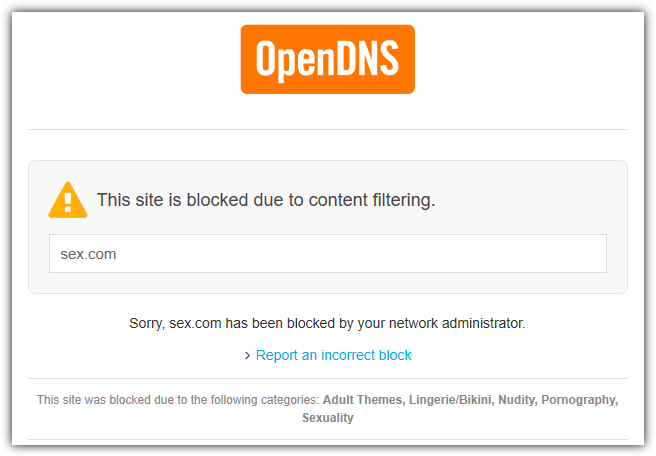
The first recommendation blocks s*x.com but shows ads to buy used x-ray equipment? I don’t know if that’s much better than just not blocking the site.
Thanks a lot this helped me protect myself first and my family.
Thanks you so much..
This really helped to blocked many more sites.
I used option 1 and looks really good!
Thank you once again
Thank you so so much. Number 2 worked perfectly
thank you it was very useful for me i agree at the service of norton ip address thanks again to raymond for these dns clues
thanks bro!
really nice work
thanks this article was useful, i applied Norton ip address directly to my router and i set a new password for settings. thanks again for useful information
I also advise Adult Blocker addon
K9 web protection from blue coat protects from every thing and it is free to download. I found it after searching for months online for an everything filter. I can leave my children on internet for school and do not have to worry at all.
Be sure to password protect your boot options in rom (first screen to come up). If you don’t you can boot from other media besides the hard drive which makes K9 useless. Be sure to exclude other boot options besides your hard drive, save the options, and password protect them.
thank you very much .
The problem that i have with adult sites are they ask are you 18 or older and anyone can just click yes without confirming it which is total bs
Where have you been?? There are many, many porn sites that DON’T ask if you’re 18. They don’t ask anything. No ‘YES’ to click. Just type in their URL and there you are, right at their page full of porn. No barrier or intermediary ‘shield’ at all!!
And when there’s a household of people with web-accessing hand-held devices, computers, game consoles, etc,, installing ‘hidden’ porn blocking software on each device is near impossible. The blocking HAS to happen either at the gateway (your modem/router device) or between that and the open Internet.. So thanks Raymond for these DNS routing clues.
That’s exceptional.
can i stop it from ma wireless modem ?
Actually my roommate watching porno and using my all data usage, so internet behaving like a show peace not such a beneficial thing.
i have restricted porno from his laptop but he is still watching such things from his mobile. so it is so complicated to secure ma network from pornography.
plz Help if you can .
Regards,
Vikas
yes, you can.
You can find DNS server and enter the ip adress as it shown in this article
and under the DNS server you see Secondary DNS server which you have to enter the second ip adress shown above .
Wish it helps
yes you can do it..
write on the address bar: 192.168.1.1 in order to config you modem..
search for DNS Address for WAN and LAN network :)
Get a gargoyle router. Has all kinds of controls for bandwidth. You can also force traffic through one of the dns servers mentioned. Change the server in you router, not your computer. Cable modems from telecom companies often do not have options to choose a different dns server.
If we remove DNS entries from our internet settings. Everything will be back. So what is the solution for this?
Create a Guest account which will prevent the DNS settings from being changed.
You can buy a higher end router that can be configured to use those servers for DNS, provide DNS service at its own address to your LAN users, and (this is the linchpin) to block any outbound DNS requests that aren’t targeted to itself. Then there is no way around it other than to type in full numeric IP addresses.
Here’s a capable wireless router that will do this for under $60: routerboard.com/product/190
Thanks , from Brazil.
Hey there,
We now have two DNS servers at MetaCert. While OpenDNS has indexed 1.6 million domains across 50 categories, MetaCert has indexed 7.2 for pornography – with more for malware and spyware. So I recommend OpenDNS for categories like sports, religion etc. and MetaCert for pornography blocking.
One of the most helpful articles published this year
Good for kids, good for parents, good for every thing . Thanks!
Thanks a lot
Raymond you rock!
OpenDNS is still my favorite. One router to filter all porn for the entire family.
@Ngan OpenDNS is good for 50 categories but if it’s porn you want to block then MetaCert has indexed more than 10 times that of OpenDNS – just so you know :)
Thank you so much. Finally i found it…….
thanks
Thanks, thank you very much mate for the help it really good and easy
Thank you very much.. for the information
Raymond, you are great. you are such a lovely person. I really want to thank you a lot because i have learned so much things from your site.
One of the most helpful articles published this year
Good for kids, good for parents, good for our banking info. Thanks!
I’m learning everyday, thanks to you Raymond.
awesome,so my computer was safe from spam and others virus now.
Thanks Raymond .
Great post Raymond. Would really help.