Donation Goal
Donate Now Goal amount for this year: 799 USD, Received: 100 USD (13%)
Please donate to help support this website. The funds will be used to purchase owned license of LiteSpeed Web Server Enterprise (2-CPU). It provides superior performance in terms of raw speed, scalability and anti-DDoS capabilities.

How To Burn Downloaded Windows Vista to DVD

Posted By Raymond In Category: Computer // Windows Vista

Apr
17
2007

Download Windows Vista from Windows Marketplace
OK, you’ve just purchased Windows Vista from Windows Marketplace and you selected “Digital Locker Download” instead of “Buy and Ship“. Buy and Ship might cost more and also have to wait for the delivery. You made your payment and the links to download Windows Vista is made available to you. There are 3 files to download which is:
1. boot.wim (116.31 MB)
2. install.wim (2.25 GB)
3. X13-49120.exe (73.76 MB)

After spending hours downloading, it has finally finished. This is how you can make your own Windows Vista DVD from the 3 files you’ve downloaded from Digital River.


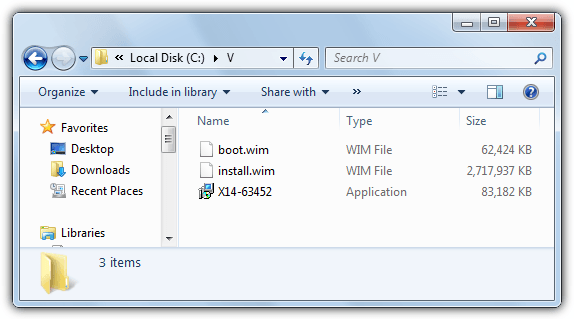
1. Place all 3 files (boot.wim, install.wim and X13-49120.exe) in your C:\ drive.
Burn Windows Vista to DVD

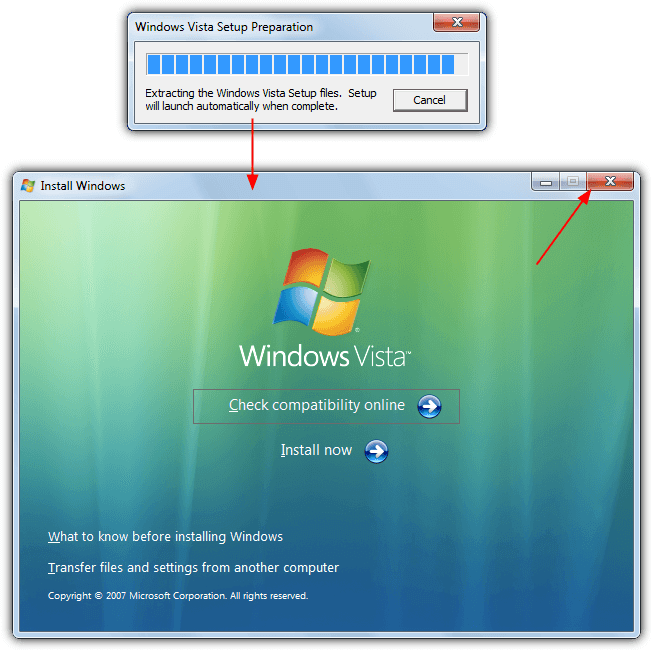
2. Run X13-49120.exe and it will extract files to Vista folder(automatically created).
Extract Windows Vista install.wim

3. Download CDImage and place cdimage.exe in your C:\ drive
CDImage 2.52 create Windows Vista

4. Run Command Prompt (Go to Start -> Run -> type CMD and click OK. When Command Prompt appear, type “cd \” without the quotes to change to C drive.
Type the command “cdimage -m -u2 -bC:\Vista\boot\etfsboot.com C:\Vista C:\Vistax86.iso” and you will see that it’s creating Windows Vista iso image.
Create windows Vista with cdimage

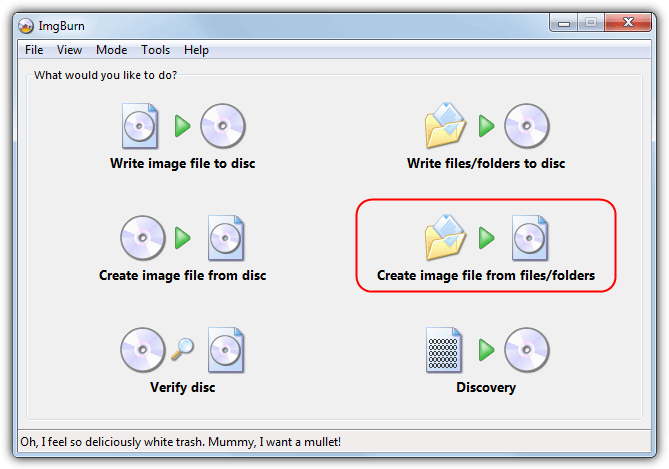
5. Once it shows 100%, you can use the free ImgBurn to burn the newly created Vistax86.iso to DVD.
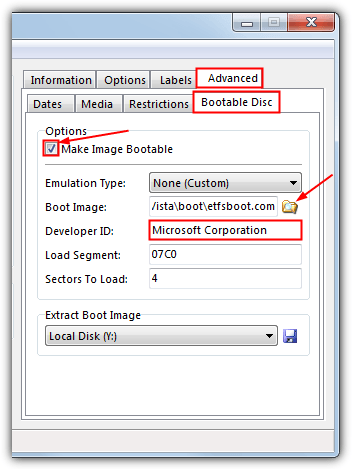
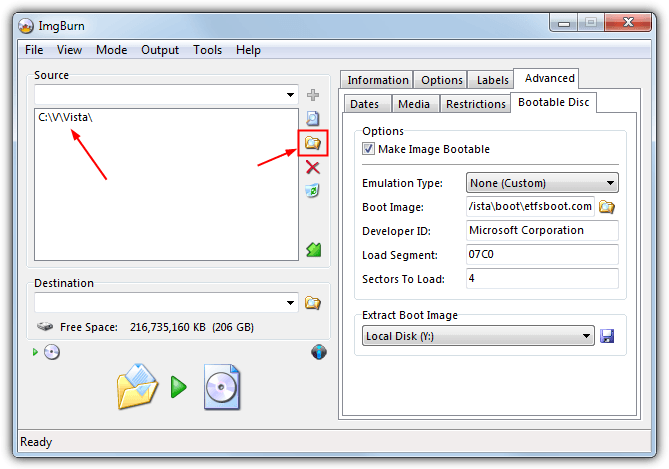
ImgBurn Windows Vista ISO to DVD

Before you burn Vistax86.iso to DVD using ImgBurn, it is advisable to make sure that “Verify” is checked and select the slowest write speed to burn. This is to ensure that you have a good Windows Vista DVD and won’t get stuck in the middle of Windows Vista installation.

Thanks to Warez-BB for this instructions!


Related posts:
  • Windows Vista Configuration Tool that creates Vista Lite
  • Windows Vista Upgrade Advisor RC1 Build 1.0.0000.309
  • Windows Vista Activators All-In-One
  • Windows Vista RTM Cracker by scaramonga
  • Download Windows Vista RC1 from Microsoft and Activation Crack
    • CCH

      Dear Raymond,

      I have some problem when i in the CMD, it start with C:\Documents and Settings\CCH, i try to type C:\ but still cannot work, it say C:\ is not recognized as an internal or external command. then i copy everything to the CCH folder and typed the command you give above, then it come up C:\Documents is not recognize………………………What is going on??

    • http://www.raymond.cc/ Raymond

      Sorry for the mistake. It should be “CD \”
      I’ve corrected it.

    • Infinity

      Well done Raymond. And thanks for the great tips!

    • serjas

      hi,how can i download that file?is it original…i mean i dont want a pirated one!

    • WANT!

      hello, where can i find cdimage 2.52? i want real 2.52 version thank you!…..your blog is very good!

    • bpx

      there is another way to convert it using “oscdimg” you can also automate the process thru a .cmd file

      download “oscdimg.exe” first.. use google to find it..

      open notepad type the ff:

      oscdimg -bx:\Vista\boot\etfsboot.com -h -u2 -m -lVISTA_EN_DVD c:Vista\ c:\VISTA_EN_DVD.iso

      save file as “vista.cmd”

      before runing the file double check the path..

    • Duke

      Frankly speaking, just use vLite. It is the nLite version for vista. You can use it to make an iso or burn to a dvd. Moreover you can add and remove components. Still in beta though but works for me.

    • CCH

      Thanks, Raymond!!^^

    • Alberto

      Help
      I cant download the file 2. install.wim (2.25 GB) . Please if somebody have allready download it please can send it to my e-mail
      Thanks in advance

    • Parth

      Can u plz post the cdimage software it seems that the previous links is dead.

    • Parth

      Can u plz re-upload the links of cdimage software it seems that the previous links are dead

    • surya l

      hai Raymond,
      please help me.i have spent 3 days for downloading the 3 files.
      And when i click on X13-49120.exe file i got an error “This application has failed to start because WDSCORE.DLL was not found.Reinstalling the application may fix this problem” when i clicked ok i got another error”The file autorun.dll could not be loaded or is corrupt.Setup cannont continue.Error code is [0x7E]“.Is it normal or has there been any error in downloading the file.Please let me know,if it is an error what i have to do or do i have to redownload it? i have tried creating the iso file and mounted it on a virtual drive using Alchol but i got the same error.
      Please help.
      Thanks in advance.
      Surya L
      surya_lanka@yahoo.co.in

    • Cameron
    • khalid

      i have i copy’d my friend windows vista in to a dvd but is not booting up.. it only bootup wan im using windows.. i want to format my c drive

    • SweetC

      Hey raymond…I did everithing you wrote …but vista Dvd is not booting up …Also need to *format* …plz i need some help!!

    • mmo-mania

      cdimage is not working, pls re-upload it or post new link

    • capth

      Dear Raymond,

      doing this went well for me except…

      Error: Unable to create file C:\VistaX86.iso of 2449047552 bytes
      Error 5: Access Is Denied

      How to solved this error. Please help

    • nightwolf

      how do i create vista iso using vista on my pc cuz cdimage only works with XP

    • http://www Nandodelins

      N

    • tartbaker

      Hi everyone,

      to avoid that: Error: Unable to create file C:\VistaX86.iso of 2449047552 bytes
      Error 5: Access Is Denied

      YOU NEED TO LOGON AS ADMINISTRATOR ON YOUR MACHINE AND EVERYTHING WORKS WELL.

    • xxx

      is vista 64 bit create the same way?

    • Nike

      hello, i have a problem. i’m having a problem with step 3. i dont have the the cdimage (which is by the way, your link to download cdimage is dead) and i did tried looking it file on the internet, but i dont know.. help..?

    • Louie

      HI everyone, NEED HELP
      i’m having a BIG problem with the cdimage.exe , after i enter the command ` cdimage.exe -lVISTA_EN_DVD -m -u2 -bD:\Vista\boot\etfsboot.com
      D:\Vista\ D:\Vistax86.iso` its telling me this shit ” D:\VIsta\ is not recognized as an enternal or external command operable program or batch file .
      SO PLEASE ANYONE KNOW WHAT IS THAT ?HOW TO FIX IT?

    • cracksniper

      If you have problems with the command-line version of CDImage, simply try the GUI version of CDImage. Just Google “CDImage GUI beta 3″ and you will get it. It is created by cyberian- I have used it in the past. Worked like a charm for me.

      After downloading, unzip, create the settings and click on the checkbox- save settings before exit. You’ll see an ini file created after you exit. Then go ahead and create the image.

      Good luck!

    • Louie

      The command line worked fine after restarting the pc , still dont understand what was the problem but now its fine , thatnks for answering anyway

    • yuk56

      Thank you very much but i still hve problem, still gor the message as below
      Error: Unable to create file C:\VistaX86.iso of 2449047552 bytes
      Error 5: Access Is Denied

      Please let me know how to log on ad administratoron my machine.Thanks

    • PUlls

      YO no problems creating the iso it’s just that the files are to small and there is not enough please help!

    • guy

      How do i retrieve the image file if its the 64 bit version of vista in windows xp 32 bit?

    • Roylee

      i can’t understand from where to download these 3 vista files as you told please tell me as early as possible

    • http://erer.com Albert91

      Tank you very munch !!!!!!!!!!!!!!!!!!

    • sukhdev

      how can we make the iso of 64 bit vista 3 files pls tell me hurry. that process can work in win xp

    • Pingback: Soft Review » How To Burn Downloaded Windows Vista to DVD

    • diddy

      Answer to 029:
      You should buy the product at windows marketplace

      Answer to 014 and 015:
      It is possible that your booting options are set to hdd, floppy and then cd. What you wanna do is that you go press del, f8 or whatever it says at the bottom of your screen during startup to enter basic input output system aka BIOS and there you go to system booting options or smth like that and alter the sequence…then insert your cd and restart your machine…

      I hope I helped and props to Raymond for the tutorial.

    • Jack

      My Windows Vista disk had lost, can i burn Windows Vista to disk from my laptop?

    • http://ihack.info risi

      I see lot of people are asking here how to let work cdimage.exe on Vista. Its simple Just before running cmd click right and choose run as administrator and you’re done.

      Enjoy.

      Reymond you are genius.

    • http://www.just-bizzare.ro just_bizzare

      hy all , thx for sharing bro … it’s WOORKSSS … now i’m havin windows vista ultimate 32B :P … but … i also have a problem … my cpu is intel centrino mt x86 … and I want to make windows vista 64B.iso for my next PC ( I will buy it verry soon ) , and I can’t extract all files from 13-49121.exe … anyone has the same problem ??? help me plzz coz I will sell my actualy PC and when I will buy the next one , i will not have the copy of windows vista and it’s verry sucks :| …

    • sherif

      hi all
      I have the same problem with windows x64 downloaded files
      Can any one tell me how to creat a bootble dvd of windows vista 64-bit
      From a normal windows xp 32 – bit ???

    • http://www.streamyxsucks.com Thomasyke

      Sherif

      Unless you’re running a 64-bit system you won’t be able to run vista 64-bit on a 32-bit system thus resulting in the error message you see.

    • sts

      ok, have the Vista x64 version files kreated from 13-49121.exe , problem now is this version doesnt have the “etfsboot.com” lokation in the c:\vista\boot path. Any help on kreating the ISO for the x64 version would be greatly appresiated.

    • Karl

      Ok,

      From what I have read you can only login as the “real” administrator account if you have either Ultimate or business. I have home premium and am stuck at the part where it says:
      Error: Unable to create file C:\VistaX86.iso of 2449047552 bytes
      Error 5: Access Is Denied

      What options are available for those of us who can not login to the true administrator account? thank you.

    • azjoe

      If your getting this error:
      “Error: Unable to create file C:\VistaX86.iso of 2449047552 bytes
      Error 5: Access Is Denied

      Go to:
      - control panel
      - user accounts
      then turn off the :user account control”
      reboot, now your the administrator without the annoying questions everytime you to install software!

    • Karl

      Thank you so much! Followed the outline, everything worked fine! I have no been able to format my hard drive with no previous “windows.old” file and have a clean format! Fantastic! Thanks for the tutorial!

    • http://www.kucarocka.com Jakov

      Thank you , I’m Burning DVD now 65 % :) Hope This will work coz i waste 6 DVD’s alredy :) This is explaned so gr8 . On other sites i could see explanation like this : Make ISO and than BUrn With nero :) They were talking more about burning instead wich file to create to iso and how to make bootable . Tnx Again , if this not working for me anyways explanation is gr8 .

    • Nani

      Hi Raymond,

      Can you please upload the CDImage.exe setup file on the webpage.I couldnt download it from this page as it is expired.

    • Michael

      Raymond,

      X13-49120.exe does not include SP1 RTM, so is there a new file I should be looking for? I would love to download a new copy of Vista Ultimate with the Service Pack pre-installed.

    • Mike

      Post 39: sts

      You need to download etfsboot.com
      You place it in the file listed by Raymond and away you go.

    • Mike

      Here’s a link to “etfsboot” for anyone needing it to build an x64 Vista:

      http://www.mydigitallife.info/wp-content/uploads/2008/01/etfsboot.com

    • Koushik Majumder

      This process works for 32 bit version. What is the process for 64 bit?

    • http://port80 John

      IMG would not pick up files from C: drive had to send them directly to D:cd, included cdiamge, anyways toshiba laptop does not boot, and it still hangs on crcdisk. anyone have any bright ideas? so are these files corrupt as well so far 0 for 2.

      it appears delpart is the way to go…

    • Chester

      Funktioniert Überhapt nicht. Beim Installieren meldet es das der Datei Beschaedigt ist.

    • http://www.pliggs.com Geoserv

      STUMBLED!

      Fantastic post.

      VOTED for you at:
      http://www.newsdots.com/software/raymond-cc-blog/

    • bobo

      NICE

    • http://error5 romanenko

      click right mouse “cdimagegui” :-) – run root

    • http://error5 romanenko

      error5 : click right mouse “cdimagegui” – run root

    • make vista iso

      this is the command i used to create the vista ISO,

      type in int command prompt,
      do not copy-paste , just type it in,,,,,

      oscdimg -n -m -bc:\winpe_x86\ETFSBOOT.COM c:\winpe_x86\ISO C:\winpe_x86\ISO.ISO

    • Shaiful

      im having problem downloading the 3 file which is the
      (boot.wim, install.wim and X13-49120.exe)…i been serching for 3 day now..can anybody help me and tell me where can i find all this file..plz..i try the link given but notting happen..plz help me…thanks

    • Alex

      Hi!

      i’m kind of at begginning sow i dont no mutch about burning to dvd bootable vista
      so here are my info please one who now help me.

      I have Vista Ultimate on my hard drive .
      D:\P r o g r a m s\Windows Vista
      \Windows Vista [!Must Have!] [h33t] [MAMBO04]

      this contains
      uiso8_pe
      CDIMAGE(witch is not a cmd command ive allready checkt.
      Patch [ UltraISO Premium Edition 8.6.2.2011 ]
      A vista folder that contains
      install.wim
      X13-49120
      boot.wim


      now how can i make DVD Vista Ultimate Bootable?
      please….can someone tell me the easyest way? plz plz plz

    • Alex

      loo what ive did

      i have extracted X13-49120 to C:/
      in New Vista Folder
      Theni have runned UltraISO
      and burned Bootable DVD/CD and added Vista files to iso and saved in C:/ with this name Vistaimage.iso

      now
      i dont now next wh to do.
      plz plz help

    • Ben

      Thanks for the post workz great to get an iso but when i burn it with magiciso or imgburn it produces an empty dvd. Can’t figure out why.

      Cheers

    • Chamath Fernando

      Dear Alex!
      Please can you tell me where you download \”X13-49120\”
      Im searching for this file…
      Please can u upload it for me?

      My Mail Is \” CmatN70i@gmail.com \”

      Thanks Dear!!!
      TC!!!

    • blazom

      Thanks for hepl.. I spend so much time to make a good vista .iso …but everithing unsuccesfull

      only this helped…thanks

    • Ricky Bohan

      Raymond, great blog. You are very descriptive. But there is something I was wondering about. My computer doesn’t seem to be able to use the vista cd because of some kind of udf file system error and I was wondering if you could help me out with that. My cds come out blank when I burn them for some reason

    • http://boot.wim Ozzy636

      Is the boot.wim file not meant to be 119.106kb’s?

    • Montificus

      You just saved me! THANK YOU!!!!

    • che

      hi please help me. 100% complete with the cdimage but there is a warning that file contains udf.. what do I do with that??? please help me.. please… raanpac@yahoo.com

    • http://Needhelptodownloadwindowsvista(3)files. Prabagaran

      Hi all,

      I have not got the cd/dvd along with my laptop when i got it purchased, instead it got bundled with my hard disk’s hidden partition.
      Now my hidden partition is corrupted, no more i can use the recovery option by pressing f10 in my sony VGN-FZ140E.
      So, i request any one of you could let me know the link, where i could download all these three files
      1. boot.wim (116.31 MB)
      2. install.wim (2.25 GB)
      3. X13-49120.exe (73.76 MB)
      and make a iso file to make my laptop up.

    • lukas

      there isn´t a download link inn the web. maybe you find the files in torrent or emule or smth. like that

    • jayson sarmiento

      thanks…pre…ur great

    • sunny

      I have already a bootable DVD of windows vista but my etfsboot.com file is not working and when i try to boot it , it give a message that error code-5.can anybody send this file to my e-mail addredd

      sunnyvanani@yahoo.com

    • aztecone80

      sall i want the CDimage 2.52
      Send download link or the file to my email.
      Sorry for my english!

    • kwamena bartez

      the command prompt is generating errors

    • ANAND

      Hi,

      Can you send me the link to download x13-49120.exe

    Copyright © 2005-2012 - Raymond.CC Blog