PSD Reader Tools: 7 Best in 2023 [Out of 15 Tested]
Many of you will have seen an image file extension around called a .PSD. This is an image file format which is native to the very well known Adobe Photoshop software. While most people tend to use JPEG, BMP or PNG files for their everyday tasks, a PSD file (Photoshop Document) can store a vast amount of extra information about the image such as layers, masks, color profiles, transparency, text, alpha channels etc. PSD files tend to be high quality reference images such as those used in website templates or for desktop publishing. They are also lossless meaning 100% of the image quality is maintained at all times where something like JPEG will subtly lose image quality after every save.
Since PSD files can be opened and edited by Photoshop, not everyone is willing to spend thousands of dollars on the Adobe Creative Suite just to edit a few PSD files. Even if there is are “free” versions of Adobe CS around on the internet, we would still be reluctant to install the few GB of software just because of the need to open and edit a few PSD files and then uninstall it once done.
So here are are a few graphics related tools which we found that are able to open PSD files without Photoshop.
1. Paint.NET
Paint.NET is a free image and photo editor and is without doubt, our favorite free image editing program. While being easy to use, it has enough features to accomplish just about all of the normal tasks most people would need from such a program. It includes support for multiple layers, unlimited undo, a number of special effects, and importantly, the ability to allow user created plugins.
By default Paint.NET doesn’t support opening PSD files. You’ll need to download and install a Paint.NET plugin for loading and saving Photoshop files. Do take note that the plugin does not support every feature that can be included inside the PSD file format because there are quite a lot of them. The author of this plugin has implemented only the features which has it’s equivalent feature in Paint.NET or if it is useful for converting the image to the Paint.NET internals.
You need to download and install Paint.NET first. Then you have to download the psdplugin, unzip and copy the PhotoShop.dll to the “FileTypes” folder in the Paint.NET directory. By default it should be in C:\Program Files\Paint.NET\FileTypes. Now you can open PSD files. Make sure Paint.NET is not running while installing the plugin.
2. The GIMP
The GIMP, short for “GNU Image Manipulation Program”, is a free program for a huge number of image editing tasks such as photo retouching, image composition and image creation. It has been said many times that GIMP is about as close as you can get to Photoshop for a free program in terms of powerful features. We would have to agree, but that does also mean it has a steeper learning curve than something like Paint.NET. Although it can be used as a simple paint program, there is also an array of expert quality photo retouching tools, an online batch processor, a mass production image renderer, image format conversion and quite a bit more.
Like Paint.NET, GIMP is expandable with the addition plugins and extensions to do just about anything and enhance the program even further. Everything from the simplest task to the most complex image manipulation procedures can be easily scripted.
The good thing is, GIMP supports opening PSD files by default so there is no need to hunt down and install any plugins. All you need to do is just download and install GIMP. The PSD support is not perfect as of yet, though it is still quite good.
3. PSD Viewer
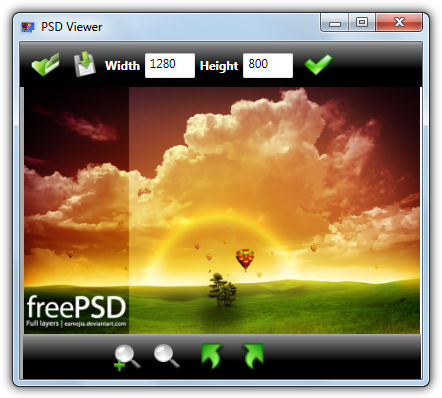
PSD Viewer is a free a simple tool that allows you to view .PSD, .AI, and .EPS files, with the added basic ability of file type conversion. You can resize the file and then save it back out as a JPG, PNG, BMP, GIf or TIF. There’s various panning, rotating and zooming options to view the file. The PSD support seems to be fairly good and can display multi-layered files although you can’t look at the individual layers. PSD Viewer works on XP and above and requires .NET Framework 3.
4. PNG PSD Viewer
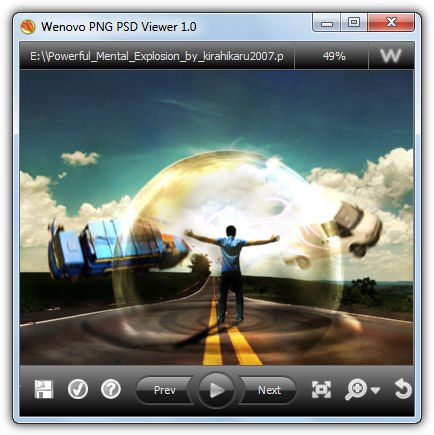
This tool is quite similar to the PNG Viewer above although it’s designed to handle viewing both PNG and PSD files, with the ability to save them out as a JPG file. There is more of focus on viewing multiple files with the help of a slideshow in PNG PSD Viewer, and you can choose from 10 transition effects and set the preferred duration of each slide with zoom and rotate buttons available. Viewing support for PSD seems to be very good and it displayed all of our multi-layer images perfectly.
Download Wenovo PNG PSD Viewer
There more options to open and edit PSD files on page 2.





Lovely article. Thanks for these information man!
Paint.net now belongs to a paint company
Paint.net is the name of the software and not the name of the website. It’s a paint program built around the .Net Framework, hence the name. As far as I know, getpaint.net has always been the official site, probably because paint.net was already taken from the start.
I think that the best free PSD viewer and editor is Photopea.com
Thanks a lot for mentioning the free apps. I think GIMP is the best in this list.
I am trying to open some psd photos, so I have down load paint.net and wants to install the plug in, but I do not know what is the zip file that I need to open and where is the photoshop.dll I don’t know much so I would be thankful for your explanation. I just don’t know what to do with the below instruction. thanks
Open the ZIP file, and then copy PhotoShop.dll to: C:\Program Files\paint.net\FileTypes
I’m really really thank for this. I’ve tried many app and it is doesnt work.
Wow, thank you so much. These 7 methods are very useful since I don’t have Photoshop. Photoshop is too expensive to buy. I love GIMP because it is easy to use.
I must say… thanks for the help! There are not alot of free help sites out there anymore and alot of sites point you to download spyware and adware. Thanks for being one of the “good” guys.
xnview fantastic, just what i needed to convert a PSD file to JPG to view on a public computer, no software install just pick the file choose format at go.
Big thumbs up!!
Thank’s a lot. very useful. let’s promote free software.
Great alternatives to open a psd file, another good one is Xnview.
Thanks raymond… this is so helpful…. i download some vector .eps format and in the same time i don’t have photoshop… i use paint.net… so now the problem fix! thanks again
Awesome tip about the plugin for Paint.net. Thanks.
hi
thanks for the tip
YA
OMG thanks so much….I don’t want to waste space and you helped me SOOO much
I also found XNVIEW a good tool for opening .psd files.
thank you very much
try Artweaver. This can open psd files, it’s free, it has a kind of photoshop lay-out and you doesn’t have to install the program on your hard disk. You just run the program.
PhotoFiltre is free and can do that and so much more..
GIMP is really useful !
However, I just found Photoshop Portable. Its the ultimate thing !
Thanks Ray.
Keep it up.
Thanks, already knew this, but GiMP is a fantastic substitute to photoshop, and its free!