
5 Free and Easy Ways to Access FTP without Full FTP Client Software


 4 min. read
  Published on

FTP client software is normally used to connect to FTP servers for transferring files to the remote server. There is quite a lot of free FTP client software available to choose from but one of the most popular, if not the most popular is FileZilla. It is a fully fledged FTP client available in both installer and portable versions and is frequently updated and released under the GPL license which is not just free, but staying that way too.
However there are times when we need to quickly access an FTP server from another computer to upload a file without going through the hassle of downloading, installing, configuring a full FTP client software such as FileZilla and uninstalling the program after we’ve finished using it.
Here are 5 free and easy ways to do it.
1. Web Based FTP
Web based FTP is probably the fastest and easiest way for you to connect to your FTP server even if there is a firewall blocking port 21 which is commonly used by an FTP server. There is nothing to download as the web based FTP is able to load on any web browser by just visiting the service’s website.
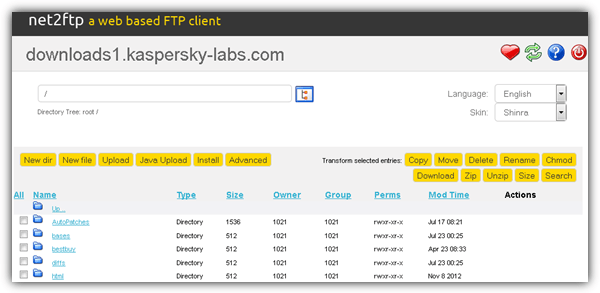
There are plenty of web based FTP services available online if you search around but you can find the ones we’ve reviewed in this article. The only slight concern in using a web based FTP is the possibility of the FTP username and password being logged by the webmaster that owns the service.
2. Java Based FTP Client
The AnyClient Web Edition is a Java based FTP client that can be loaded from a web browser as well, except it needs to download Java Archive (JAR) files silently in background which will then be run inside the browser. Other than that, it also needs your permission to run or else it won’t load. A very useful feature that you can find in AnyClient is the ability to sync between a local and remote directory, and it supports PGP decryption after downloading.
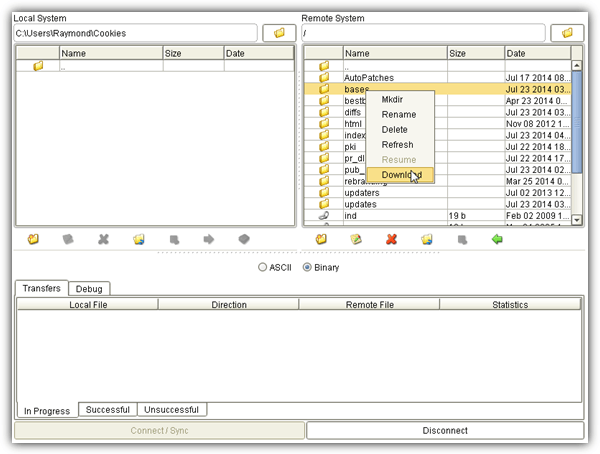
Before you can start using AnyClient Web Edition, you’ll first need to sign up for a free account and then login to start loading the java based FTP client. Using AnyClient is more secure than the web based FTP that we’ve mentioned above because it connects directly to the FTP server and does not transfer the login information to a third party.
3. FireFTP
Firefox users are very fortunate because there is a free extension called FireFTP that can connect to FTP/SFTP servers, unlike the sFTP Client and ShiftEdit for Chrome which are both shareware. You would be surprised that an FTP client add-on for Firefox is packed with powerful features such as synchronization, directory comparison, file hash generation and even FXP support to copy files from one FTP server to another.
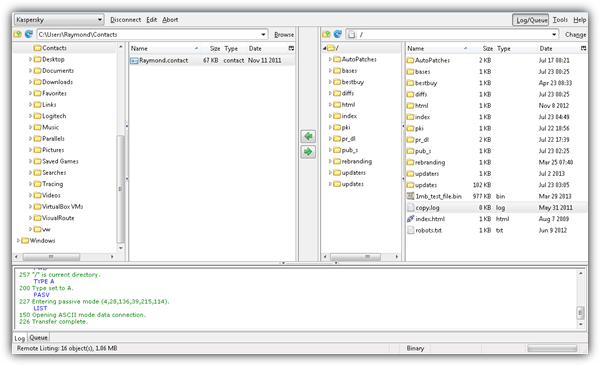
After installing the FireFTP add-on, you may have trouble finding how to launch the program. You can run FireFTP by either from the menu bar (press F10, go to Tools > Web Developer $gt; FireFTP) or alternatively copy the URL below to the Firefox address bar.
chrome://fireftp/content/fireftp.xul
4. Windows Explorer
You can actually access FTP servers using Windows Explorer in the Windows operating system. Simply open any folder or press WIN+E to launch Windows Explorer and type the FTP address format like the one shown below. You can remove the username:password@ if you are connecting to a publicly accessible FTP server that accepts anonymous connection.
ftp://username:[email protected]
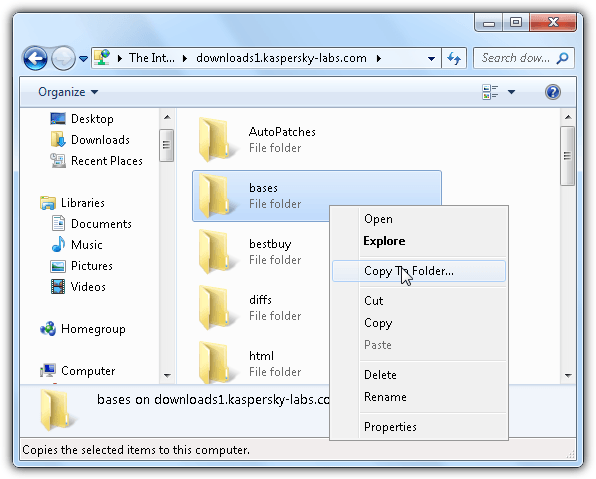
The FTP URL format above can also be used on web browsers but only limits you to downloading the files from server without upload support. Although Windows Explorer provides a very convenient and easy way to access FTP, it only support very basic operation commands such as download (Copy To Folder), cut, copy, delete and rename.
5. Windows Command Line FTP Client
A small command line FTP client (ftp.exe) at only 41.5KB in size can be found in the Windows\System32 folder. This command line FTP client is more suited for intermediate or expert users that require more flexibility and automation for batch files.
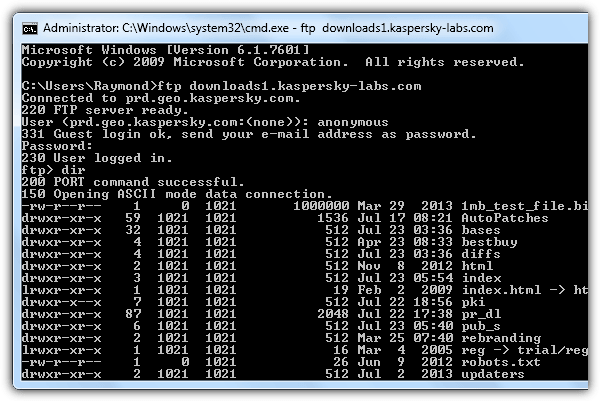
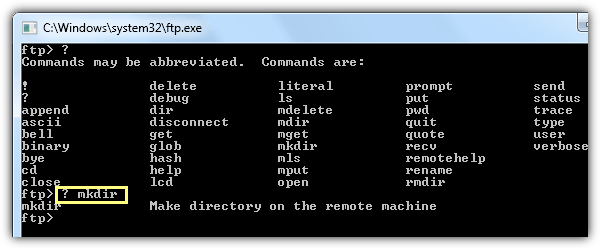
To launch the command line FTP client, press WIN+R and type ftp followed by pressing the Enter key. A black colored window will open awaiting for commands. Press the question mark (?) key on your keyboard, hit Enter and a list of available FTP commands will appear. To see the description of the command, insert the question mark key first and followed by the command, for example, ? mkdir. You’ll see that the mkdir command is used to “Make directory on the remote machine”.



Improve this guide

User forum
0 messages