
2 Tools to List Files Protected by System File Checker (SFC)


 3 min. read
  Published on

The Windows operating system contains thousands of important system files and if any of them get corrupted, some of the functions in Windows would not work properly or can even lead to system instability. Fortunately, Microsoft has implemented the protection of system files and also a hidden tool called System File Checker (SFC.exe) that can be used to scan for corrupted system files and even restore them.
Whenever you try to make changes to the protected file such as rename, delete or move, a Files Access Denied window will be prompted informing you that “You need permission to perform this action. You require permission from TrustedInstaller to make changes to this file”.
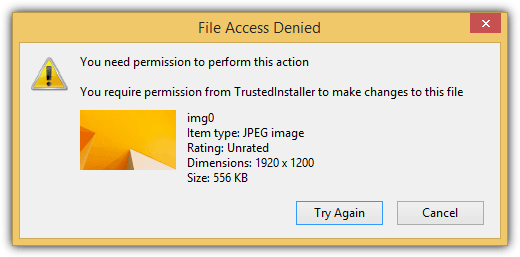
Making changes to protected system files is still possible by taking ownership of the files and then assigning the proper permissions. Other than that, lower level tools like IObit Unlocker are able to easily and instantly rename or delete the protected files without the need to reboot the computer.
If you’d like to know what the files being protected in Windows are, here are 2 tools that can list them so you can prevent the core files from being accidentally or intentionally modified by third party programs.
1. SFCList
SFCList is a command line utility created by SecurityXploded that can list all the files that are protected in Windows. You can either use the -l switch to list all system protected files or the -p to verify if the specified file is protected. The MD5 hash is also included for the listed files. The -p switch is actually nothing special because you can achieve the same thing from sfc.exe tool using the /verifyfile command.
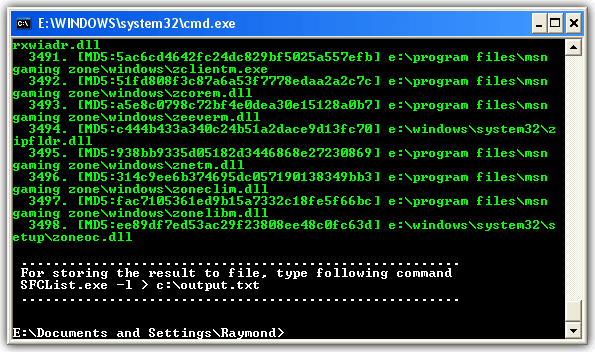
Using the -l switch to list all system protected files would generate a very long list so it is best to output the results to an external text file using an example command shown below:
SFCList.exe -l > C:\raymond\output.txt
Do note that the listing of protected system files using SFCList only works in Windows XP. To list the protected system files for newer operating system such as Vista, 7 and 8, please use the next tool listed below.
System Files Lister is a graphical user interface based simple program that lists all protected system files when it is run. Selecting an item from the list will show the file properties information. You can check individual files to verify if they’re protected by Windows and there is also a search function to lookup from the list if there is a filename that matches the keyword.
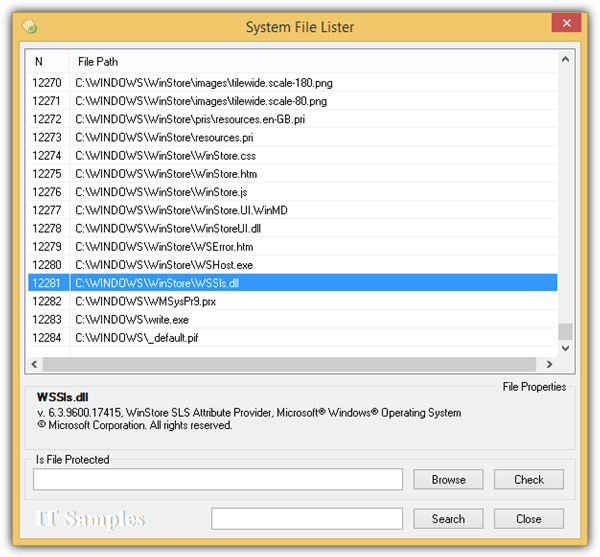
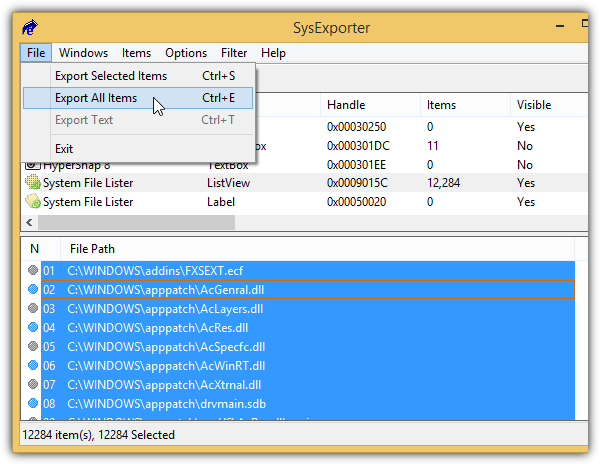
Although System Files Lister can run on newer Windows operating system including the current 8.1, there is no way to export the list of protected files from System Files Lister. You can however use a third party tool called SysExporter to grab the text from the window and export the results as a text file.



Improve this guide

User forum
0 messages