Raymond.CC Blog
  • Home
  • Forum
  • Giveaway
  • X-Ray 2.0
  • Contact
  • About
  • I’m Feeling Lucky
Search the site...
You are here: Home » Computer » Login to Windows Administrator and Linux Root Account Without Knowing or Changing Current Password

Login to Windows Administrator and Linux Root Account Without Knowing or Changing Current Password

Updated by Raymond - 1 year ago - Computer
100
  • Like
  • +1
  • Tweet
  • Printer Friendly and PDF

I administer hundreds of Windows computers in a very big lab at one of my work place and every user has their own login and password. Whenever a student encounter any problems in their computer, they are required to fill up a form to report the problem to me. When I have time to take a look at the computer but the student is not there, I am forced to reset the user account’s password so that I can login to check and fix the problem.

There are a few ways to log in to a Windows account if you don’t know the administrator password. Most of them are boot CDs where you can boot up the computer and then change the password without knowing the current valid password. Many years ago I’ve written about DreamPack PL where you can hack into a Windows XP computer without changing the password. I don’t really like to use this method because I had to replace sfcfiles.dll file in recovery console and then restore it back when I am done. It only works on XP and most antivirus flag this tool as a hack tool.

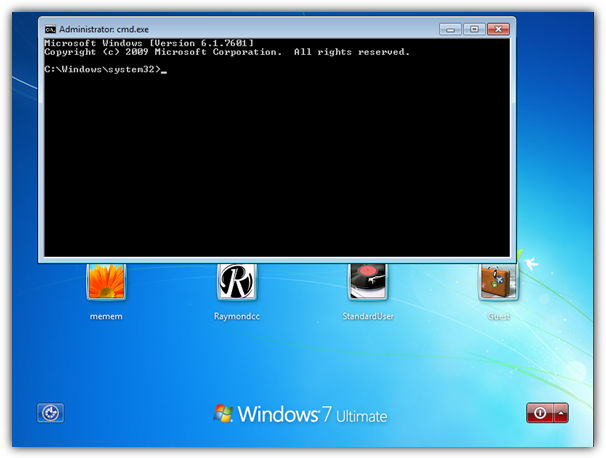
All this while I’ve been using Windows Key Enterprise to reset user account password and this is a problem to the student because they have to set a password again the next time they login. Today I am happy to find a tool which solves the problem. I now no longer need to reset the user account password and I can still login as the computer’s administrator. It works on Windows 2003, XP, Vista, 2008, and even Windows 7!

Kon-Boot is an prototype piece of software which allows to change contents of a Windows and Linux kernel on the fly while booting. In the current compilation state it allows to log into a linux system as ‘root’ user without typing the correct password or to elevate privileges from current user to root. For Windows systems it allows to enter any password protected profile without any knowledge of the password.

I’ll show you how easy it is to use Kon-Boot to login to any linux or windows computer without using the correct password.

1. Download Kon-Boot ISO and burn to CD. Refer to this article if you don’t know how to burn ISO file to CD.

2. Insert the Kon-Boot CD that you just burned and boot the computer with the CD. You will need to configure the BIOS to start up the computer with CD.

3. A kryptos login splash screen appears. You’ll need to hit enter to continue or else the screen will stay there.
Kon-Boot login windows without password

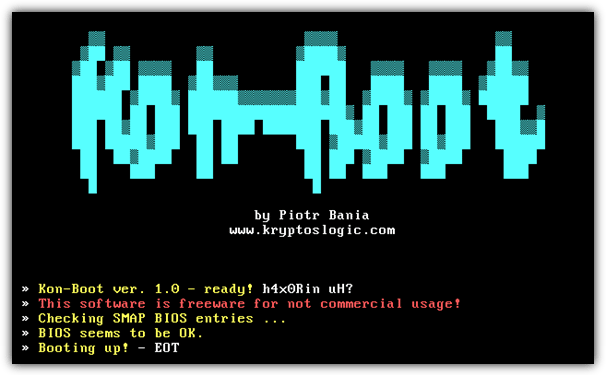
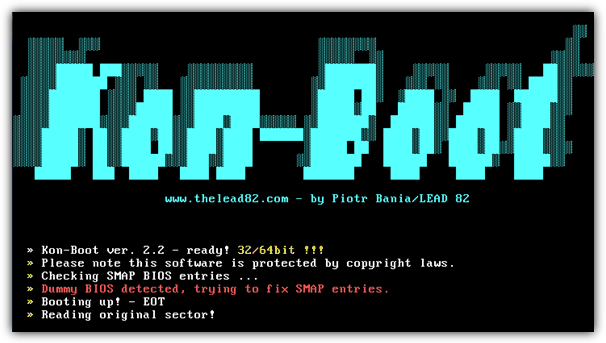
4. Kon-Boot will tell you that it is ready to hax0R in. It will check SMAP BIOS entries, detect dummy BIOS, and fix SMAP entries.
KonBoot login to password protected windows

5. Windows will now load as normal.

6. When the Log On to Windows box appear, simply type anything in the password box and you’re in! You can even leave the password field blank.
Hack Windows Login password

Do take note that Kon-Boot does NOT modify any of your files. If you boot up the computer the next time without Kon-Boot CD and try to login using any password, you’ll get the error “The system could not log you on. Make sure your User name and domain are correct, then type your password again. Letters in passwords must be typed using the correct case.”

I’ve scanned Kon-Boot ISO image file in VirusTotal and so far only Kaspersky, F-Secure and Microsoft detected it as a threat. For testing purposes, I’ve installed and updated Kaspersky Anti-Virus 2009 on my desktop computer, then used Kon-Boot to login to a password protected account. I am still able to login and Kaspersky did not find any suspicious activity.

Kon-Boot is free, small and very useful! In my opinion, it is so far the BEST tool to login to Windows without password today. As good as it is, I am sure some of you will use Kon-Boot to illegally break in Windows. Think carefully of what you’re going to do because you will lose friends, job, trust and etc if you’re caught breaking in to Windows without permission.


Didn't find what you want? The links below could help:

How to Hack Into a Windows XP Computer Without Changing PasswordHow to Hack Into a Windows XP Computer Without Changing PasswordCheck a Users Password Strength with Password Security ScannerCheck a Users Password Strength with Password Security ScannerReset or Remove avast! Authorization Password to Access SettingsReset or Remove avast! Authorization Password to Access SettingsKon Boot v1.1 with 32/64Bit and USB Support + 30 License GiveawayKon Boot v1.1 with 32/64Bit and USB Support + 30 License Giveaway

100 comments on “Login to Windows Administrator and Linux Root Account Without Knowing or Changing Current Password”

  1. Nischal says:
    3 weeks ago

    I used KON-BOOT CD-konboot-v1.1-2in1.iso and boot up my pc. It is really working, Thanks guys.

    Reply
  2. meer says:
    1 year ago

    Downloaded KON-BOOT CD-konboot-v1.1-2in1.iso from their mediafire.com site.Set the BIOS and booted from CD. ALL my admin account were deleted. The desktop changed from Classic to XP. All shortcuts on my original desktop deleted. KON-BOOT left a huge trail of disaster (footprint). Can anyone please tell me what I did wrong? Thank you.

    Reply
  3. greg says:
    2 years ago

    i just recantly treyed to download Kon Boot but i cant using the knon boot web site hepl plz
    somthing to do with plugs

    Reply
  4. Sumit says:
    2 years ago

    hey, i tried this to boot on my ACER LAPTOP and DELL 1525 inspiron, making 1st booot priority to CD DRIVE, but what i get is blurred black screen and if u look closely then only u can see “KRYPTOS LOGIC” so i want to ask that is this software going to work only on the VM WARE?? as all the demos are shown on vmware platform .. please tell me what i am doing wrong or what is the problem :P

    Reply
  5. Dhakkan says:
    2 years ago

    Hi does this work on an Windows XP SP2 with ancrypted file system? I tried this but doesn’t work.
    i. e. it boots with Kon-boot also shows the screen saying “dummy bios detected, fixing SMAP” and windows boots but doesn’t enter without a password. Pls help.

    Reply
  6. Lineage says:
    3 years ago

    this is a great piece of program, thanx ray

    Reply
  7. rayan says:
    3 years ago

    wow,thets great

    Reply
  8. Steven says:
    3 years ago

    Daveyboy, You need the newest kon boot v1.1. Now supports 64bit & usb. Can get it on kryptoslogic.com . one drag its no longer free but its super cheap (15 bucks).

    Reply
  9. Daveyboy says:
    3 years ago

    hey guys, i’m runing win 7 ult 64 bit. tried the cd method. managed to burn iso no prob. rebooted pc. kon boot ran ok, went in to normal boot screen, but could not get past the win 7 logon. luckily i was only trying to see if worked so had to type in my normal password to get in. any ideas why the sodding thing ain’t working?

    Reply
  10. ASagar says:
    3 years ago

    You are really awesome…. all of your articles are so enlightening…

    Reply
  11. Liam says:
    3 years ago

    For those of you who arw having trouble burning the Iso onto a disc this program was very handy for me and I hope it helps you out to.

    However, when I boot kon-boot it just comes up with a black-screen? Whats up with that?

    Reply
  12. dady says:
    3 years ago

    hi good day. sorry ask lng me it seem kasi that ur so galing in all tapic in cp. ai knw that my q&a is not rlated to the other comment but i gess ur the one how relly hlp me alot pls giv me an email as soon as psbl thkns alot.
    hop its oj w/ u.pls……….

    how can i open the frndster acct., yahoo mail, and chhka accnt. nid lng talaga plsss hlp me pls send me an email pls……..and pls dont show my email on the com. mn2r.

    Reply
  13. Michael Armstrong says:
    3 years ago

    If you forget the administrator’s password but still can log on Windows with other user names that have administrative privileges, you may follow the instructions below:

    Right click the computer icon on your desktop, select Manage, find Local Users and Groups, unfold Users folder, right click Administrator, click Set password… in the menu comes up. Click Proceed in the dialog, in the pop-up, enter a New Password and confirm it. Your administrator’s password is successfully reset.

    Guest account may help to log onto Windows, but it has no privilege for you to do the above to reset the administrator’s password.

    If you forgot all user passwords and failed to log onto Windows, there is no other way but to format the OS and reinstall Windows, or resort to sort of software tools to remove the password and log onto Windows. These programs cost some bucks, but are worthy and better than to reinstall the OS causing consequences. The most popular programs are Windows Password Reset 6.0 etc. Generally, these programs are easy to use though turn out to be a scary command prompt to newbie. But do relax and you can fully manipulate. Let’s take Windows Password Reset 6.0 for example. You prepare a blank CD, burn the program onto the CD, boot the locked computer from the CD, come to initiate the program, locate the user name, and proceed to remove its password – all are at ease.

    Reply
  14. shindosai says:
    3 years ago

    its work! but as i logged in wit KON, my account seems to be delete…

    Reply
  15. umar says:
    3 years ago

    can u plz tel me ho can i hack the computer

    Reply
  16. slapin the bass says:
    3 years ago

    guys i need help…..

    i have the same problem just as no 77 posted. when i insert the cd and try to reboot it shows nothing. wonder whats wrong??? i followed every instruction here still get nothing… help would be appreciated…. thanks

    Reply
  17. slapin the bass says:
    3 years ago

    guys i need help…..

    i have the same problem just as no 77 posted. when i insert the cd and try to reboot it shows nothing. wonder whats wrong??? i followed every instruction here still get nothing… help would be appreciated…. thanks…..

    Reply
  18. sparks says:
    3 years ago

    ok will this work on vista plus i have a dell m4400 with pre boot security bios and a biometric scanner cant not change boot or setup with out biometric scan or admin password any ideas

    Reply
  19. Alex says:
    3 years ago

    Corrected: Now I can login without CD and it’s not exactly what I want.

    Reply
  20. Alex says:
    3 years ago

    Works perfectly on xp but I have a small problem.

    Do take note that Kon-Boot does NOT modify any of your files. If you boot up the computer the next time without Kon-Boot CD and try to login using any password, you’ll get the error “The system could not log you on. Make sure your User name and domain are correct, then type your password again. Letters in passwords must be typed using the correct case.”

    Well, this is not true. Now I can login without password and it’s not exactly what I want.

    Reply
  21. fastfinder says:
    3 years ago

    Erd Commander 2005 is another ISO.But I think it only works with XP.And only can change the password,after booting in to it.To change the password,look for the locksmith thingy and change.You will find that it has many more feature,and i think its made by Microsoft.Its also free

    Reply
  22. dan says:
    3 years ago

    showed up in iso file, burned with imgbrn and verified. Ran it on a Dell I’m working on to see if it’s fixed but I can’t get passed the Administrator password screen. Just sez the same thing wrong password or username. Can’t get a hold of owner?????

    Reply
  23. amdin says:
    3 years ago

    this works ..

    i have a query -what if bios is password protected.is there a workarnd for it .

    reply awaited

    cheers

    Admin

    Reply
  24. ÐeAth says:
    3 years ago

    hm..i hav a problem here…..i tried to boot the cd..after the booting screen…it just turn black….what happen? O.o?

    Reply
  25. Geo says:
    3 years ago

    The tool worked awesome! I heard about it on the “Hak.5″ podcast.
    Another great source for some really awesome hacks. Goodfind Ray.

    :-)
    ~Geo

    Reply
  26. AceMcSpades says:
    3 years ago

    Hey Raymond,
    I was just wondering when downloading Kon-Boot is there any risk to the computer you are using to burn the ISO files to the disk?
    Thanks,
    Ace

    Reply
  27. Fran says:
    3 years ago

    I think this tool works on a very few machines.

    I try that in near 40 computers and just works in one old machine.

    Microsoft has released a patch for lock this tool. All modern releases of Windows and all updated machines don’t works with this tool.

    I think the idea is good, but not much util actually.

    Thanks Ray

    Reply
  28. InTrouble says:
    3 years ago

    Help!After the Kon-Boot screens,I do not get to Windows Xp.Any way to fix this?

    Reply
  29. FlashSpec says:
    3 years ago

    worked like a charm on 1 pc. on the other – failed because of some previous system problems of missing system dll.

    Reply
  30. TheTeZ says:
    3 years ago

    YES! ive been looking for something good, i often work on computers, a lot of the times ones people forget their passwords too :-/

    Reply
  31. Wilson says:
    4 years ago

    Raymond… I have downloaded the program. When I try to mount it first to see the inside data, it is said that the file was corrupted. Please help me…

    Reply
  32. Cisco says:
    4 years ago

    I got some problems with the Email Password of my yahoo mail, i forgot the password and yet i need some important information in that email.

    can you pliz help me on how to retrieve it back?

    Thank u

    Cisco

    Reply
  33. Ed Hardy says:
    4 years ago

    hi raymond
    The entire iso file is not readable on my wiindows pc anytime i try extracting it tells me there is no archive.
    Anyway i like the work you trying to do.

    Reply
  34. superpat says:
    4 years ago

    It seem that it don’t work with localised xp version

    it say NTLDR est endommagé (NTLDR is damaged) and can’t boot

    XP Pro french in vmware

    Reply
  35. Piotr Nowacki says:
    4 years ago

    The tool is writing in Nero. Booting process correct(with screens from Raymonds blog) but when windows(xp pro) is appear I can’t login. What U do that is good login?

    Reply
  36. Samson B says:
    4 years ago

    Hey Ray,

    First of all thanks for such an informative blog! I have used this Kon boot to login to a laptop (admin is passwrd protected) which uses Vista, it did log me in like u mentioned, but later whn I logged in without the CD, I was still able to login to the windows without any pass…whn I checked it had completly removed the password for all the users on the laptop…pls let me know how to logon to a computer without removing the current passwrd.

    Thanks in advance

    Reply
  37. Ahinigami says:
    4 years ago

    I have read some comment mentioning there isn’t any file in their iso file, I have downloaded all 4 konboot(Different skin) and none of it is empty so my advice would be trying to turn off your whatever download manager you’re using to download this file to prevent it from corrupted. (This happen in some zip/rar file when using download manager)

    Reply
  38. tecmage says:
    4 years ago

    I hope my first post wasn’t too long and posted in the wrong place. BTW- I could sure use a license code for Advanced System Care if any one wouldn’t mind sharing.

    Reply
  39. tecmage says:
    4 years ago

    I have worked with it until frustration set in, then resorted to re-formatting my HD. Here is what was happening.
    When I would try to highlight to copy and paste, the blue would jump to a lesser part of what I was trying to highlight. Sometimes the blue would disappear completely as soon as I let up on the mouse button. It would take me several tries to get the area highlighted. I would run every anti-virus and malware software I could find, and even Trend Micro’s Housecall couldn’t find any thing. This one has had me scratching my head since I first ran across it two years ago. It hasn’t happened in about a year but it still needles my brain not knowing what causes it. If you have any idea I sure would appreciate your input.
    Thanx

    Reply
  40. tecmage says:
    4 years ago

    First, I’d like to say that I really appreciate your site, Raymond. I have been reading if for a while now, and thought that I had registered until I tried to log in a few minutes ago, I was suprised to find that I hadn’t already.
    This may be a pretty long post, so settle in if you intend to read it.
    In regard to KON_BOOT. I can’t get it to boot on my computer, however, since I am the only person who ever uses any of my computers I see no reason to have them password protected. Frankly, I had rather not hassle with the delay when booting up first thing in the morning. My mind is still numb from sleep and it just takes longer for me to get started when I have to type in a password. This may be the reason Kon-Boot will not work on my PC. This is one of the things I’m writing about. I tried burning it with Nero, when that copy didn’t work, I downloaded and installed ImgBurn and burned a copy with it. It didn’t work either so, I then downloaded a copy of Kon-Boot for floppy and tried it. Still no luck. Am I doing something wrong in burning the ISO? I have burned several other ISOs and they all worked. Perhaps I should seek out a password protected computer and try it.
    Now, here is something that isn’t giving problems right now, but has driven me crazy in the past, and I still haven’t figured out what causes it. So far, when it has happened

    Reply
  41. erh says:
    4 years ago

    Ray, have you checked vbootkit 2.0:

    Can’t find a download link, though.

    Reply
  42. Nazim says:
    4 years ago

    Nice stuff,JAI Hooo Raymond..!!

    Reply
  43. thomas says:
    4 years ago

    thank

    Reply
  44. Alan says:
    4 years ago

    Hi, Raymond

    As a computer technician I’m really impressed with your blog.

    Could you tell us how to install konboot on a usb drive?

    Greetings from Chile

    Reply
  45. tyzmoR says:
    4 years ago

    So, this tool is probably really nice as I read these comments here, but it’s not working with my PC and three another where I have tested it. Exactly: I can’t see what’s inside ISO file and when I boot with KON BOOT nothing happen.. I see black screen only.. Nothing. Any Ideas?

    Reply
  46. Hong Meng says:
    4 years ago

    Great Tools! been use PcLoginNow for logging into window without knowing the password, will try this software out later =]

    Reply
  47. Bola says:
    4 years ago

    To Helper.

    I know about BIOS-Battery for desktops cos its actually visible once u get d cpu opened. Do laptops also have BIOS-Battery, thought d lap battery takes care of the bios. This is actually for a friend who needs help. Some people made use of his lap in his abscence, went to d lap bios, created a password(Since he’s yet to create one). Now everytime, he puts on d system, it asks for a password. Meaning he cant get to d bios or boot the sytem without putting d correct password. Any solution pls.

    Reply
  48. R3SiEViL says:
    4 years ago

    Wow!! this tool works great! Thanks Raymond!

    Reply
  49. lm01 says:
    4 years ago

    Thanks Ray for this nice piece of software which works perfectly !
    However, did you notice that either the burned CD or the ISO image aren’t readable under Windows ?
    This means that there is no “standard” file system on the CD, meaning readable by Windows.
    So every anti-virus check against the CD is not significant in findind some malicious code into it.
    Do you agree ?

    Reply
  50. jasperc says:
    4 years ago

    It’s working but…

    “April 14th, 2009
    Microsoft has released a patch for a vulnerability discovered and submitted by Kryptos Logic. For more information refer to the Microsoft Security Bulletin”
    by kryptoslogic.com/

    microsoft.com/technet/security/Bulletin/MS09-011.mspx

    Reply
  51. Helper says:
    4 years ago

    “How about if the system and bios is password-protected. That means one can’t change d boot options, neither can one boot the system. I make use of the sytem and bios password on my dell inpiron 1525. How can I hack d system then cos it’s actually cos of the windows crazy hacking tools that make me wanna do away with windows passwords totally.”

    I know it sounds a bit harsh, but if your bios is PW protected you have to take the BIOS-Battery out (for a few min …)
    Right after your your Mainboard?! is discharged you can put it right back and the PW for the BIOS is gone.

    Reply
  52. shafqat says:
    4 years ago

    hello raymond, the file is not working, after downloaded the file size = 12 kb only !! after unrar i have 112 kd damage file. some thing is going with me also even i uninstall my anti virus pls any comment

    Reply
  53. Dnyanesh says:
    4 years ago

    Thanks! Excellent find! :)

    I had been looking for something like this from ages!

    Reply
  54. sul2005tan says:
    4 years ago

    raymond I love you :)

    Reply
  55. Bola says:
    4 years ago

    How about if the system and bios is password-protected. That means one can’t change d boot options, neither can one boot the system. I make use of the sytem and bios password on my dell inpiron 1525. How can I hack d system then cos it’s actually cos of the windows crazy hacking tools that make me wanna do away with windows passwords totally.

    Reply
  56. hanan says:
    4 years ago

    thankx alot Ray.

    Reply
  57. not it guru says:
    4 years ago

    Note that for domain user profiles, you must unplug the network cable for logon to work. After you logon you can plug the network cable back in.

    Also note that network drives on a domain will not work because the passwords are not in synch.

    Reply
  58. Leo says:
    4 years ago

    You say this does not change any files on the host PC.

    Has anyone done scans of the host PC after using Kon Boot? to check it is really clean despite the antivirus warnings?

    Reply
  59. Rahul Isola says:
    4 years ago

    hey ray, is there a way to use the img file in a bootable USB disk???
    i know you can do this using dd command in linux. Is there something like that in windows???

    Reply
  60. webcadre says:
    4 years ago

    thanks ray! :) nice find and great soft

    Reply
  61. Junn says:
    4 years ago

    This is really good, Raymond.

    I hope Kon-Boot will be of help in the future.

    Not one of the several workarounds you have discussed in the past worked in my PC when I needed it.

    I’m gonna burn and keep this and test it when I can find the time — before the next accident or stupid mistake happens.

    Best regards, I don’t know how to thank you.

    Reply
  62. mcgr5 says:
    4 years ago

    Thanks ray for the great info!!

    Reply
  63. Shubham Gupta says:
    4 years ago

    Is it working for Windows XP, I tried on 3 PC and after The last statement of booting up there is a error screen saying : Extended memory is 2 low, to run windows u need at least 7 Mb extended memory, consider updating your hardware.

    Reply
  64. Jim Carter says:
    4 years ago

    To test this app, I applied both an Administrator password and one for my account on a PC running XP Home. I burned the ISO using two different PCs and tried both CDs in the aforementioned machine. The screens came up exactly like the screenshots posted here. However; when I attempted to type any password I wanted or no password at all, I received a message saying the password was incorrect. At that point I had to type in the correct entry to gain access to Windows. Any ideas?

    Reply
  65. stanly7 says:
    4 years ago

    nice.you are the best.(tine-o tot asa)

    Reply
  66. Girmi Schouten says:
    4 years ago

    Hilarious how the software name is actually based on a character named Kon from the anime “Bleach”, one of the best animes out there (in my opinion).
    Also, nice find Ray ;)

    Grtz

    Reply
  67. Alex says:
    4 years ago

    raymond, thank you very much!!! you are genius!!!!

    Reply
  68. nishant says:
    4 years ago

    thanks
    this is much easier than dreampack pl method

    Reply
  69. koko says:
    4 years ago

    I have tested this stuff on 3 different computers (Vista, XPSP1, XPSP3) and it didn’t work. I get “Err” every time.

    Reply
  70. Andy says:
    4 years ago

    Do you know if it works with Vista as well?

    Thanks
    Andy

    Reply
  71. shivgoyal says:
    4 years ago

    Can we boot in usb drives???

    Reply
  72. ha14 says:
    4 years ago

    Yap very useful and apparently it works on windows 7 as it is claimed. For night shifting is a great tool. Than you Raymond and many thanks to the author. Genius you are.

    Reply
  73. mk says:
    4 years ago

    super tool ray..

    Reply
  74. Ahinigami says:
    4 years ago

    Nice tips, recently a few of my friend is asking for solution to log in their admin acc …. I lol when I saw Kon from Bleach on the main page, guess thats another anime freak like me.

    Reply
  75. Hacked says:
    4 years ago

    This works here is a video demo on YouTube:

    youtube.com/watch?v=cT-mX-Szmk4

    Reply
  76. DY says:
    4 years ago

    Thks for the info. YOU ARE THE BEST!!!

    Reply
  77. Myron says:
    4 years ago

    If some of you people knew about this before, then WHY didn’t you share it with all of us.
    Thanks again for this one.

    Reply
  78. cyntax says:
    4 years ago

    Is there any way to install it to a USB drive, and have it bootable?

    Reply
  79. Roy Raay says:
    4 years ago

    Great tip, great tool, thanks mate!

    Reply
  80. Raymond says:
    4 years ago

    Or IT Guru, you can don’t use Kon-Boot at all :P

    Reply
  81. manoj says:
    4 years ago

    thanks a lot Raymond.. i like your articles from the day i am following..

    last time i missed to get a full internet security..

    hope to get one with you help.. :)

    best regards.

    Reply
  82. ahmed alnuaimi says:
    4 years ago

    hello raymond, the file is not working, after downloaded the file size = 12 kb only !! after unrar i have 112 kd damage file.

    any comment please ?
    thanks

    Reply
  83. Wong Bater says:
    4 years ago

    how does this apply to linux? Anyway. you can try booting kernel in single mode

    Reply
  84. mafia87 says:
    4 years ago

    The ISO is not empty, u should burn the ISO first..

    And yup, the antivirus will detect it as virus.. so, disable the protection of the antivirus first, n burn the ISO.. Then, enable back the antivirus..

    :)

    Reply
  85. mazani says:
    4 years ago

    so IT GURU for downloading just disable your kaspersky for a while

    Reply
  86. Raymond says:
    4 years ago

    IT Guru, my second last paragraph did mention that Kaspersky detected it as a threat.

    Reply
  87. mike says:
    4 years ago

    as always.thanks again ray for this useful info….

    Reply
  88. Leon says:
    4 years ago

    I stumbled upon this a while ago! Awesome tool!

    Reply
  89. TatesMan says:
    4 years ago

    does the ISO supposed to be empty??? am using UltraISO to open ISO files

    Reply
  90. Azfar says:
    4 years ago

    yep… this is goin to be 1 of my favourite… thanx raymond

    Reply
  91. TatesMan says:
    4 years ago

    Thanks a lot raymond, u are the best in finding very useful programs and the best in sharing them :)

    Reply
  92. FeepGetty says:
    4 years ago

    Что-то футер у вас вправо съехал (в опере при разрешении 1024х768)

    Reply
  93. mafia87 says:
    4 years ago

    Knew about this tools 2, 3 days ago.. :) Great tool.. :)

    Reply
  94. grage says:
    4 years ago

    Unique tip!!!!!!!!!!!!!!!!

    This is why: You are the best

    Reply
  95. Raj Malhotra says:
    4 years ago

    Please i need bwtorrents.com invitation
    ID: destinyawait@gmail.com

    Thank You in advance….

    Reply
  96. IT Guru says:
    4 years ago

    The requested URL could not be retrieved

    While trying to retrieve the URL:

    piotrbania.com/all/kon-boot/
    data/CD-konboot-v1.1-2in1.zip

    The following error was encountered:

    The requested object is INFECTED with the following viruses: Type_Boot

    Please contact your service provider if you consider it incorrect.
    Generated:
    Wed Apr 29 10:34:19 2009
    Kaspersky Internet Security 2009

    Reply
  97. riyaz says:
    4 years ago

    cooooooool !!!

    Reply
  98. Kumar gaurav says:
    4 years ago

    Hey it very useful for me ? Thnk u vry much for it.

    Reply
  99. James Kim says:
    4 years ago

    thank you raymond sooo much. I really needed to know this because i forgot the password and i had to format my pc before. Thanks Again!!

    Reply
  100. denzel says:
    4 years ago

    thanks

    Reply

Leave a Reply Cancel reply

Your email address will not be published. Required fields are marked *

Recently Updated

  • flash bios icon

    5 Tools to Easily Install FreeDOS or MS-DOS onto USB for BIOS Flashing

  • avast icon

    Reset or Remove avast! Authorization Password to Access Settings

  • U3 icon

    How to Customize U3 USB Smart Drive to Become Ultimate Hack Tool

New Articles

  • task manager replacement icon

    Memory Usage Test to See Which is the Lightest Antivirus Software

  • kaspersky antivirus 2013 icon

    Activate Free Kaspersky Anti-Virus 2013 ROG with 1 Year License

  • remote access software

    Top 8 Remote Access Software for Providing Online Support

Popular Posts

  • Top 10 FREE Data Recovery Software

    Top 10 FREE Data Recovery Software

  • How to Hack Into a Windows XP Computer Without Changing Password

    How to Hack Into a Windows XP Computer Without Changing Password

  • 10 Free Software to Mount CD or DVD ISO Image File as Virtual Drives

    10 Free Software to Mount CD or DVD ISO Image File as Virtual Drives

Recommend on Google
Follow @raymond_cc
Subscribe Youtube »
(c) 2013 Raymond.CC Blog
  • Contact
  • Disclaimer
  • Disclosure
  • Privacy Policy
  • Terms of Use
  • Sitemap