
Manually Update AntiVirus Virus Definition Signatures Without Internet


 7 min. read
  Published on

While it might be fine for most users, letting your antivirus package update itself every few minutes isn’t great if you have a very small limit on your internet connection or it’s not very fast and constant updates are eating up your bandwidth, such as when using a mobile dongle on your laptop for example. It’s also true that if you disable the updates or have computers that are constantly offline and not connected to the internet for long periods or at all, the virus definitions will get badly outdated in no time and your computer becomes more vulnerable.
Also, the situation could be that you can’t get on the internet during or after a malware attack to update the antivirus signatures. They need to be as up to date as possible to have the best chance of removing the threats. Of course, if your computer is severely infected, you may have to resort to an Antivirus rescue CD from your favorite security company.
Fortunately for most of us, many of the antivirus companies provide offline virus definition signatures so you can download them from another computer and then manually install the updates on computers with a limited or no internet connection at all.
For your convenience, here we have compiled a list on how to get the latest offline antivirus definition files for a few of the more popular packages. Many of them are quite straightforward to install and simply require you to download and run an executable to perform an update, others need a bit more work.
Avast! VPS Definitions
This downloaded file will update versions 5-8 of any avast! product and there’s a separate download for anyone on the older v4. Usually a new update is released daily. The file comes as an executable you run to update the virus definitions.

Download avast! VPS update File
AVG Bin Virus Definitions
AVG has separate update files for the free antivirus and their paid products. Download the Bin file, open the AVG main program and go to the Options menu -> Update from Directory. Then locate the bin file in the requester dialog. The module files on the download page can also update the AVG scanning engine or all of the program’s components while offline.

Download AVG Free Bin File | Download AVG Bin File
Avira VDF Package Generator
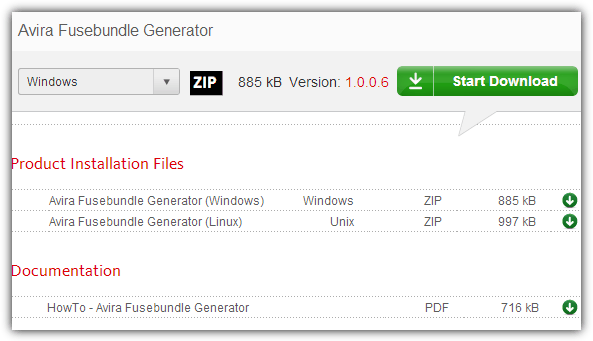
You cannot download the Avira virus definitions directly, but instead download a tool called the Fusebundle Generator. Run this and it downloads the latest signatures and then packs them into vdf_fusebundle.zip in the Install folder. To import the file into the Avira program, go to the Update menu -> Manual Update and locate the Zip file. There is a helpful slideshow on the download page.
Download Avira Fusebundle Generator
Bitdefender Weekly Updates
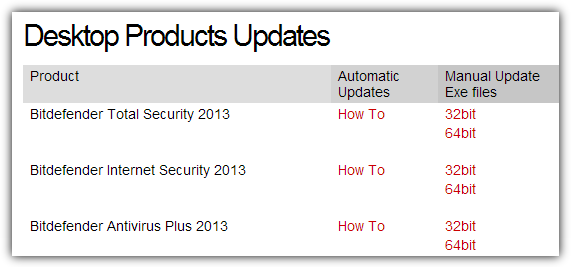
Bitdefender updates its offline definition files once a week on a Friday so they could be a nearly week out of date depending what day you download them. The file comes as a setup installer so you just need to run it and the updates will be installed, make sure to get the correct 32-bit or 64-bit version for the operating system Bitdefender is installed on.
Download BitDefender Weekly.exe
ClamWin / ClamAV Virus Database
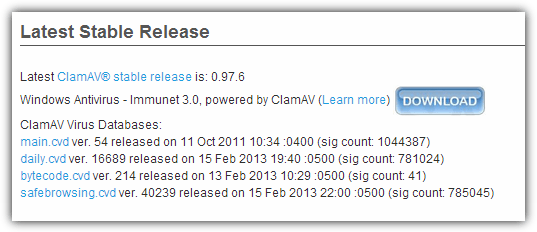
Clam has 2 definition files you can download although the main.cvd is updated far less frequently than the daily.cvd which is the more important download of the two. Download the daily file (or both) and put it in the default folder of “C:\Documents and Settings\All Users\.clamwin\db” for Windows XP, or for Vista and 7 place it in “C:\ProgramData\.clamwin\db”.
Download ClamAV Virus Databases
Comodo Complete Antivirus Database

The complete database of the Comodo definitions is updated every couple of days, check the Summary date for the last update. Some older versions of the software need to extract the Base with 7-Zip. The safest way to update is in Safe Mode and the Base.cav file has to be copied to:
C:\Program files\Comodo\Comodo internet security\scanners
Download Comodo Antivirus Database | All Other Versions
On the next page there is manual update information for several more products including Kaspersky, Norton, Microsoft and F-Secure etc.



Improve this guide

User forum
0 messages