muBlinder – Blind Microsoft/Windows Update Validation
Microsoft has tried a few different anti piracy measures to protect Windows over the years. In XP that protection is called Windows Genuine Advantage and gets downloaded during a Windows Update session. In actual fact, there are two versions of the Windows Genuine Advantage (WGA) protection. They are called Notification and Validation and are separate components in that they do different things on your computer.
Notification is the component that will turn your desktop background black and place a watermark in the bottom right saying your Windows is not genuine. You will also have a system tray icon pointing you to the web and the “virtues” of owning a legitimate copy of Windows.
WGA Validation is the component that will install when you go to Windows / Microsoft Update. If your install fails validation, this will stop you updating a number of different updates including non critical ones like Windows Media Player, Internet Explorer, Windows Defender and Security Essentials.
Have you ever been in the annoying situation that you try to update your Windows XP using Microsoft Update only to discover that for some reason it’s not classing your Windows as genuine? It’s not really clear how or why this can happen, but is likely to be one of the WGA files that has got corrupted. I’ve seen it once or twice over the years and it really scares people who don’t know about Windows Genuine Advantage because they think they’ve been sold a pirated Windows!Some people would just go online and search for the latest WGA crack, but there’s another more complete solution. muBlinder is a small portable tool that helps you bypass Microsoft Update’s Genuine Windows Validation. This then allows you to view and install available updates in addition to downloading those programs from the Microsoft Download Center.
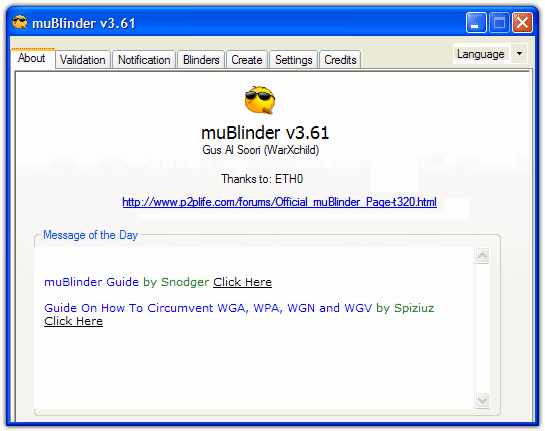
Additionally, muBlinder allows you to get rid of those nagging popups if you have installed the Genuine Windows Notification update and are experiencing problems with it not identifying your Windows as genuine.
As muBlinder is a standalone executable, you can add it to your USB toolkit, just unzip to a folder of your choice. The .NET Framework version 2 is required so if you receive any type of initialization error while starting the program, it will likely be because you don’t have .NET v2 installed. muBlinder also requires internet access during use to be able to interact with the validation component.
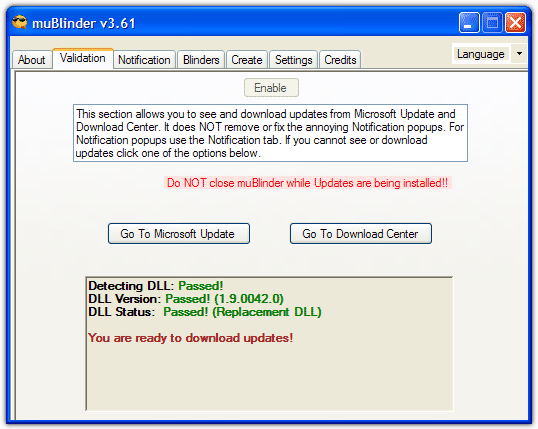
With muBlinder’s Validation tab it checks the LegitCheckControl.dll file which is part of Microsoft Update’s validation. This file is found in \Windows\System32\ after you have been to the update site and installed the “Windows Genuine Advantage Validation Tool”.
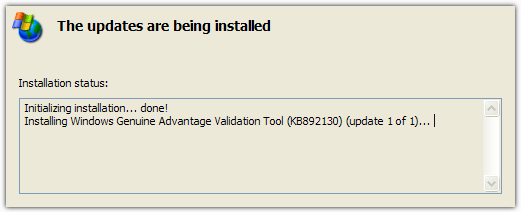
Click the Enable button and muBlinder replaces the DLL with a patched version to allow updates. The replaced LegitCheckControl.dll will be automatically backed up as well which you can restore anytime by clicking the Restore button found in the Settings tab.
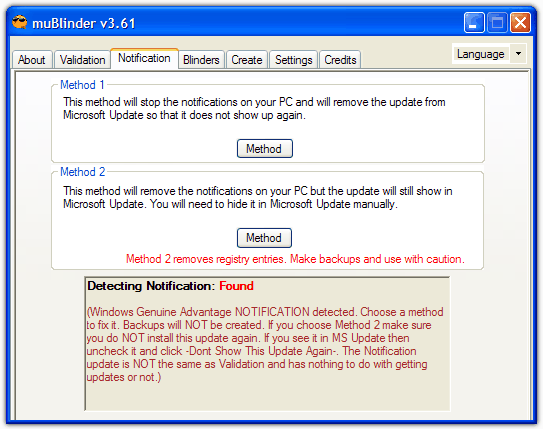
The nagging balloon popups, desktop notifications and black background from Windows Notification can be removed via the Notification tab. If you have those messages, then there are 2 different methods to choose from to disable them. Method 1 is the recommended option because the WGA notification update doesn’t appear in Microsoft Update again. Method 2 will remove the notification update completely meaning it will show up again in Microsoft Update and will need manually hiding from being installed again.
muBlinder also has has some plug-ins called “blinders” that allow you to download WGA protected software like Windows Media Player 11 and Internet Explorer 7. Most of these blinders are outdated now so are of little use on the whole, but the WMP 11 one or IE 7 might be of some use. The Create tab allows more advanced users to make their own blinder plug-ins although you do need an account on their forum to submit them.
There are only a couple of things in the Settings tab such as whether you want to perform the Notification fix automatically, what to check for on startup and the previously mentioned validation LegitCheckControl.dll restore button.