
nLite – The Windows XP Installation Customizer


 5 min. read
  Published on

Even though Windows XP has not been generally available to the masses for several years now, it’s still a hugely popular operating system that’s installed on hundreds of millions of PC’s. Compared to Windows Vista, 7 and 8, XP is still a great performer on older desktops, laptops and netbooks.
Because of it’s age, there are software components such as Microsoft .NET Framework, Internet Explorer 8 and many others that have never been integrated into a standard Windows XP install CD, and you have to spend hours after a new install updating just the Windows software and hotfixes alone. Also, these days the default drivers that come with XP are often not compatible with newer hardware. This is mainly true for mass storage drivers because you might have to press F6 during install and load the drivers from a floppy. Not good if you don’t own a floppy drive!
Even though the XP SP 3 install CD is under 600MB, you would think that means there’s not much on the disc that you don’t need. In actual fact, there are a number of components that can be removed from the XP CD without losing functionality. While this makes the install quicker because there’s less data being moved around, it also makes the final size of your Windows folder smaller and less bloated with junk.
Thankfully, there is a way to get things like drivers, hotfixes and newer software components onto a standard Windows XP install CD without having to manually edit the files yourself. Add to that, the ability to automatically add a number of common Windows tweaks, or remove parts of Windows altogether. A little piece of software called nlite can do all that and more basically transforming your ordinary Windows XP disc into something that is fully tailored to your needs.
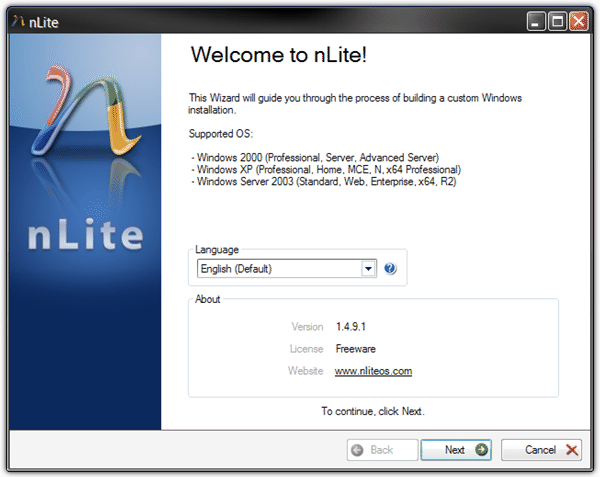
This might sound quite difficult to achieve. The good thing is the nlite program works and behaves a bit like a wizard style interface that guides you through the process in a number of easy steps. While this software is quite easy to use considering its power, you still need a reasonable amount of knowledge and common sense because over zealous use could cause Windows not to install at all or create problems during its use.
nlite only really needs one thing to make an optimized or “slipstreamed” disc, and that is you need to copy over the whole contents from a standard XP CD (Windows MCE, 2000 and 2003 is also supported) into a folder on your hard drive. The program will then use that as the working directory. The .NET Framework v2 or higher is required to use nlite. Download and install it or use the portable version and you’re ready to slipstream your own Windows CD.
What you need to do after starting the program is point to the Windows XP folder you copied from the CD. Then the main window will show where you choose what you want to do.
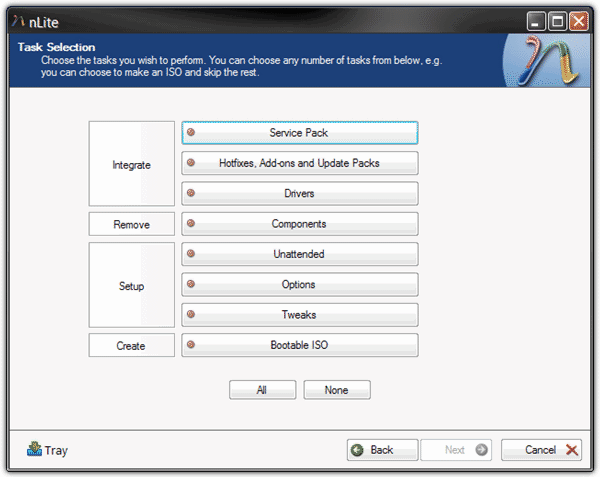
Functions are split up into tasks and all you have to do is click on a button and it turns green, then click Next to go to the options for that task.
The Integrate tasks are useful for adding a Service Pack if you need to integrate SP 3 into you SP 1 or SP 2 disc, adding drivers such as the Mass Storage drivers that you would normally have to press F6 during install to run, and general hotfixes and combined update packs. You can also add your favorite applications such as CCleaner or Imgburn directly into the install. There are several available on the web and the nlite application add-on forum is a good place to start.
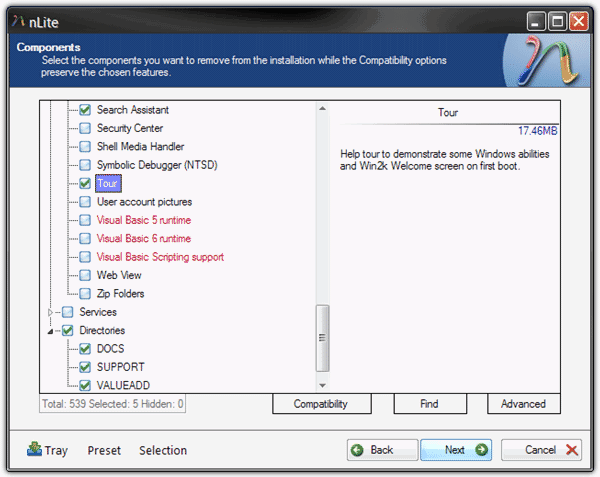
The Remove Components task is great for slimming down the install size by taking out bits you don’t need. For example, do you really like the animated dog when you’re doing a search? Or do you ever take the Windows Tour or use the included default music clips and backgrounds? If the answer is no, they can be removed, that’s a saving of over 30MB with just those four things I’ve mentioned! Just be very careful about removing the red items as it could cause issues.
The Setup tasks are very useful because from here you can setup the unattended options which automatically sets the options you have to go through during install. Information such as the Product Key, the Regional and language settings, Users and things like Automatic Updates and System Restore can all be pre-defined reducing the user interaction needed during the install.
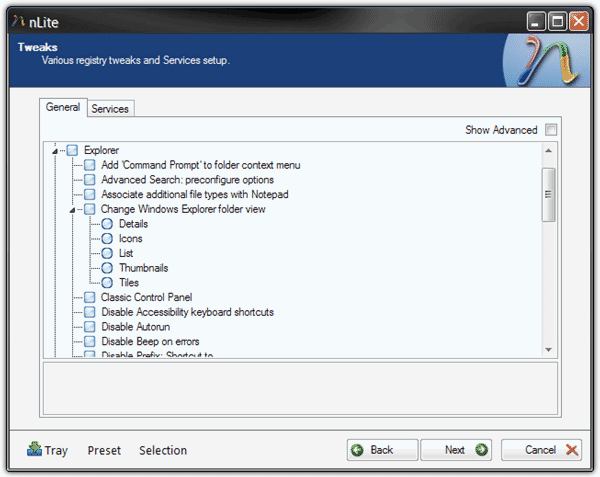
There are also loads of registry tweaks that can be set to personalize your install even further. Tweaks like setting the default Explorer display to Details or enabling different icons in My Computer are available. There are a lot of them to look through and most can be reversed or simply turned off again from inside Windows.
After all the editing and tweaking is done, all that’s left to do is either create an ISO image or burn your creation to a disc which can be done through the Bootable ISO task.
It doesn’t really take a lot of effort to remove components or apply tweaks and unattended options. Tasks such integrating drivers, hotfixes or third party applications require a bit more involvement and work, the nlite forums are a good source of information.



Improve this guide

User forum
0 messages