Universal Extractor – What it Does & How to Download
Although Windows itself can handle creating or unpacking ZIP archive files, there are many more archive formats available that you could encounter, like 7z, RAR, ARC, LHA, CAB, ZIPX, TAR, GZIP, WIM and several others. More advanced archivers like 7-Zip or PowerArchiver can go even further than standard archive formats, and recognize and unpack virtual disc images, virtual machine drives, setup installer executables and Windows Installer (MSI) files.
Being able to unpack setup installer files is great if you don’t want to install the software and try to run it as a portable application from your USB flash drive. But there are still many more formats out there that even the best archivers cannot handle, simply because an archiver first and foremost has to be good at identifying all the standard archives, anything else is really a bonus.
Universal Extractor is a tool that’s been around for a number of years and does what the name suggests; identify almost any type of file and if it’s a compressed package, Universal Extractor will try to unpack it. This doesn’t matter if it’s a common archive format (ZIP, RAR), an obscure archive format (KGB, SIT), an executable setup installer package, disc images, compressed help files or web pages, office formats, or even compressed mail archives.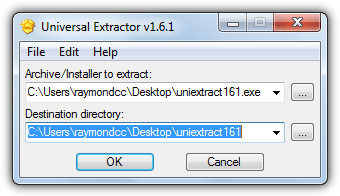
Universal Extractor cannot create archives though, it merely recognizes and unpacks them, so it certainly doesn’t make your current archiver redundant. The program itself is a front end created in the AutoIt scripting language which calls upon a wealth of other free and open source utilities to perform the identifying and extracting of files.
Universal extractor works by first scanning and identifying what type of file you have asked it to unpack using the TrID file identifier tool which can identify over 5,000 different file types. If the format is supported by Universal Extractor, it will call on a third party tool from its BIN folder to extract the file. For example, if the file is a RAR archive, the UnRar.exe command line tool will be called to extract it, and so on.
There are several unofficial versions of Universal Extractor on the internet, here we’ll show you what the original and the most popular unofficial build offers.
Universal Extractor 1.6.1 Official Build
The sad thing about the original Universal Extractor program is it hasn’t been updated since 2010 and no more updates look likely. Although compatibility is still good for the program itself, no updates in over four years does mean many third party utilities and the file format identifier are out of date as well. Newer archive formats like RAR5 or ZIPX are not supported out of the box and you will receive an error trying to extract them.
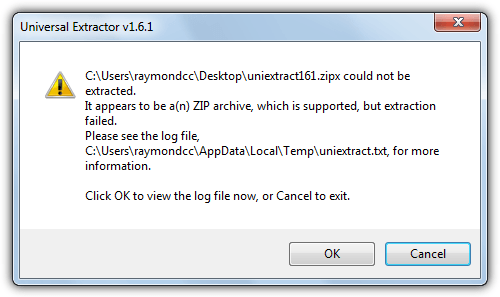
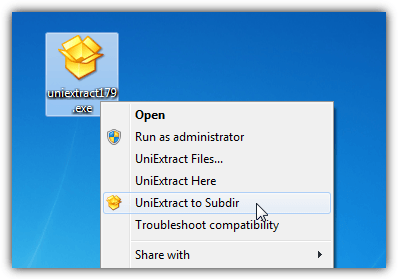
While outdated, the program still functions quite well and it’s supported formats list is still impressive. Many extraction tasks will be trouble free, it’s just if you encounter a newer or unsupported format potential issues might arise. On install you get the chance to add support for ACE, KGB, PEA and Stuffit archives as well as adding right click context menus and Send To/Desktop/Quick launch icons. Then you can right click on a supported file and choose to extract here, to a subdirectory or open the main window to change the paths.
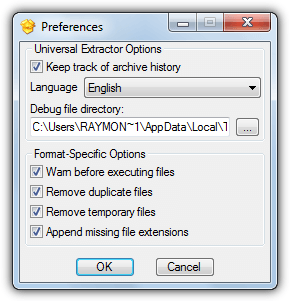
A few preferences are available to keep track of the archives history, remove temp files, remove duplicate files, warn before executing files and also appending an extension to a file which is recognised but doesn’t have extension already.
Manually Updating the Third Party Tools
To bring version 1.6 of Universal Extractor more up to date it’s possible to update the tools in the BIN folder yourself. The author has been helpful enough to include all the links for the software used in the Credits section on the website. The trick is to find the command line version of the tool you want to update, let’s take WinRAR as an example.
1. Click on the UnRAR link in the Credits section at Legroom.net. Click Extras at rarlab.com and then click to download “UnRAR for Windows”.
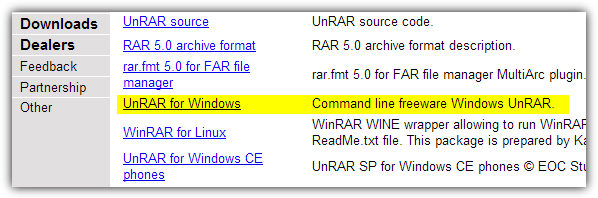
2. Double click the unrarw32.exe and browse for the BIN folder which will be in “Program Files”, “Program Files (x86)” or the folder you have placed the portable version.
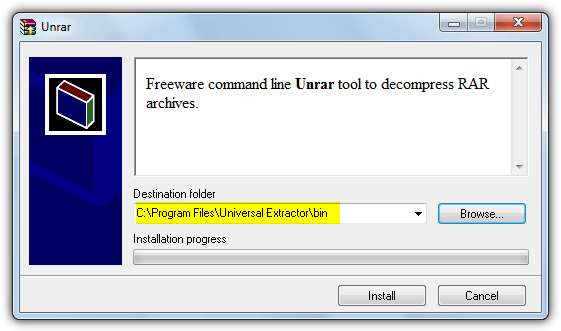
3. Click Install and then Yes when asked to overwrite the current unrar.exe. The latest UnRAR tool will now be in your BIN folder and ready to use.
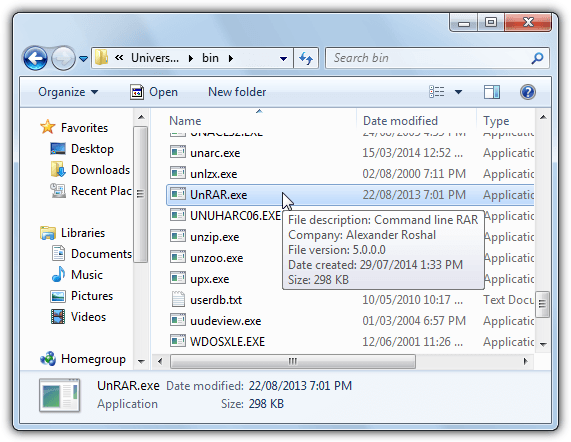
Now try Universal Extractor on a RAR5 format archive and you will see it now works! Sadly something like ZIPX is not possible to enable with this method as .ZIPX is a new extension which isn’t recognized by the program, editing the source code would be required. If in doubt just rename the original file instead of overwriting it. A portable version of Universal Extractor 1.6 is available if you want to try it out first
Download Universal Extractor v1.6
Universal Extractor 1.7 Unofficial Build
Because the original developer was kind enough to make the AutoIt source code available, others have built new versions based upon 1.6. A Russian user from oszone.net forums called “gora” created version 1.7 with several updates to the program and updates to the third party tools. Development seems to have stalled on this version though and a few minor updates have come via other third parties.
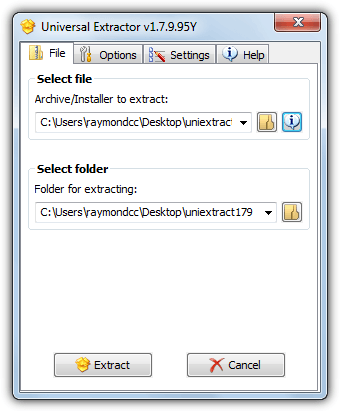
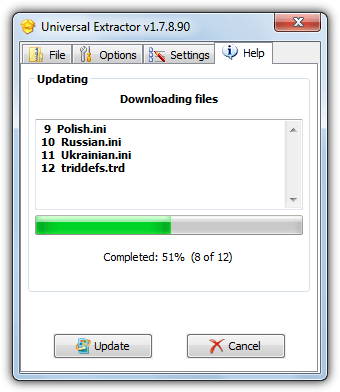
In version 1.7 there is an auto update feature that checks for and updates the main program and the tools in the BIN folder if an update has been made available. The autoupdate feature first checks which version you are running, then it checks the TrID website for a definitions update and downloads the new database from within the program. You should be asked to update on first run or it can be done manually from the Help tab in the user interface later on.
Like the original Universal Extractor, there’s a few options during install, such as optional support for KGB, PeaZip and Stuffit archives, enable auto updates, remove temp and duplicate files, and etc. Finally you will get the chance to add right click context menu entries so you can right click on a file and select “UniExtract here” to automatically unpack.
Over and above the original 1.6 options, version 1.7 has another 10 or so extra settings like what to do with the main or console windows, enabling sounds, showing a summary window, how often to check for updates and the option to use 7-Zip 9.32 alpha or above instead of a rather antiquated version 9.13 found in the old Universal Extractor.
If you’re someone who extracts archiver and installer files or executables often, this version of universal Extractor is far better to use than the original, not least because of the updates to the third party tools which allows for extra functionality such as extracting RAR5 or ZIPX archives and the newer Innosetup installers among many other things.





let’s revisit this. ?? It has blossomed into a mega cant do without it tool. Uniextract Bioruebe…….with tons of effective tools and updates. extracts 96% of all.exe files I throw at it, so I have portables not install progs! get it from softpedia. look for (at this writing) RC 3
There’s a new version. The binary release is a bit outdated, but the developer is still coding new stuff. Users are pressing him to make a new release, others built it themselves because it’s really easy (I finally did it myself).
bioruebe.com/dev/uniextract/
github.com/Bioruebe/UniExtract2/issues/72
github.com/Bioruebe/UniExtract2
Hi all !
Universal Extractor is awesome. i would use it primarily for changing setup installers into self extracting executables ( portable apps) primarily, BUT…. 1) while proceeding for download Google Chrome Safe browsing ‘s security alert welcomes ! ? (though i bypassed it and left it for AVG Free 2016). 2) the install version is more powerful than portable. 3) it didn’t work with default preferences and i had to go only with “warn before executing files” box checked. 4) i would advise to select destination other than source folder. 5) some archieved downloads may need to be extracted twice i.e. first for extracting setup installer and then that installer to be extracted for producing portable executable. 6) though it works well but still it is old , not updated for 5-6 years.
I found out about this soft extractor sometime ago because my powerarchiver couldn’t extract a zip because the name was big and indeed it was the same problem with winzip. This soft manage to extract, I hope they will continue to update the engine. Good choice!!!
Another good tip from another good person
Thank you Raymond – you save me so much time – one more for my USB Tool drives !
thanks
Good to have this for off site repair work.
that is a great software.. now i could extract .rar file in my school computer without installing winrar
thank you sir, i really need this
Kinda ironic. the download file is in .rar format, which means i still need a WinRAR program to unzip the file. Anyway, thanks for your tip! = )
I definitely first read the title as “Portable Universe Extractor”…
I need to go to bed. First off though, thanks Raymond. As always, awesome find.
cool, very useful, going to put it on my flash drive !
Thanks Raymond. Nice tool
Hey! Its a good program that extracts all the files. Good recommendation.
Thanks!
thank you!
I have this embedded with Total Commander Ultima Prime :)!
Thanks Raymond for the tip…
By the way congratulations for crossing 50,000 + subscribers Ray!…Shows how popular your blog is…May your blog cross many more thousands…Wishing you the very best…..
Thanks for the portable version mate.
Thanks :)
Thank you Raymond, nice post :)
I knew this before
But thanks a lot and continue writing good articles
thanks raymond
Thanks for inofs… Raymond
i’m using it from v1.5.. v1.6 much more stable and support many format without any error.. =D
no need to install…xD
nice tool to have.. thx
thanks for d info !!!
any tip for recovering password from rar file
Thanks Ray!
thanks dear