
4 Free Tools to Quickly Restore Windows on Reboot


 8 min. read
  Published on

Windows has System Restore built in to help revert file and registry changes to an earlier point in time after software installs. While it’s useful, System Restore still has issues like being a bit unreliable and possibly including malware in the restore points. An alternative is to sandbox software installs so no changes are made to the system files. Another option is using software that can completely discard any changes made to the operating system when you reboot.
The advantage of protecting your system in this way is software installs, setting changes or certain malware infections can be wiped away and the computer restored to a previous point in time. It’s not only helpful when you want to test software but you can also deploy a restore on reboot if other users are using the computer. When you reboot, anything they have done is forgotten and Windows is back to how it was before.
Here we look at 4 free applications that can quickly eradicate anything done in the session by restoring the system during startup, keeping your Windows install safer and cleaner. The programs were tested in Windows 7 and 10.
1. ToolWiz Time Freeze
ToolWiz Time Freeze is one of the easiest to setup and easiest to use snapshot programs around. Sadly, it looks like development has slowed or ceased as at the time of writing, the last update was well over a year ago. One good thing about Time Freeze is it’s completely free and unrestricted for both personal and commercial usage.
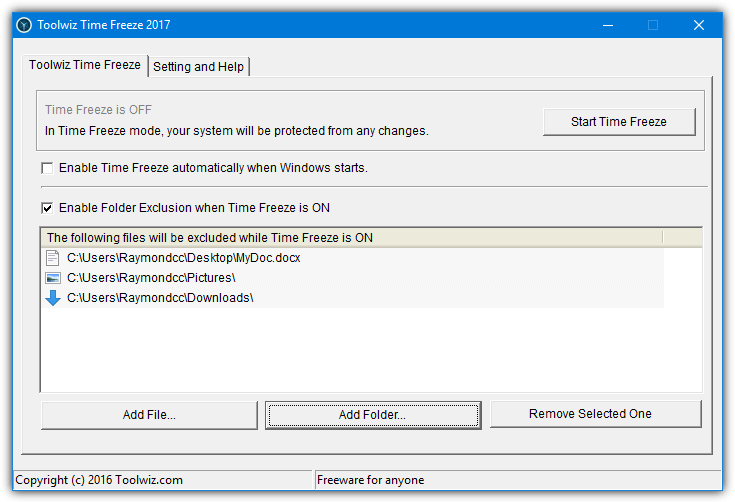
During installation, you will be asked to configure the settings. The disk cache is a single file stored on drive C that system changes are saved in while freezing is enabled. The default size may need increasing if you test large applications. The start with Windows checkbox enables freezing on boot, but we’d recommend not using this as it can cause problems. Password protection sets a password so nobody can start/stop or reconfigure Time Freeze without knowing it.
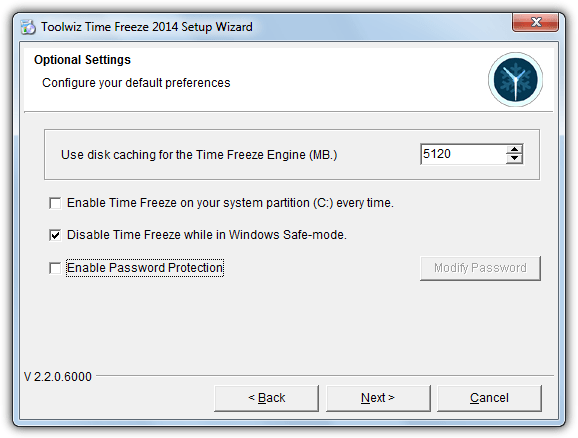
After a mandatory reboot, Time Freeze will be ready to use. Turning freezing on can be done via the tray context menu, the main user interface or a small floating toolbar can be enabled to also indicate freezing status. Use your computer normally and when you want to discard the changes, turn off freezing manually and reboot or just reboot. The system will be reverted back to how it was before freezing was enabled.
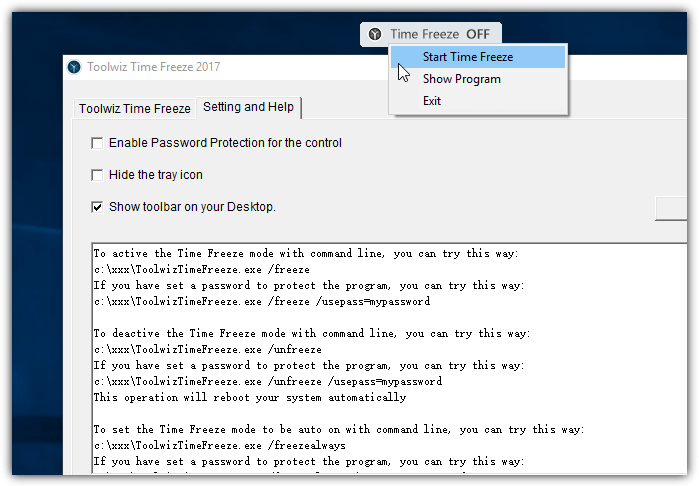
A very useful feature is the option to exclude specific files and folders while freezing is on. Changes to anything listed in the exclude list or new files in the excluded folders will survive after Time Freeze has been turned off and the system rebooted. Time Freeze also has command line options with the ability to install, uninstall, freeze, unfreeze and automatically turn freezing on.
2. Reboot Restore Rx
For sheer ease of use, Reboot Restore Rx is about as simple as it gets. It’s certainly the least complicated program to use of the four listed here and there is very little to setup or configure. There is a paid Pro version available but the free version should be enough for most users. Reboot Restore Rx is advertised by the developer as ideally suited for public computers like schools, libraries and internet cafes.
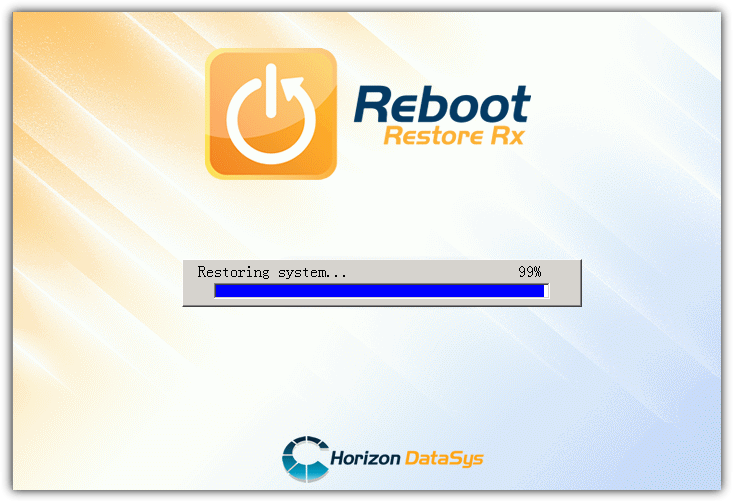
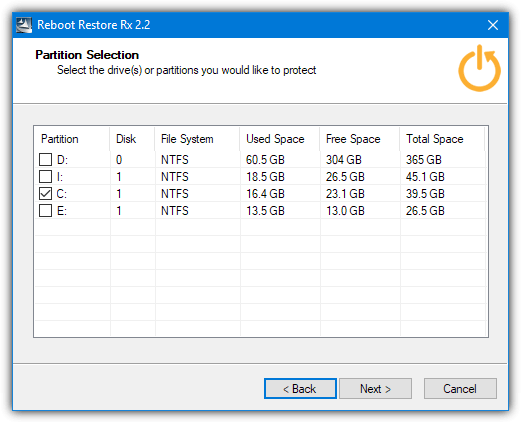
The only configuration option you have to contend with during install is selecting which drives or partitions to have the program protect. The obvious one to select is the system C drive although others can be included if you wish. After install, a reboot is required where the recovery console will be installed and the baseline will be taken, which is the point your system will restore to each time.
Once Windows is booted, the underlying system is protected from changes. When the system is restarted it is automatically restored to the baseline. To stop that happening and continue where you left off, press the Home key when you see the Reboot Restore Rx screen during startup and press Exit. Use the tray icon right click menu within Windows to disable Reboot Restore Rx and use your operating system normally.
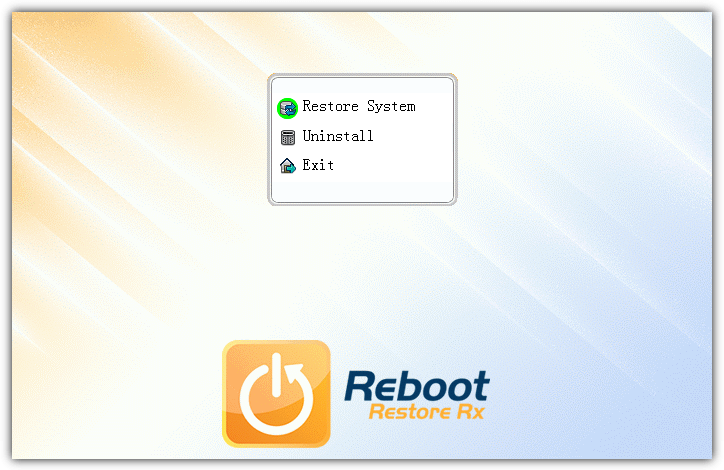
The next time you enable Reboot Restore Rx from the menu it will create a new baseline and that will be the new restore to point from now on. Even when disabled you can still use the boot menu to restore the system to the baseline. You can also uninstall Reboot Restore Rx from this menu if the program is causing problems. Note that only an administrator can disable Reboot Restore Rx from the tray menu.
The Reboot Restore Rx download button on the website requires filling in a form to receive the download link via email. The link above lists the files on the Horizon DataSys server where you can download the latest Reboot Restore Rx.
3. RollBack Rx Home Edition
Rollback Rx comes from the same developer as Reboot Restore Rx and is more advanced commercial software. In 2015 a free version called Rollback Rx Home Edition was released. It obviously has some restrictions compared to the paid version but a feature like having 7 possible snapshots to restore from is a worthwhile addition over the more simplified Reboot Restore Rx.
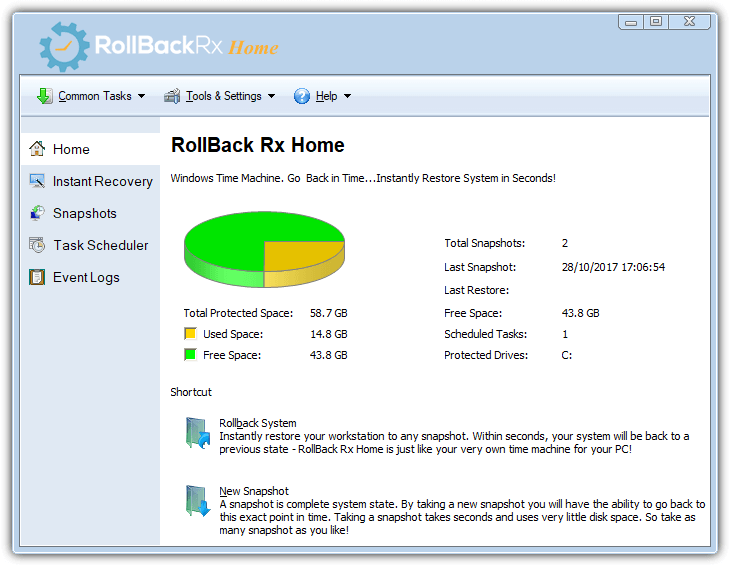
The first thing you need to do is install Rollback Rx Home and reboot the system. During that reboot, it will automatically create the initial baseline snapshot. By default, a new snapshot is created on the first boot of the day or when a Setup.exe is executed. You can delete this schedule from the program by highlighting it and pressing Del in the Task Scheduler window. Sadly this feature is unavailable in the Home version so you can’t create or edit your own schedules.
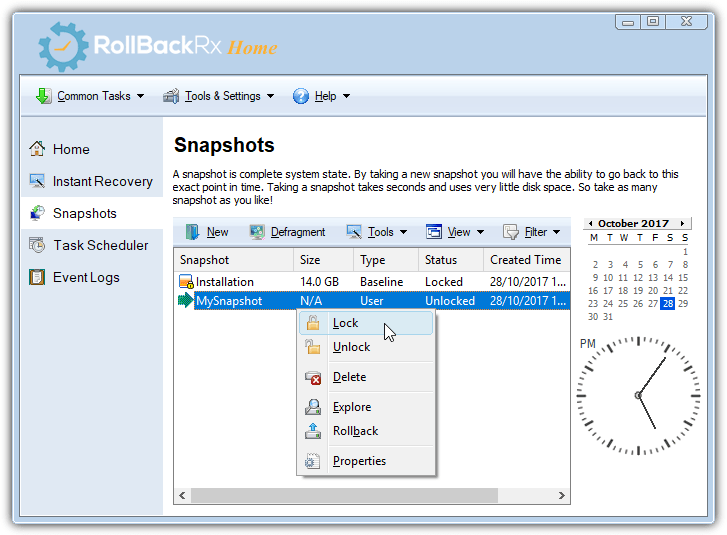
The main program interface is accessible from the tray icon. The tasks you can perform from this window are manage snapshots, roll back to a saved snapshot, recover files or folders from snapshots and explore the contents of a snapshot by mounting it in a virtual drive. In addition to deleting, creating or exploring, you can also defragment or lock a snapshot to prevent deletion.
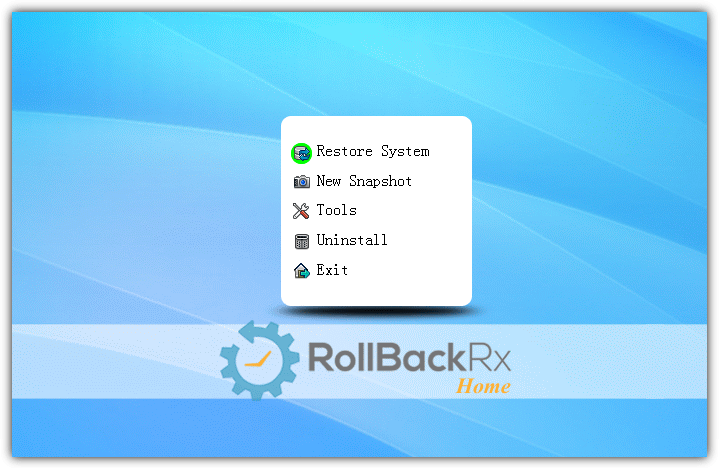
Rolling back from inside the Windows interface will restart the computer and automatically restore the selected snapshot. You can also manually select a snapshot during boot. Press the Home key when the Rollback screen appears during startup to get into the menu. From there, you can restore one of the seven possible snapshots, create a new snapshot, defragment or uninstall the boot menu and program from your system.
Rollback Rx Home and Reboot Restore Rx both have limited commercial usage in businesses with no more than 5 PCs.
Like above, this link is to the Horizon DataSys server. Find and download Rollback Rx Home from the list so you don’t have to fill in an email form.
4. Aomei OneKey Recovery Free
OneKey Recovery is a little different to the other tools here because it doesn’t save and then discard system changes on reboot. It is more of a single backup system recovery that can be restored in a few clicks on boot. This method is obviously slower because it has to make an initial full backup of the system drive, then the whole drive is restored during the recovery process. The more data on your C drive, the longer both processes will take.
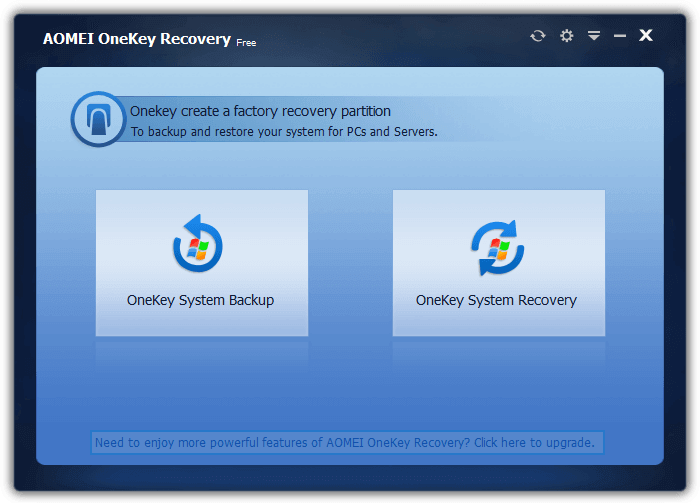
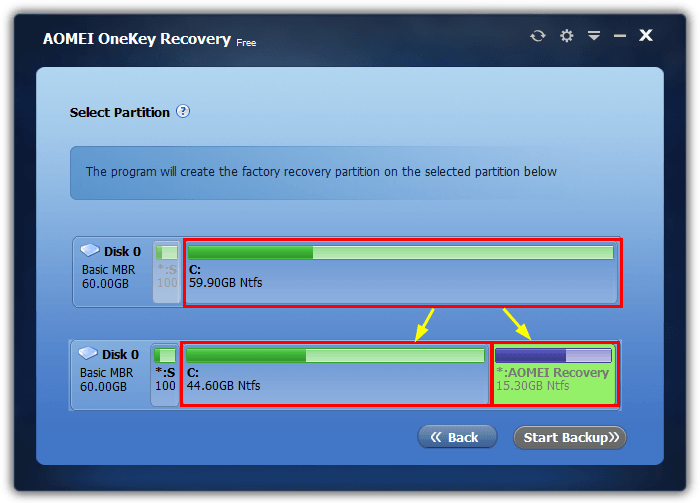
Once installed, launch Onekey and you firstly need to make a backup of the current system. The free version only allows the backup to be stored in a recovery partition so a partition on the system drive will be created. Make sure there is plenty of free space as the recovery space will probably need at least 15GB. Select the partition to split so the recovery space can be created and press Start Backup. During the next reboot, OneKey will repartition the drive, create the backup and boot into Windows as normal.
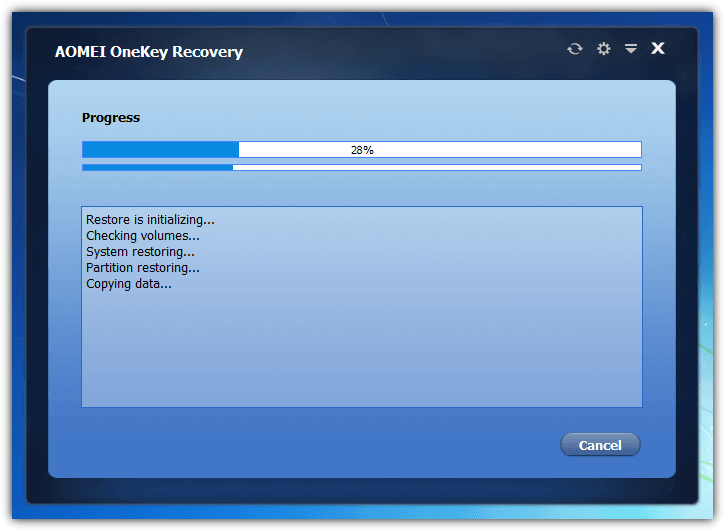
The main OneKey Recovery window allows you to create a new backup to replace the old one or restore the current backup. Simply click Next and Start Restore. The system will reboot into the Windows PE environment and begin the restore. Alternatively, there is an option to press F11 (or A) during boot or add a OneKey Recovery entry to the Windows Boot Manager. Both options can be configured in the OneKey Settings.
An issue with OneKey is before partitioning and creating the backup it may tell you the Windows AIK/ADK needs to be installed first. While installing the AIK/ADK you only need the Deployment Tools but it’s still a sizeable download and install. At the time of writing, OneKey doesn’t appear to work with Windows 10 Creators Update (and Fall Creators Update). It pops up an error when trying to create the recovery partition. Hopefully, an update will fix this issue (we tested v1.6).
Download Aomei OneKey Recovery Free
Final Note: Another highly regarded and powerful restore on reboot application is Shadow Defender. Sadly there is no free version of this software and it costs $35. However, it is worth keeping an eye out as Shadow Defender is sometimes offered for free on giveaway blogs and websites. Grab the application if you see it being given away.



Improve this guide

User forum
0 messages