5 Ways to Remotely Access Apple Mac OS X from Windows
Controlling your Windows computer remotely using third-party software or the built-in Remote Desktop feature is easy. However, the options for controlling a computer running on a different OS are quite limited.
Although Windows computers dominate the market, many people still use Macbooks that run on OS X. You might want to connect your old Windows PC to a Mac to access some files or programs.
Apple has its own remote access premium shareware called Apple Remote Desktop (ARD.) It comes with powerful features like software distribution and automation to perform repetitive tasks on remote computers. Unfortunately, it’s designed for Mac to Mac and not cross-platform.
In this article, we will be sharing a few methods to remotely access Apple Mac computers from another computer running Windows.
How to Remote to macOS from Windows
- RealVNC – Best for remotely accessing macOS from Windows overall
- Remote IT – Great for connecting users and devices when other solutions fail
- TightVNC – Open-source tool for remotely connecting to computers
- TeamViewer – Great remote access software for remotely connecting computers
- Zoho Assist – User-friendly remote control tool for quickly initiating
- AnyDesk – Excellent for managing remote desktop contacts
- UltraVNC – Great for connecting to a virtual PC or app
- BeyondTrust – Best tool for accessing your desktop securely
- Chrome Remote Desktop – Great for remotely controlling another computer’s desktop
- LogMeIn – Excellent for working remotely with access to remote control tools
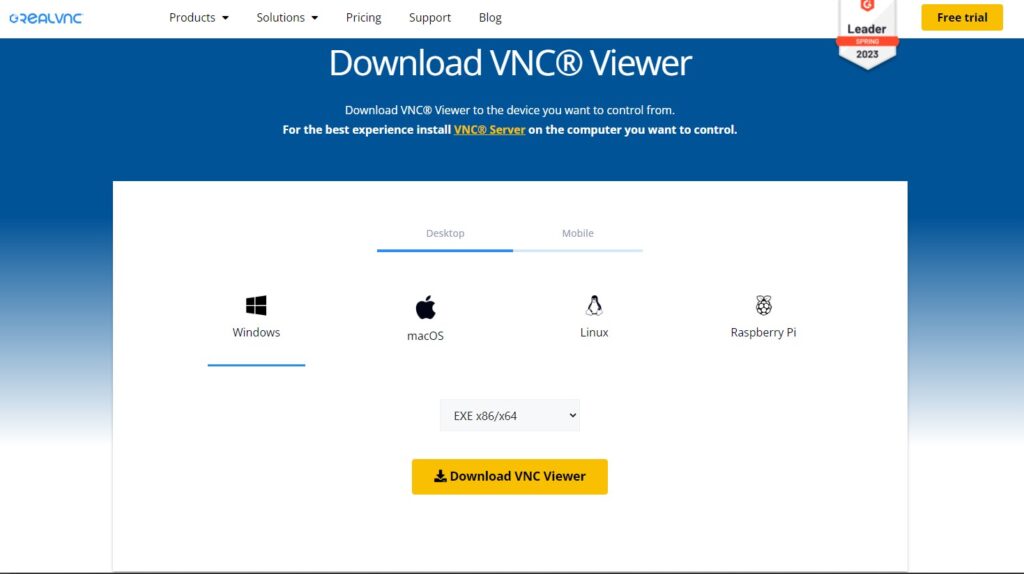
1. RealVNC – Best for remotely accessing macOS from Windows overall
- Operating System: Windows, MacOS, Linux, and Raspberry Pi
- Pricing: Freemium
- Developer: RealVNC® Limited
RealVNC provides server and client tools for remotely connecting to another computer’s screen. It’s great for people who require 24/7 oversight over their systems to attend to problems when they occur.
You can use RealVNC to access your macOS computer from a Windows PC. It requires proper credentials, access to the internet, and having the software installed on both computers.
On the Mac, download VNC Connect and add your credentials after installing it. Second, download VNC Client on your Windows computer and verify the account from your email. A remote computer will automatically appear on your app screen. Select it to start controlling the device.
You’ll need to enter your desktop login credentials. Once logged in, you can control every aspect of the computer from your remote location.
Pros
- With a stable internet connection, the app takes just a few minutes
- Using the RealVNC server ensures your connection is secure
- The company offers easy-to-follow tutorials to help you get started faster
- Keep your organization connected, saving time and increasing productivity
Cons
- Once your free trial is over, you’ll pay to access the features
2. Remote IT – Great for connecting users and devices when other solutions fail
- Operating System: Windows, MacOS, Linux, and Raspberry Pi
- Pricing: Freemium
- Developer: RealVNC® Limited
Remote IT helps you connect computers using your browser, desktop, and mobile like they were on the same local network. Getting started with the application is free. It uses a private network to enhance security and provide better performance.
You can use Remote IT to connect to an endpoint or device, even if you don’t have the software installed on the target computer. It offers the option to connect to AWS, Mac, Windows, RasberryPi, Linux, Google Cloud, and Azure, among others.
To connect to Mac normally, download and install the software on the endpoint, register the devices, and add the services you’d like to connect to on port 5900, including SSL, Terraria, and RDP.
Navigate to System Preferences > Sharing and click the box next to Screen Sharing. Click on Allow Access for All Users and exit the window.
On your Windows PC, install any VNC client and open the Remote IT desktop app. The target computer should appear on your desktop under the devices tab. Click on it, log in, and start controlling the computer.
Pros
- The application offers a free plan for non-commercial usage
- You can connect to up to 2000 devices with access to all features
- Connect using a private network with advanced security
- Embed Remote IT on small IOT devices where you cannot install VPNs
Cons
- You need a third-party VNC client to use it
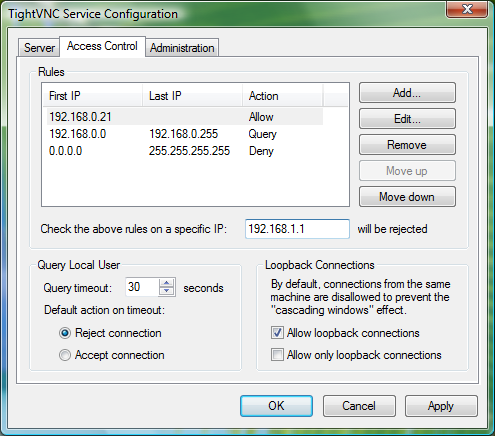
3. TightVNC – Open-source tool for remotely connecting to computers
- Operating System: Windows, MacOS, iOS, and Android
- Pricing: Free
- Developer: GlavSoft LLC
TightVNC is a free and open-source remote desktop software for accessing and controlling other computers using the internet. It’s made for Windows and Linux, but a commercial license is available for Mac users.
After Screen Sharing your Mac computer with other users, you can use a tool like TightVNC on Windows to connect remotely. First, enable screen sharing then enable a VNC password on your Mac.
Next launch your TightVNC app on your desktop. Type in the IP address from your Mac computer displayed in the Screen Sharing window and click on Connect. Enter your macOS login credentials and start using the computer.
Pros
- The software is free and open source to use
- You connect to the computer directly using the internet
- TightVNC does not require you to create an account
- The application requires minimal configurations
Cons
- The connection is less secure compared to other options
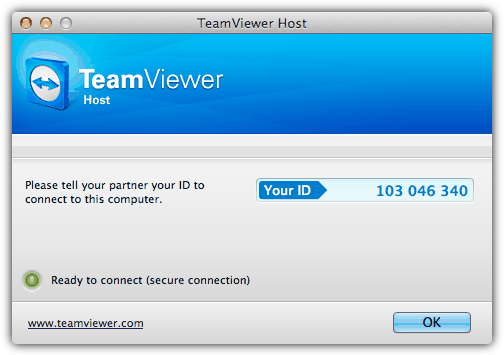
4. TeamViewer – Great remote access software for remotely connecting computers
- Operating System: Windows, MacOS, Linux, Chrome OS, Android, iOS, and Raspberry Pi
- Pricing: Freemium
- Developer: TeamViewer
TeamViewer is a popular remote access software commonly used to provide remote support. It’s easy to use and comes with compelling features such as file transfer, switch sides, conference calls, VoIP, and screen recording. The app works on multiple operating systems, allowing you to control a Mac OS X system from a Windows computer.
You will need to download and install the “HOST” version of TeamViewer on the Mac computer that you want to remotely control. As for the Windows computer that will be controlling the Mac computer, simply download the TeamViewer full version, and install and run it. Enter the ID followed by the password and you’re able to connect to the OS X machine. The ID will not change and always stay the same on the machine.
The TeamViewer Host options can be accessed by clicking on the TeamViewer icon at the menu bar and selecting Preferences. You can change your password, configure the voice, microphone, phone conferencing, access control and etc.
Pros
- The software does not require installing an application on the host computer
- You can screen record, transfer files, and make conference calls
- It’s most suitable for business usage and team collaboration
- The tool is popular, so it’s easy to find solutions to the more pressing problems
Cons
- You might experience performance issues for slow computers
5. Zoho Assist – User-friendly remote control tool for quickly initiating

- Operating System: Web-based
- Pricing: Freemium
- Developer: Zoho Corporation Pvt. Ltd
Zoho Assist is a user-friendly remote control application for initiating secure remote support and screen-sharing sessions. It assists you to get secure web-based control over remote PCs, laptops, mobile devices, and servers.
The software provides a Mac remote desktop software to help you access your Mac desktops and back-end servers. You get instant access to desktops so you can provide screen support to your customers anytime.
You must create a Zoho account, start a remote desktop protocol, and share your details with the host computer owner to get started. If you’re the owner, create a session and join using your PC and remote control your desktop with ease.
Pros
- The software offers a free account for personal use
- Schedule a session at your convenient time or start now
- When they receive an invite, users can download the shareware and start connecting
- The session remains secure as you only share your ID with respective people
Cons
- You need an enterprise license to access all features
6. AnyDesk – Excellent for managing remote desktop contacts
- Operating System: Windows, MacOS, Android, iOS, ChromeOS, Linux, and Raspberry Pi
- Pricing: Freemium
- Developer: AnyDesk Software GmbH
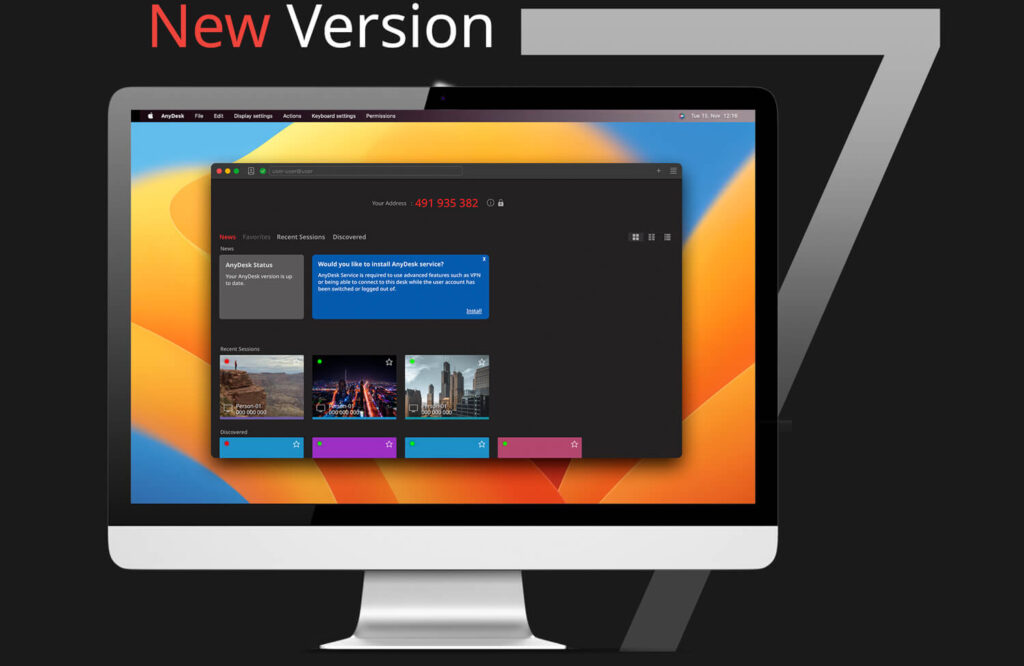
AnyDesk is a remote desktop connection protocol application for managing remote contacts and customers. You can use the software to access personal remote computers or other devices running the app.
You can use AnyDesk to connect any Windows computer to a Mac device. You don’t require an AnyDesk application, but you may need third-party VNC tools. The most recommended tool to use alongside AnyDesk is Atera.
The tool will download AnyDesk automatically on the target computer and enable remote access on your behalf. Copy the given code and paste it into your AnyDesk platform.
Pros
- It’s easy to find and install AnyDesk on a device on the user’s command
- The system saves your previous sessions, so it’s easier to connect to them in the future
- It’s easy to adapt the software to your company’s needs
- Most configurations are done for you by the AnyDesk app
Cons
- The premium version can be expensive to use
7. UltraVNC – Great for connecting to a virtual PC or app
- Operating System: Windows, MacOS, and Linux
- Pricing: Free
- Developer: UltraVNC Team
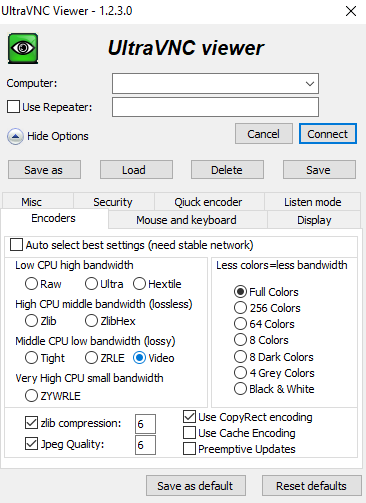
UltraVNC is a free and open-source remote administration or desktop control utility for Windows and Linux. You don’t need to install it on your Mac PC as you can use system settings to share your screen.
To get started, share your screen from the Screen Share preferences on your Mac computer. On the Screen Share screen, select the Computer Settings button and choose VLC Viewers May Control Screen With Password.
On your Windows PC, open UltraVNC viewer and enter your IP address, and select Connect. Type the password you created on your Mac and the app will connect you to your Mac in a few seconds.
Pros
- UltraVNC is free and open-source so you can use it for life
- Use your mouse and keyboard to control other computers
- Great for connecting PCs in your local network
- It comes with features not present on other free versions
Cons
- Many companies consider UltraVNC a security risk
8. BeyondTrust – Best tool for accessing your desktop securely
- Operating System: Windows, MacOS, Linux, Chrome OS, and web-based
- Pricing: Freemium
- Developer: BeyondTrust Corporation
BeyondTrust is a company that develops many access management, identity management, privileged remote access, and vulnerability management programs. It ensures that access is managed, monitored, and privileged access.
The platform supports access to Mac, Windows, and Linux simultaneous connections. You can also access your Android and iOS with screen sharing and remote control. The connections are fast, allowing you to manage unattended and grow your business securely with automation.
With privileged remote access, you can secure, manage, and audit team members’ privileges without using a VPN. It brings all appliance-based security that usually requires VPN tunneling, port-forwarding, and firewall configurations.
Pros
- Connect computers without the need for port-forwarding or VPNs
- Screen share your Android, iOS, Mac, Windows, and Linux devices
- See the screen of devices and control devices remotely
- Manage a large pool of devices simultaneously
Cons
- High licensing costs
9. Chrome Remote Desktop – Great for remotely controlling another computer’s desktop
- Operating System: Web-based
- Pricing: Free
- Developer: Google
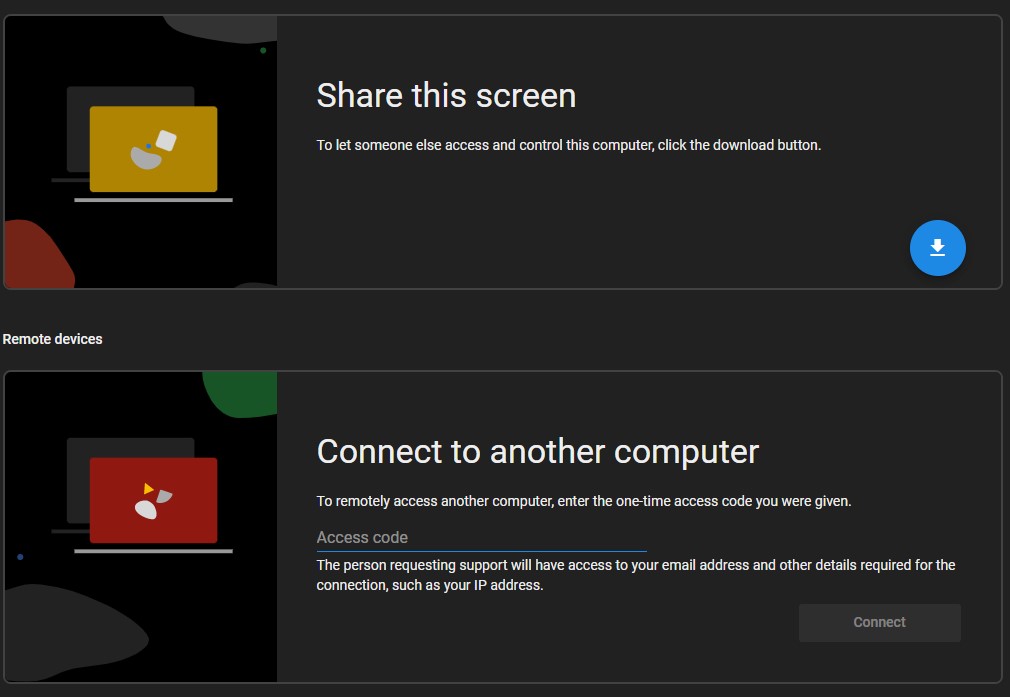
Chrome Remote Desktop is a remote desktop software designed for remotely controlling another computer internally. You can install the app to access more shortcuts or use a web browser, which takes up less space.
The downside of the software is that it gives the person connecting to your computer access to your IP and email address, among other critical information. However, if you own the device, then you don’t have to worry about anything.
Pros
- Allow another user to access and control your PC
- Installing a Chrome extension takes a few seconds
- Access another user’s computer by entering a code
- Set up SSH for remote computer connections
Cons
- The tool will share your private information
Download Chrome Remote Desktop
10. LogMeIn – Excellent for working remotely with access to remote control tools
- Operating System: Windows, MacOS, Linux, and Raspberry Pi
- Pricing: Freemium
- Developer: RealVNC® Limited
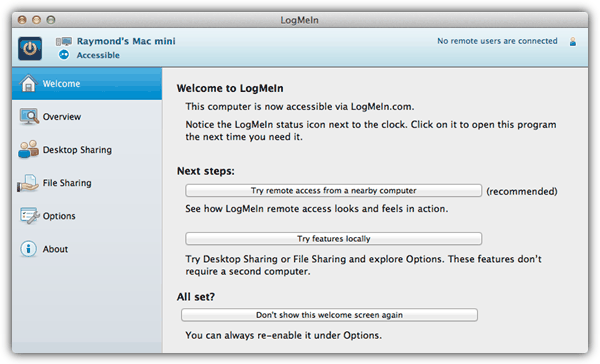
LogMeIn Free allows you to conveniently remotely control a Mac computer running OS X from Windows through its web interface or the Firefox plugin. You will need to create a free account and log in from the Mac computer.
Click the Add Computer button to download the LogMeIn Installer. After installation, you are able to access that computer from any other computer by logging in to LogMeIn. Do take note that the file transfer feature is disabled in the free version.
Pros
- Remotely control a computer from a remote location
- Access all your desktop files, programs, and information
- Provide high-level customer support by visualizing the problem
- Empowers your team to work from anywhere
Cons
- LogMeIn is an expensive tool
How Do I Remotely Control Another Mac?
You don’t need to install additional software to control another Mac remotely; you can remotely control it using your MacOS. To get started, navigate to the Apple menu > System Settings and click General in the sidebar.
Turn on the remote login and click the info button on the right. Next, click Allow full disk access for remote users checkbox on your panel, giving the other computer full access.
Conclusion
If you have multiple computers or workstations, you don’t have to use one at a time. You can operate both computers simultaneously using the same mouse and keyboard. Try the above-mentioned tools to see which is most useful for you.
What do you think about the above-mentioned tools? Have a favorite app that you’d like to share with our readers? Share your thoughts in the comment section below.


RealVNC is useless because it does not support data compression compatible with Mac VNC server. So it uses extremely slow and traffic-consuming uncompressed RGB.
Can you suggest a better VNC client or alternative strategy?
Can I use softwares like Photoshop, Illustrator, Dreamweaver etc (which are in MAC) from Windows system if the windows system doesn’t have the same softwares?
If the OSX commuter has remote management enabled, what client does the Windows computer need to run to connect to it?
Logmein Free isn’t completely free anymore. You can buy an account, and for IT people, you can buy Logmein Central, and then tie a couple of Logmein Pro pay-for machines to the account (easy). Then you are given logmein free subscriptions you can then tie into the account. If the remote access is going to give you an hourly rate or save you time (and time is money) then it is WORTH buying the annual subscription.
The thing that has always been an issue for me is Logmein wants to boast about their ability to stream the remote desktop as HD, and frankly that is just bells and whistles to me. That requires WAY more bandwidth, and is pointless in most cases. The GREAT thing about logmein, even over their join.me product, is you can cut back the color quality or even make it black and white. This SIGNIFICANTLY speeds up the remote session to make sure things work right. Join.me is a $100/yr subscription, to compete with their enterprise version rescue, but again the quality of the remote session is simply limiting and time wasting for the average IT guy who needs to help the user.
More to the point of Logmein Pro, you can actually perform secure file transfers, and monitor the system in a dashboard. The Dashboard for pro subscriptions ALSO gives you things like the top fifteen running processes, all scheduled tasks, the most current 15 lines of the event viewer log, etc. You can perform various levels of remote boot, and even utilize a scripting type offering called one to many.
It is incredibly powerful, and COMPLETELY worth the cost of the annual subscriptions.
(I do NOT work for Logmein, just an IT consultant.)
Thank you very much. Used realvnc viewer on win 7 64bit, to connect to a mac laptop on OS X Mavericks.
I was using the built in vnc server for osx, but with the last 10.8.5 update my connection got a lot of lag. I updated my vnc viewers to the latest but that didn’t help. I finally downloaded the vine vnc server ( turned off the osx vnc server ) and bingo problem solved. Thanks for the article, it was a great help.
thanks a lot