How to Rotate Image Without Losing Quality [5 Best Software]
The Windows operating system has always included a convenient image viewing program that allows the user to open image files that are commonly used such as BMP, JPG, GIF, ICO, PNG and TIFF. In Windows XP, the program is called Windows Picture and Fax Viewer but changed to Windows Photo Viewer starting from Windows 7. You won’t find many image editing features in the program except for rotate where you can either rotate the displayed photo clockwise or counterclockwise.
If you’ve been a user of Windows XP, you might have encountered a scary warning informing you that “Because of the dimensions of this picture, rotating it might permanently reduce its quality. Rotating a picture automatically saves it using the original name“.
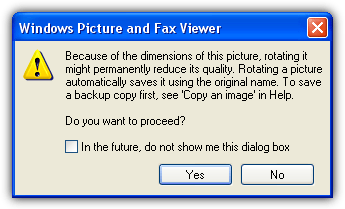
Basically it is telling you that rotating the picture will reduce the quality and overwrites the original file without creating a backup copy. Fortunately this warning message will not appear on all images except for some with certain dimensions. Rotating a JPG image without any quality loss is called lossless rotation and this feature is actually already supported since Windows XP, although there are many claims stating otherwise just because of the file size difference.
If you rotate an image with a dimension that can be perfectly divided by 8, then every pixel on the image will be preserved. However, rotating an image that is not an exact multiple of 8 will cause quality loss and this is when the Windows Fax and Picture Viewer will show the warning. You can read a more thorough information on lossless rotation of JPEG images from the Better JPEG website.Most digital cameras should let you choose the image dimension that are multiples of 8. So rotating the photos that are captured from a digital camera using an image viewer that supports lossless rotation will not cause any image quality loss. Although there are quite a number of image viewers that support lossless rotation, here are 5 popular ones which you can use.
1. PhotoScape
PhotoScape is a very popular photo editing software with the most downloads at CNET Download.com. It comes with a lot of features such as an image viewer, editor, batch editing, merging/combining multiple photos into one, create an animated GIF, photo splitter to divide an image into multiple parts, print lined paper, batch file renamer, converting RAW to JPG format, color picker and even a screen capture tool.
You can find the lossless rotate feature in the Viewer tab or by clicking on the Viewer icon from the main PhotoScape screen. You can select individual or even multiple images using the Ctrl key, right click and you will find 5 lossless rotation options which are rotate 90 degrees clockwise, counter clockwise, 180 degrees, flip vertically or horizontally.
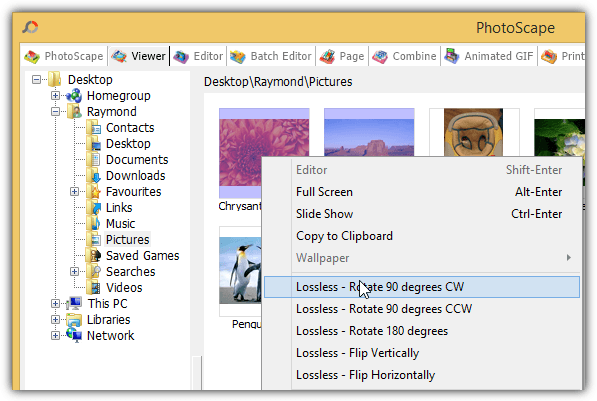
After testing the lossless rotation feature on PhotoScape, we can tell that it can only perform lossless rotation for images with a dimension that can be perfectly divided by 8. Images with an odd dimension can still be rotated, but there will be some data loss which is unnoticeable to the human eye. Take note that rotating an image from the Viewer tab will take effect immediately.
2. IrfanView
IrfanView is one of the oldest graphic viewing software that has been around since 1996. The built-in rotate function found in the Image tab in IrfanView isn’t lossless. You will need to install the JPG_TRANSFORM plugin from the official IrfanView website in order to perform JPG lossless rotation and also cropping. After installing the plugin, you can access the lossless rotate feature either by pressing Shift+J or from the Options > JPG Lossless Rotation…(PlugIn).
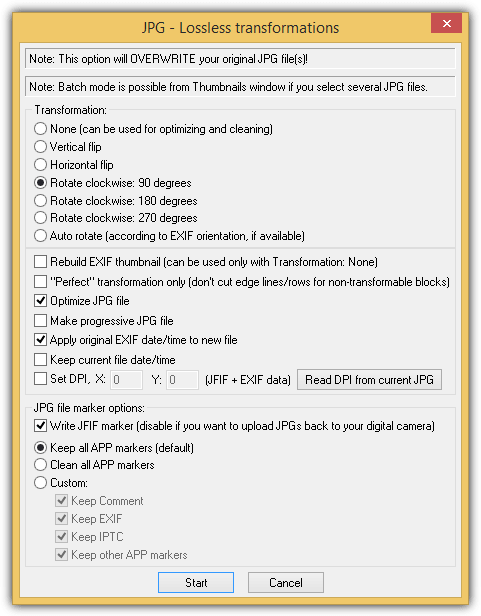
IrfanView can perform lossless rotation even on images with odd dimensions by discarding the partial blocks so that it can be perfectly divided by 8. An example image that we’ve tested has a dimension of 480×721 and after rotating clockwise for 4 times, the dimension becomes 480×720. This would mean that a row has been discarded to preserve the rest of the data. So take note, although it’s lossless rotation, but some data will have to be discarded.
3. FastStone Image Viewer
FastStone Image Viewer is another well known image viewing software and a good alternative to IrfanView. It is free, fast and has a nicer looking graphical user interface if compared to IrfanView. The rotate functionality is quite similar to IrfanView in the sense that the built-in rotate feature is lossy. To perform a lossless left/right rotate or vertical/horizontal flip, go to Tools > JPEG Lossless Rotate. Alternatively, you can also find the Tools menu by right clicking on the image. The rotate clockwise or counterclockwise icons are also lossless for JPEG files.
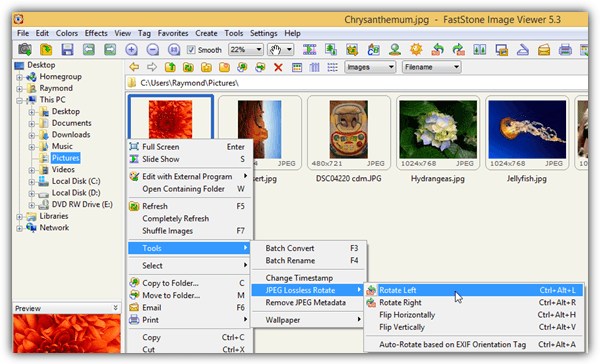
The lossless rotation on images with odd dimension is as the same result as IrfanView by using the common approach of discarding the partial blocks that end up on the left and on the top side of an image.
Download FastStone Image Viewer
4. XnView
XnView is another very powerful image viewing software that is free for private or educational use while a paid license is required if to be used in a company. Not only can XnView read about 500 different formats, it also has basic image editing capabilities, screen capture, find duplicate files, batch processing and creating slideshows, web pages, contact sheets, video thumbnails gallery, file listings and etc.
The lossless rotation function can be found by going to Tools > JPEG Lossless transformations. You can rotate 90 degrees left, right or 180 degrees, rotate based on EXIF value and flip vertical/horizontal. As most of the image viewers that support lossless rotation normally discard the partial blocks, XnView lets you choose if you want to do that. Select dialog and you’ll see the option “Trim image (Remove unused pixels)”. By deselecting that option, we’ve tried rotating an image with odd dimension clockwise 4 times and there are no quality loss while maintaining the exact same dimension.
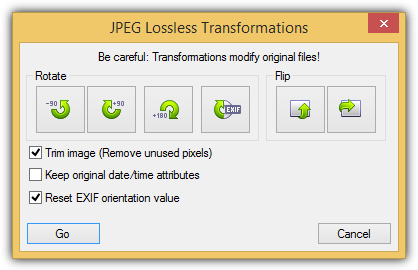
A useful feature found in XnView is by default it automatically makes a backup of the image when performing a lossless operation. The backup file is saved in the same folder as the modified image with .xnbak added to the end of the filename.
5. Picasa
With Picasa, there is no need to worry when you rotate your photos because it is stated very clearly at Picasa’s support page that rotating does not degrade the quality of the picture. It is less confusing and less prone to mistakes because the built-in rotate feature is already lossless, unlike the other image viewing/editing software mentioned above that requires a separate JPEG lossless rotation option.
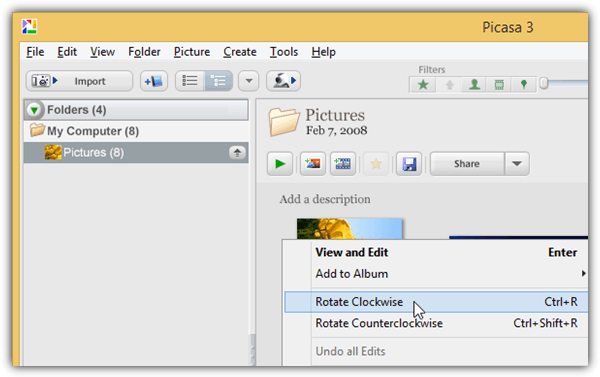
An interesting feature we discovered in Picasa is when you’ve rotated an image 90 degrees clockwise 4 times, Picasa automatically restores back the original file from the backup. Normally the file size would change even though there are no quality loss after a full lossless rotation, but Picasa is smart enough to detect this and automatically restores back the original file.
Additional Note: It is untrue to say that there is quality loss when there are changes to the file size after a lossless rotation. As long as the image data is still being preserved, then the image quality is still the same. You can easily verify this by performing four rotations, closing the photo viewer after each rotation to ensure the image was saved in it’s rotated state, then use an image comparison tool to analyze if there are any difference on the image data.





What programs allow a lossless “horizontal” flip?
Thanks!
The Faststone cropping corrupts my EXIF data. When I crop a TIF file and save it, and then try to open it in my favourite EXIF editor (AnalogExif), the software (AnalogExif) crashes, and is unable to open it. This is pants, so I won’t be using Faststone. When I crop it with Microsoft Image Editor, it’s fine.
thanks ray :D
Great advice. Great softwares.
Great to see you back.
Thanks Ray
thanks raymond
Welcome back my dear Raymond. As always you fix my computer problems. Nice to see you online again. Thanks.
Hi Raymond,
Thanks for sharing this.
Really useful information.
Great post! Thank Raymond!