Shared Folder Monitoring Software: Best for 2023
One of the biggest problem of sharing of folders in Windows XP is it uses the Simple File Sharing option by default whereby when you share a folder, anyone on the local network or even from the Internet would be able to access the shared folder without logging in or entering any password. Thankfully this has all changed starting from Vista where the Simple File Sharing option has been removed and you need to login with a user account or else you can’t access the shared folder. It is still possible to allow access to shared folders without a password by enabling the Guest account and giving permission to EVERYONE group on the shared folder.
Another problem with shared folders is sometimes you don’t know who is toying around with the files when a few people have access to it. If you go to Control Panel > Administrative Tools and run Computer Management, you can only view the connected session and the files being opened by the user in real time but without notification nor logging. This means an important file can be easily deleted from the shared folder and untraceable. Fortunately we have 7 ways for you to monitor shared folders to track down the culprit.
1. NetShareMonitor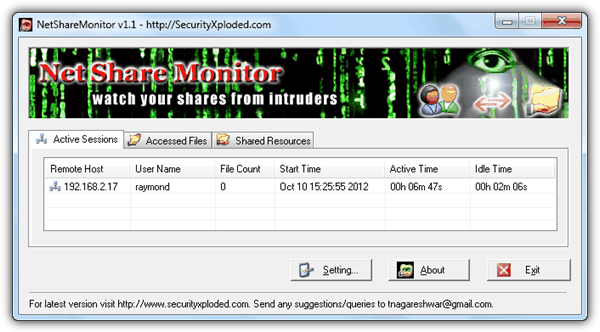
NetShareMonitor is a free and portable tool to watch your shared folders. The program is has 3 tabs to show the active session, files being accessed, and also all the shared resources on your computer. When someone connects to your shared folder, the NetShareMonitor icon at notification area will start to blink and also plays an alert music. There is no popup/email notification nor automated actions to take when an access is detected. Tabs doesn’t show detailed information and will have to view the logs. The log files does not show the files are deleted, other than showing the files that are accessed. Last updated 5 years ago but works on Windows 7.
2. ShareWatch
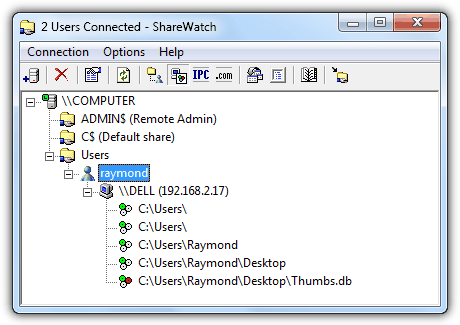
ShareWatch is a a very simple and small portable tool at only 77KB in size that does only one thing which is to show the connected user and also the files being accessed. There is no logging and notification, pretty much like the feature found in Computer Management. One advantage in using ShareWatch is that it can watch other computer’s shared folders given that you have proper access to the computer.
3. ShareMonitor
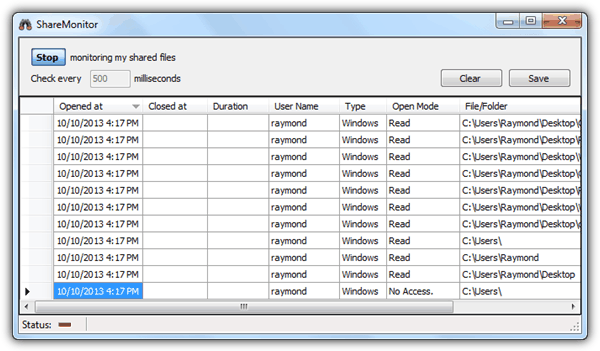
ShareMonitor is yet another portable tool that instantly starts monitoring your shared files upon running the program. The activities are displayed in a spreadsheet like format with cells that resembles Excel and can be saved to a CSV or XML file for future references. By default ShareMonitor checks every 500 milliseconds which will constantly take up 3-6% CPU usage.
4. ShareWatcher
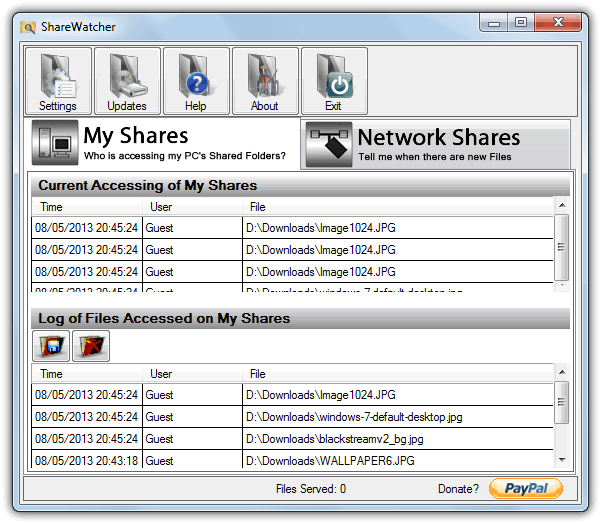
Although the latest version 3 of ShareWatcher is shareware and its free version is heavily crippled, version 2 which is a year older can be used without limitations or nag screens. The program is able monitor and log the file adding or accessed activity of your folder shares in real time, with the added ability to also monitor remote or FTP shared folders for new files. In addition to the log in the main window, you can also be notified via a tray icon popup. To avoid being upgraded to free version 3 which has most of the features disabled, it’s best to turn off automatic updates in Settings.





Hi Mister Raymond,
sure your work is very useful
but I just want to know iif the (whole or only part of the) 7 ways you recommand are still valid in 2018 with Windows 10.
Another update would be to add new up-to-date ways if they exist (in addition or substitution)
Thank you again for your work
Great work
Superman you are…
Thanks Raymond. However, is this feature not enabled by default in Windows Professional or Enterprise for network shares, as it seems to be important in office environment.
Thanks Raymond .
your Articles are very helpful and in no time i was having what I was looking for ..
thanks ..Great work..
Thanks a lot! This was the best!
Thanks……..
Your blogs more helpful to me…………..
Good info
Thank you very much
Ray,
Infinitely useful in a large multiuser environment where permissions have to be loosely applied.
Thanks!
Thanks for sharing ray!
thank you very much.. I was about to do some research on this.. saved me loads of time..
Thanks!
Mr. Ray.
You are wonderful
I send My Greetings to you from here “Palestine”
Perfect, it was a long long time I was looking for a software to do this on my network. I didn’t know I can do it by myself, just to know this little trick!
Thanks Ray…
Very nice tips, thank you very much Raymond. :)
Thanks Raymond for this soft, I used similar approach to monitor modification in word, but this shared folder monitor is more advanced tools.
nice info ray very helpful to catch them
thanks ray….NOW i know who messes around with my files!!