3. DirectX Eradicator
DirectX Eradicator is designed to safely remove the DirectX runtime core component from Windows. It supports the full uninstall of DirectX from version 2.0 up to to version 9.0c, complete removal of all DirectX files and folders, full registry cleanup and CD rollback option. There is no interface for this utility, just a confirmation dialog.
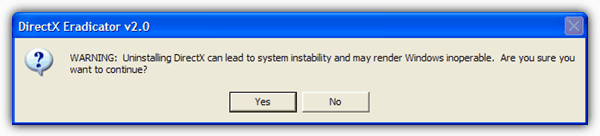
Extract the DirectX Eradicator archive, run dxerad.exe, click Yes when asked and reboot. Upon reboot, you will notice a new icon named “DirectX Rollback Wizard” on the desktop. To rollback to the original DirectX, launch the shortcut, click Yes and enter your Windows installation disc.
A couple of things worth noting; the tool disables Windows File Protection by default so don’t use the program if you’re not comfortable with it doing this. You must be logged on as an Administrator or at least a member of the Administrators group for the program to run properly, and also the service “Cryptographic Services” must be running. It’s enabled by default in Windows but is worth checking just in case.
This tool works with Windows 98/ME/2000/XP/2003. Vista and 7 are NOT supported.
Download DirectX Eradicator 2.0
4. DirectX Buster
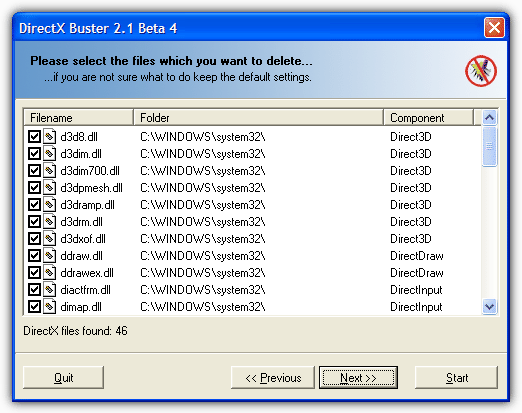
DirectX Buster uninstalls DirectX from version 5 up to version 9.x without any problems. The author says the tool may also work on later DirectX versions such as DirectX 10 but we wouldn’t recommend trying it, just in case. It told us during install that our version of XP wasn’t compatible so it really doesn’t give Windows Vista or 7 users much of a hope! DirectX Buster is only supposed to be fully compatible with Windows 9X, ME and 2000 so its use is very limited. This tool is perhaps the last thing to try before a Windows reinstall.
5. DirectX Happy Uninstall
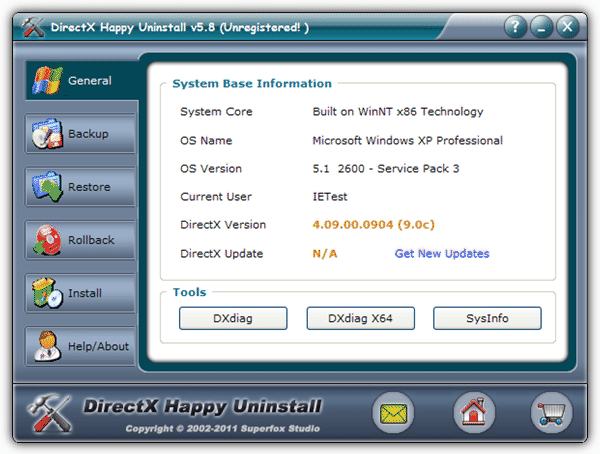
DirectX Happy Uninstall (DHU) certainly looks to be the most powerful tool for managing DirectX. Using the program, you have the options to backup, restore, perform a rollback using a Windows disc, and a full install function. DHU definitely has most of the bases covered when it comes to DirectX management, but the major drawback is DirectX Happy Uninstall is shareware and costs $19.95. You really have to weigh up whether you think it’s worth 20 dollars for a tool you may only ever use once in your life, and it might, or might not fix the problem you’re currently having.
DirectX Happy Uninstall does have something in its favor over the other tools here in that it has full O/S support for Windows 2000/XP/2003/Vista/2008 and Windows 7 including x86 and x64 editions. All DirectX versions are supported including the latest DirectX 11.