Category: Security

  • 3 Free Online AntiVirus Scanners to Scan for Malware from Web Browser

    Many years ago, it was common to find an online scanner offered by an antivirus company for free which can be used to scan your computer directly from your web browser. As we may think an online antivirus scanner that runs from a web browser does not need to download and install a program, it actually still requires to download an add-on that stays installed and enabled on the browser until it is manually removed by the user.

    Most of the online antivirus scanners do not have the ability to remove or clean any found viruses as it is merely used to detect if there is any active malware on the computer. Although the online scanners are very useful for a quick scan and also to get a second opinion since it doesn’t interfere with the antivirus installed on the system, they aren’t very popular and the number of online scanners has dropped drastically from around 60 to only 3 today.

    Here are the 3 remaining online antivirus scanners that works with the current web browsers. Do note we are only looking at online scanners that work within a browser window and not the many others that need you to download a custom frontend or require any form of separate installation.
    (more…)

  • Easily Switch Between 5 Different IP Changing Proxy Surfing Software

    There are quite a number of ways to change your IP address probably to protect your privacy by preventing scripts from tracking your surfing behavior, accessing blocked websites such as video streaming sites or even online promotions that are only available for visitors from certain countries. It is also well known that these proxy software can bypass blocked sites in universities and corporate networks. Although you can find a lot of websites publishing new and fresh proxy lists daily, most of the time, half or more proxies from the list are no longer working plus you need to manually scan using a proxy scanning tool to identify the good and bad ones. This is very time consuming and requires an advanced knowledge of computers.

    An easier method is to use VPN which will work out of the box after installing the software (OpenVPN) or using the Windows supported PPTP protocol. VPN is considerably more stable than the public open proxy but most of them are paid services where some providers offer free VPN trial accounts with limitations. Back to proxy, there are a few organizations that maintain a pool of working proxy servers for free and all you need to do is download their portable program, run it and configure your web browser to connect to the program. The portability makes it convenient to save it to a USB flash drive so you can use it on the go.
    (more…)

  • 2 Ways to Analyze Behavior of Sandboxed Application in Sandboxie

    Deciding if a file is infected or safe from a VirusTotal scan result can be frustrating when half of the antivirus shows that it is infected while the other half shows that it is clean.

    You can try analyzing the half detected file using an online sandbox service such as ThreatExpert but the report only shows the program’s behavior when it’s started and doesn’t tell you what it does when an option is enabled or when a button on the program is clicked.

    This is when the sandbox software such as Sandboxie comes to play by allowing you to run any programs on your computer whether they are safe or infected and yet any changes still won’t affect your computer.

    Although Sandboxie is mainly used to keep your computer safe by running programs in an isolated space, it can also be used to analyze the program’s behavior.
    (more…)

  • 5 Solutions for Kaspersky Installation Ended Prematurely Because of an Error

    Kaspersky Internet Security and Anti-Virus are highly popular and well respected commercial security products and a recommended choice if you prefer more functions and protection than a free antivirus program offers. We’ve also previously shown you how to get a year’s license for Kaspersky Antivirus 2013 completely free. A major issue with most security software has always been they rarely uninstall themselves cleanly from your computer and can also have issues on installation as well because they need to hook deep into your system.

    Kaspersky Antivirus and Internet Security products have commonly suffered with an error during the setup process which prevents install and asks for a reboot to continue. After restarting, the problem remains:

    Installation interrupted

    Installation ended prematurely because of an error.

    Installation ended prematurely because of an error

    Although it isn’t as prevalent as a few years back, people still encounter the error and obviously making sure you succeed in getting your paid protection working is important. Here we show you a selection of solutions we have found to get around this error and allow your Kaspersky product to continue its installation. This applies to all versions of Kaspersky Internet Security and Antivirus, and possibly PURE.
    (more…)

  • 4 Free Tools to Sandbox Programs and Keep Your Computer Safer

    A sandbox simply means a way of running a program in an environment which separates it from the host operating system. There are several ways of sandboxing a program. One is to use virtual machine software like VirtualBox which runs programs in a virtual operating system. Another way is to temporarily virtualize your real operating system so any changes made to it are discarded after a reboot. You can also portablize programs to isolate any changes they make from the host system.

    Another easy option is to sandbox a program on demand so only that program is isolated leaving the rest of your system unaffected. Then you can simply empty the sandbox when you are finished to flush the contents of it away. Apart from being isolated from any potential harm caused by the sandboxed software, it’s also an excellent try before you install option to keep your system clean from unwanted file and registry changes.

    Here we list 4 free applications that can sandbox programs you want to isolate from your main operating system. Sadly, the popular Avast Free Antivirus used to have a dedicated sandbox option but it’s now only available in paid versions of the software. All the programs below were tested in Windows 7 and 10 64-bit.
    (more…)

  • View and Delete Thumbnails in Thumbs.db or thumbcache.db

    If you’ve accidentally downloaded a sensitive image file that can get you into trouble, deleting the file from Windows is just not enough even if you’ve perform a secure wipe. Forensics people can still retrieve the image from your computer, thanks to the thumbnail caching feature. When you open a folder containing a lot of images, the thumbnail caching feature will greatly improve the time that takes to show the images via thumbnails rather than regenerating them every time you get in to the folder.

    In Windows XP, the hidden thumbnail file which is thumbs.db are placed at the same location of the images but in Windows Vista/7, the thumbnail files are stored at the user’s folder but will still generate thumbs.db when you access shared network folders.

    View thumbs.db

    This thumbnail caching feature can be an invasion of privacy and we’ll show you how to view the thumbnails inside the database cache file, clear them and and also how to disable it from caching more thumbnails.

    Here is how to do it.
    (more…)

  • View, Examine and Delete Internet Explorer INDEX.DAT Contents

    Every web browser uses database method to store the history locally on the hard drive for faster access and one example is Firefox that uses SQLite database. Unless you have a SSD hard drive or put your Firefox profile’s database in RAMDisk, eventually Firefox web browser will come to a crawl when the SQLite database file size gets too big. Internet Explorer too does the same by storing it in a file called INDEX.DAT. If you search in your hard drive, you will probably find more than 20 index.dat files where each of them are used to store different information such as cookies, history, cache, form data and etc.

    One well known problem in Internet Explorer is even if you delete all browsing history in Internet Explorer by pressing Ctrl+Shift+Del, the index.dat file size remains the same and is not re-sized. Not only that, it does not really clear all of the index.dat entries because some of them still contains old caches, cookies and history information. Using the famous CCleaner with additional rules also does not fully clean up all the history especially the ones with .IE5 in temp folder. You also cannot manually delete the file because it is locked and being used by Windows Explorer unless you do it in Safe Mode.
    (more…)

  • How To Crack your Windows User Account Password

    Sensible computer users will always advise you that protecting your user account on your Windows installation with a password is a very important thing to do. And of course, that is correct to help protect and secure private and important data from other users that have access to the same machine. It isn’t the case anymore though that simply putting a password on your account will protect you and your files if someone is desperate enough to want to get in.

    There are of course legitimate reasons for wanting to get around a user account password. I’ve lost count the number of times someone has left me with a PC to work on and gone off not telling me what the password is. Some users are so forgetful, they can’t even remember what their own password is, and you’d be surprised how many people actually do that. It’s not a major surprise really when there are possibly 10+ different passwords to remember while using your PC and online etc.
    (more…)

  • Windows Live Messenger and Hotmail or Outlook Account Cracker

    Hotmail (now known as Outlook.com) is one of the oldest free email providers that is owned by Microsoft. Although Gmail has been really popular, many people still own a Hotmail account so that they’re able to use the services such as Windows Live Messenger, SkyDrive and etc that is being offered for free to their Live users. Hacking Hotmail account is not impossible but not really that easy as well as it requires a bit of patience and luck. The first method that would definitely work is to install a keylogger and steal the Hotmail login credentials. The guessing of the secret answer to the secret question set by the user is no longer effective because you need to fill up a bunch of questionnaire with the accurate answers to verify that you actually own the Hotmail account or else the request will be rejected.

    The third and final method to crack a Hotmail password is by brute forcing with a wordlist or dictionary file. This method would be the best because the password will be retained and not reset which will not trigger the account owner’s attention while you can access and view the emails. Other than that, there are also many basic users that uses common passwords which can be easily cracked. There are many brute forcing tools that can be found on the Internet but most of them are either broken (not working) or infected by malware. We have found a script written by Adam Joseph that works and is safe to use.
    (more…)

  • Reset Windows User Account by Removing Forgotten Password

    Forgetting your Windows password is not really something that happens too often, but it can happen. This is especially true if you are administering several computers because people who aren’t very computer savvy tend to think nothing of misplacing or not remembering their login password. Years ago this may have been a serious issue and could have resulted in deleting the account, but these days it’s not too much of a problem.

    There are a number of different ways to either get around the user account password by using something like Kon-Boot which is a bootable CD that lets you get into Windows by temporarily entering anything as the password to logon. Or you could try a password cracker program that can hopefully find the original password for you. Ophcrack is one such program we have previously written about that you could try.

    Other ways that we’ve talked about include “How to Hack Into a Windows XP Computer Without Changing Password” and “How to Recover Windows Login password within minutes” which are worth looking at. This article though, covers another method on how to get into Windows without knowing any Windows account password which is actually removing the password completely. This has an advantage of not revealing what the current password is, instead it simply deletes it so you can login without entering any password and can then create another personal password once in Windows.
    (more…)

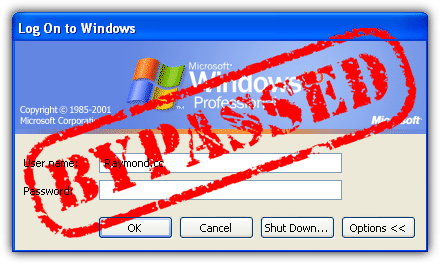
  • How to Hack Into a Windows XP Computer Without Changing the Password

    We have previously talked about how to Recover the Windows Login password within minutes which allows you to recover your Windows password online. Another method to login to a password protected Windows even if you do not have the password is by making Windows accept any password, and this is a far better way to get into Windows XP. It is easy and it does not reset the password which will definitely alert the administrator of the computer. Kon-Boot is another fantastic tool for doing this and there are free and paid versions available that will allow access to Windows XP, Vista, 7, 8 and even Linux without knowing the password. Kon-Boot is also present on the great Hiren’s Boot CD rescue disc.

    Bypass Windows Login screen

    There are also other useful methods getting into a password protected Windows such as cracking the password so you can find out what the real password is. Hacking into a computer running Windows XP without changing or resetting the password will allow you to find out all and any passwords on the machine (including admin accounts). You do not need access to any accounts to do this, but of course, do not perform this method on anyone else’s computer without proper authorization. The hacking method described below works only on Windows XP.
    (more…)

  • Recover Windows Login Password Online with LoginRecovery

    There are many ways to login to a password protected Windows even if you do not know the password. You can reset the current password to a new password, make your Windows accept any passwords or decrypt the current password so you can login with the current password. Cracking the current password is the best method because it doesn’t reset and change the current password so no one would suspect anything. However this is also the most difficult method and can be very time consuming depending on the strength of the password. If the password is really long and contains uppercase, lowercase, numbers and symbols, it may take many years just to crack that password depending on the power of the machine that is used to run the decryption.

    If you do not want to run the cracking tool on your computer for days/weeks/years in attempting to decrypt the user account password, you can do it at LoginRecovery where it provides an online service to help you decrypt the password just by uploading a XML file created by their LiveCD.
    (more…)

  • Crack or Decrypt VNC Server Encrypted Password

    Virtual Network Computing or mostly people just calls it VNC is a system to remotely control a computer as if you are sitting in front of the PC even though you are away from it. Although Windows comes with remote desktop feature that accomplishes the same thing as VNC, most server administrators still prefers to use VNC due to cross platform compatibility plus they are also free unless you are using the Personal or Enterprise version of RealVNC for extra security and features such as the deployment tool. The VNC comes in two modules which is the Viewer that is used to control the Server module.

    Just like any other remote control software, the VNC server can be password protected to prevent unauthorized users from controlling the server. The password that is saved on the server is encrypted with DES but unfortunately the algorithm has already been cracked long ago. There are quite a number of third party tools that claims to automatically decrypt and display the VNC server password but most of them are not updated to work with the latest versions of VNC. From what we’ve tested, VNCPassView by Nirsoft can only display UltraVNC password, VNCPwdump by Patrik Karlsson failed to display RealVNC password with either the -s or -c switch, and VNC Password Decryptor too failed to fetch and decrypt VNC passwords on a local computer.

    These automated VNC password recovery tool doesn’t work because the location of the DES encrypted password that is saved on the computer has changed and they are not updated to read from the new paths. Here we will guide you on how to locate the VNC encrypted password and also how to manually decrypt them either through web based or locally via command line tool.
    (more…)

  • Protecting yourself when downloading using BitTorrent

    Even when you just mention the word “Torrent” these days, it’s automatically associated with piracy and downloading music or movies. While this may be true to a large degree, bittorrent can still be used for completely legitimate downloading including Linux ISO images and game patches to name only a few.

    If we’re honest though, most people don’t consider watching something like an episode from a TV show which hasn’t been aired in your country yet, that bad. But unfortunately, there are anti P2P organizations that frown on downloads like this just as much as the latest movie or music album. And every torrent users favorite acronyms, the RIAA or MPAA will be doing what they can to try and stop you even for downloads most people would think are totally acceptable.
    (more…)